

Domain and SSL problems
Your domain card in Settings → Web address and domains names the problem in a red box with the fix. Find that message below. Your free your-slug.direct.eat address keeps working the whole time, so customers can still order while you fix it.
After any change at your DNS provider, go back to the domain card and click Check now.
Quick checklist
Section titled “Quick checklist”- One record: CNAME, name
www(ororder), valueshops.direct.eat. - No A or AAAA record on the same name.
- On Cloudflare: DNS only (grey cloud).
- The name is just
www, notwww.yourrestaurant.co.uk. - You’re editing DNS where your domain’s nameservers point (the card’s guide says Detected from your DNS).
We can’t see the record yet
Section titled “We can’t see the record yet”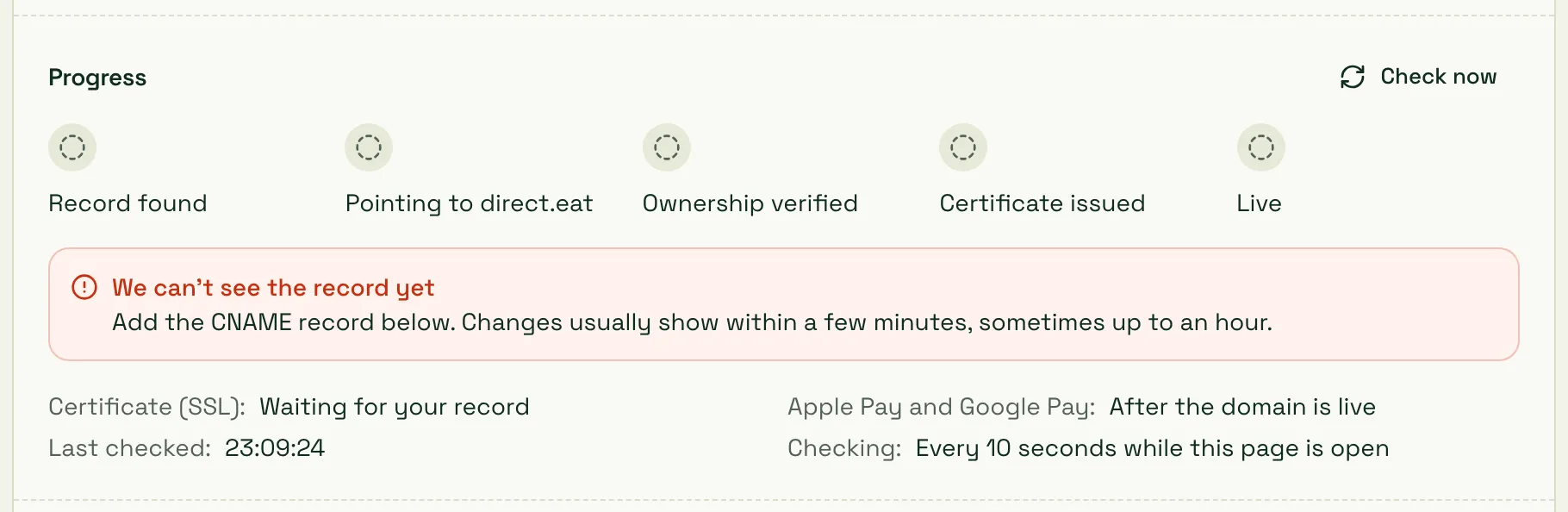
Cause: there’s no record for this name, or the change hasn’t reached the internet yet.
Fix:
- Check you added the CNAME at the provider that runs your DNS. If you bought the domain at one company but its nameservers point to another (Cloudflare, your web host), add it there. The guide on the card is matched to your nameservers.
- Check the record was saved (some panels need a final Save or a green tick).
- Wait. Changes usually show within a few minutes, sometimes up to an hour. If an old record had a long TTL, some networks keep the old answer longer, occasionally up to 24 to 48 hours.
An old A record still exists on www
Section titled “An old A record still exists on www”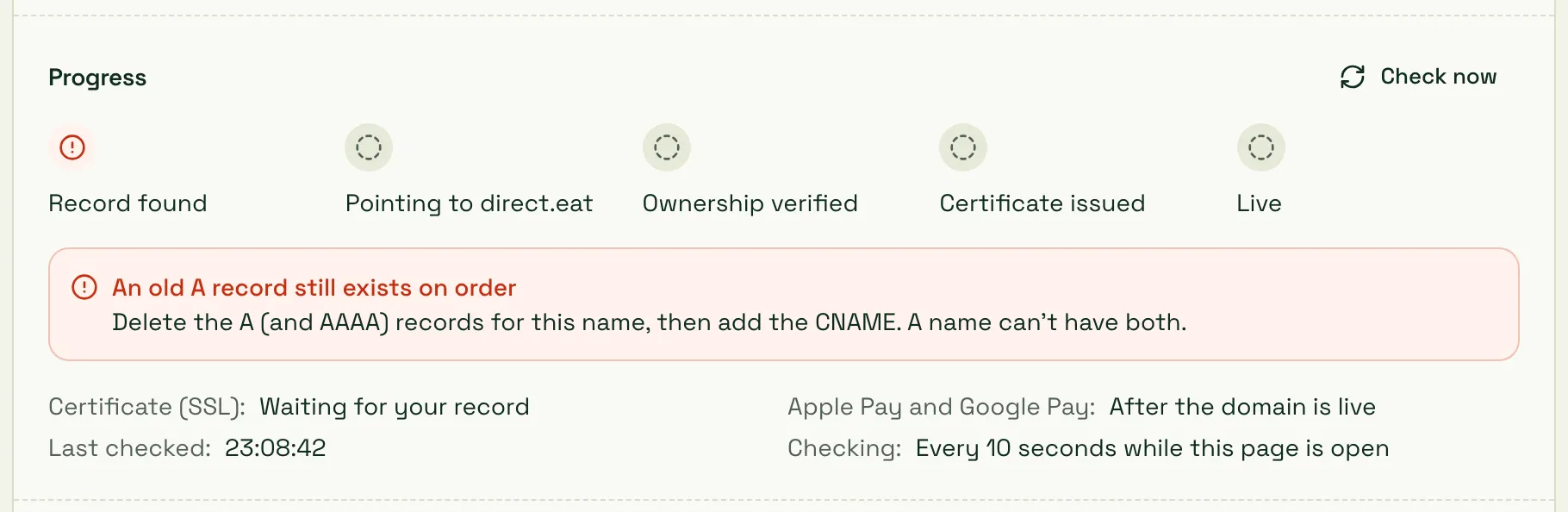
Cause: the name still has an A (or AAAA) record, usually from an old website or parking page. A name can’t have an A record and a CNAME at the same time, and many panels refuse to save the CNAME until the A record is gone.
Fix: delete the A and AAAA records for that name (only that name, not @ or mail), then add the CNAME. IONOS and 123-reg in particular need this.
The record was added as www.yourrestaurant.co.uk.yourrestaurant.co.uk
Section titled “The record was added as www.yourrestaurant.co.uk.yourrestaurant.co.uk”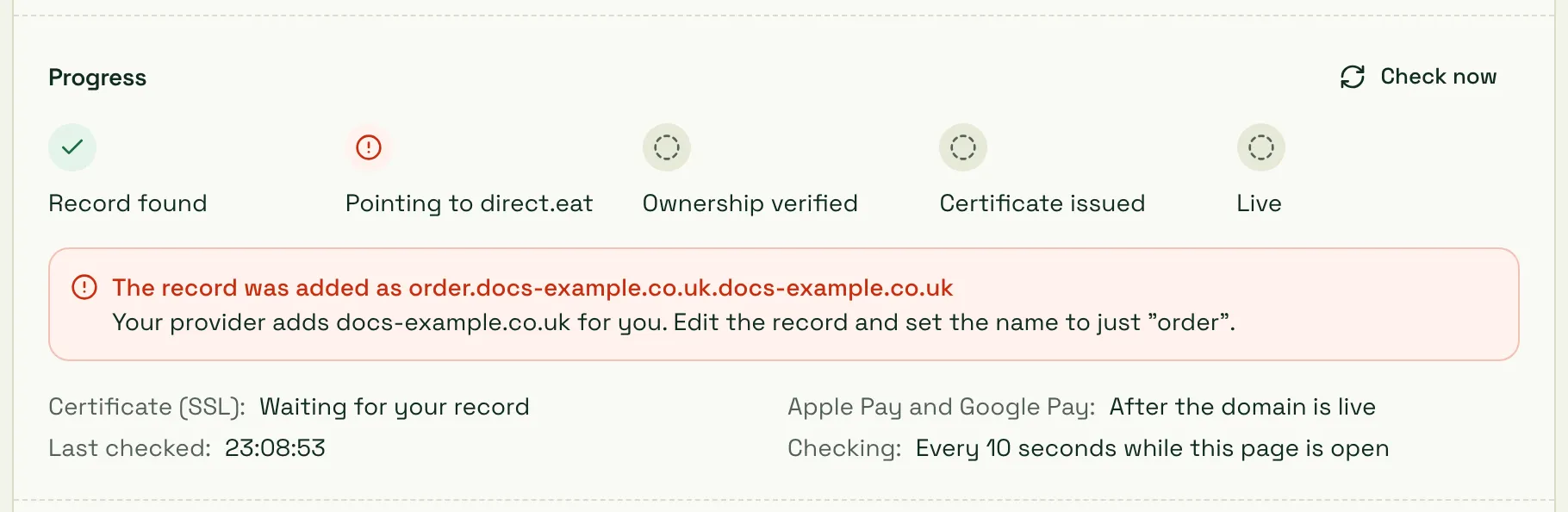
Cause: you typed the full address into the Name field, and your provider added your domain again.
Fix: edit the record and set the name to just www (or order).
The record points to shops.direct.eat.yourrestaurant.co.uk
Section titled “The record points to shops.direct.eat.yourrestaurant.co.uk”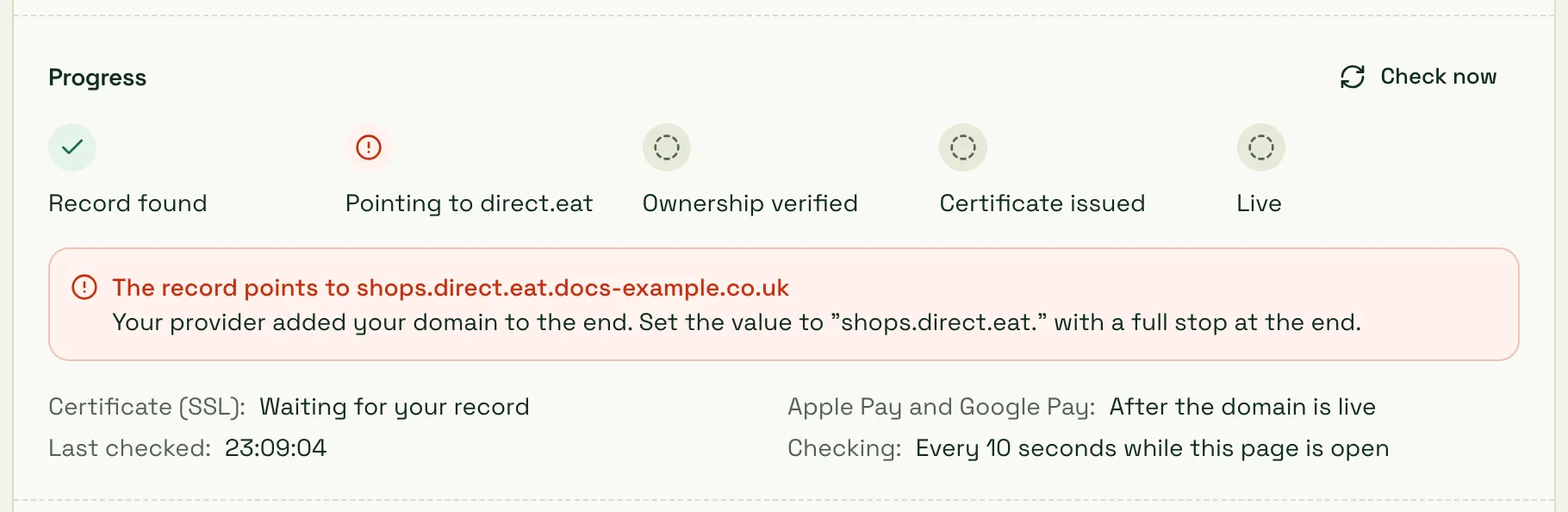
Cause: some panels treat a value without a full stop at the end as part of your own domain.
Fix: set the value to shops.direct.eat. with a full stop at the end.
The record points to something else
Section titled “The record points to something else”Cause: the CNAME points to an old provider (for example your previous ordering platform or a parking page).
Fix: change the value to shops.direct.eat.
The record is proxied (orange cloud) in your Cloudflare account
Section titled “The record is proxied (orange cloud) in your Cloudflare account”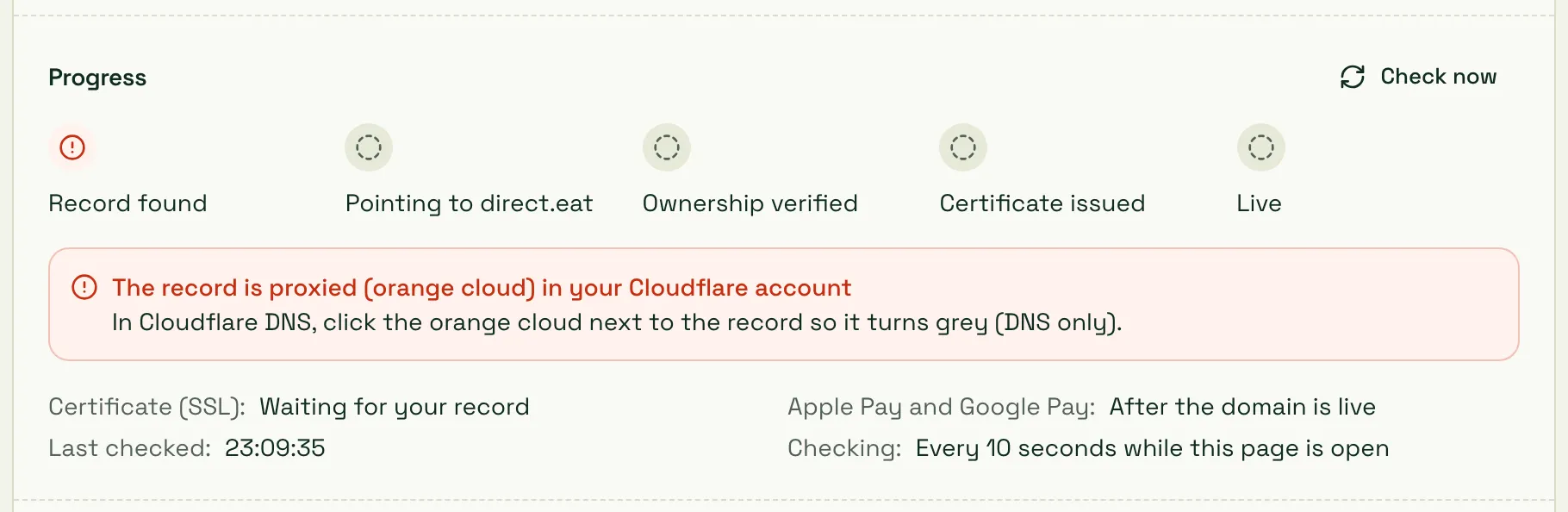
Cause: the record in your own Cloudflare account has Proxy status: Proxied. Traffic goes through your Cloudflare first, so our certificate can’t be issued and your address won’t connect.
Fix: in Cloudflare DNS → Records, edit the record and click the orange cloud so it turns grey (DNS only). See Cloudflare.
A CAA record blocks our certificate
Section titled “A CAA record blocks our certificate”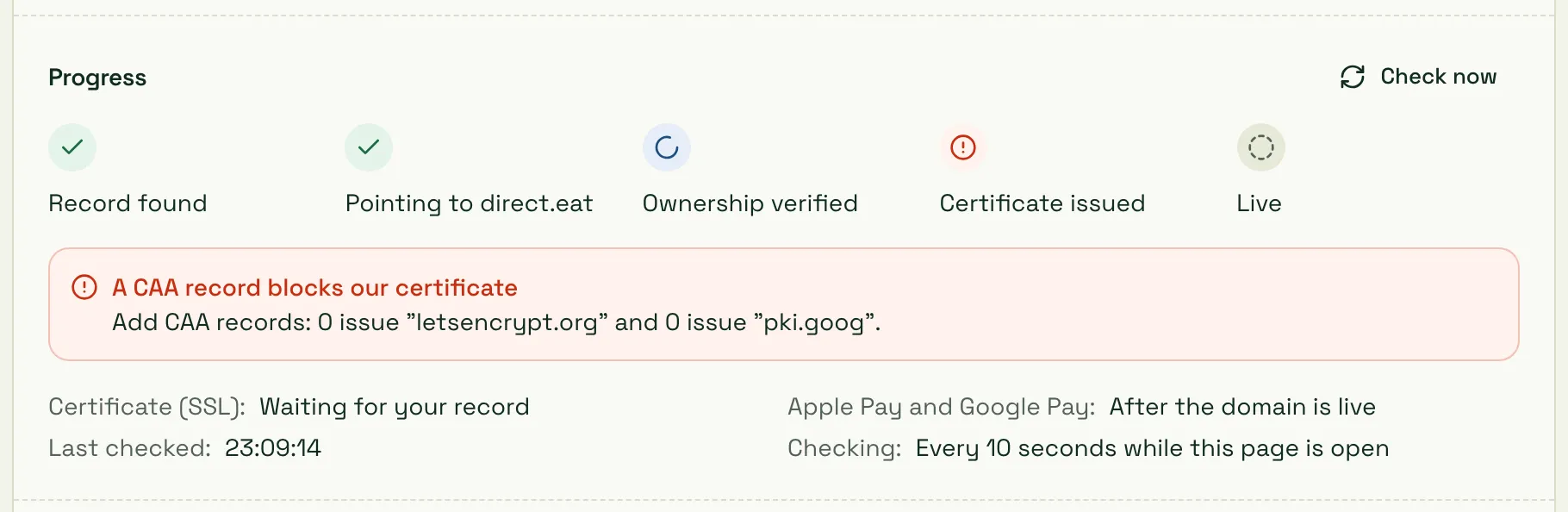
Cause: your domain has CAA records, which list the only companies allowed to issue certificates for it, and ours aren’t on the list. The record is right but Certificate issued can’t complete.
Fix: add two CAA records on your bare domain (@), keeping any you already have:
| Type | Name | Flags | Tag | Value |
|---|---|---|---|---|
| CAA | @ |
0 | issue | letsencrypt.org |
| CAA | @ |
0 | issue | pki.goog |
Some panels take it as one line: 0 issue "letsencrypt.org". If you don’t know why you have CAA records, your web host or IT person probably added them.
Please prove you own this domain
Section titled “Please prove you own this domain”Cause: this domain was connected to a different direct.eat account in the last 90 days. To stop anyone taking over a domain that used to belong to another restaurant, it needs a TXT ownership record before it can go live, even if the CNAME is right.
Fix: add the TXT record shown in the yellow box on your card (name starting _cf-custom-hostname. and the value shown). In most panels you type the name without your domain on the end. If you bought the domain from another restaurant, this is expected.
Your domain’s DNS isn’t answering properly
Section titled “Your domain’s DNS isn’t answering properly”Cause: usually broken DNSSEC. For example, the domain was moved to a new DNS provider but the old DNSSEC (DS) record is still at the registrar.
Fix: turn DNSSEC off at your registrar, or ask them to update the DS record for your current DNS provider.
yourrestaurant.co.uk has expired
Section titled “yourrestaurant.co.uk has expired”Cause: the domain registration ran out.
Fix: renew it with your registrar. Your ordering address works again once the renewal goes through and DNS answers again. Turn on auto-renew so it doesn’t happen again.
I want to use the bare domain (yourrestaurant.co.uk)
Section titled “I want to use the bare domain (yourrestaurant.co.uk)”Cause: a bare domain can’t have a normal CNAME, and most UK registrars (GoDaddy, 123-reg, IONOS) can’t point it at another service.
Fix: connect www as your main address, then use your registrar’s forwarding to send yourrestaurant.co.uk to https://www.yourrestaurant.co.uk with a permanent (301) redirect. On Cloudflare (CNAME flattening) or Namecheap (ALIAS record) you can point the bare domain at shops.direct.eat directly. See Bare domains.
Ownership verified, but the certificate is still pending
Section titled “Ownership verified, but the certificate is still pending”Cause: the certificate (SSL) is issued after ownership is confirmed. The card shows Securing and “Certificate (SSL): Being validated” or “Being issued”.
Fix: this normally finishes on its own. If it’s stuck for more than a few hours:
- Check for a CAA record (above).
- Check there’s no leftover A or AAAA record on the name.
- On Cloudflare, check the cloud is grey.
- Then use Ask us to set it up on the card, and we’ll look.
The browser says “Not secure” or shows a certificate warning
Section titled “The browser says “Not secure” or shows a certificate warning”Cause: the address is still pointing at your old provider, or the certificate isn’t issued yet.
Fix: wait for all five steps to tick on the card. If you’re moving from another platform and can’t have a gap, use the TXT records under Moving from GloriaFood or another provider? Get the certificate ready first before you change the CNAME. See Connect your own domain.
Customers see “This domain isn’t connected to a shop”
Section titled “Customers see “This domain isn’t connected to a shop””Cause: the address points at us but isn’t connected to a shop. Usually you removed it from Web address and domains but the CNAME is still in place, or it hasn’t finished connecting yet.
Fix: add it again on the domains page, or delete the CNAME at your DNS provider if you don’t want to use it.
It works for me but not for a customer (propagation)
Section titled “It works for me but not for a customer (propagation)”Cause: DNS answers are cached. Until the old record’s TTL runs out, some networks and phones still use the old answer.
Fix: wait. Usually it’s under an hour, occasionally up to 24 to 48 hours. Using a TTL of 1 hour or “Auto” keeps future changes quick. Meanwhile, share your-slug.direct.eat, which always works.
Still stuck?
Section titled “Still stuck?”On your domain card, click Ask us to set it up. You can give us limited DNS access or book a 15-minute screen-share. It’s free, and we never need your password.
Related
Section titled “Related”Was this page helpful?