

86 items and stock
Run out of dough balls? “86” it: mark it sold out so nobody can order it. You can 86 a whole item or a single option (one topping, one sauce), from the dashboard or from the kitchen app.
Before you start: anyone who can edit the menu can 86 things, and so can staff logins: staff see the Availability tab only. Kitchen tablets can 86 from the kitchen app.
86 an item in one tap
Section titled “86 an item in one tap”On Menu → Items, every item has an 86 switch on the right. Turn it on and the item is sold out for the rest of today. A toast confirms “Garlic Bread sold out until tomorrow” with an Undo button. Turn the switch off to bring it back. On a keyboard, select the row and press S.
The item stays on your menu, greyed out and marked Sold out, so regulars can see it’s normally there.
The Availability board
Section titled “The Availability board”Menu → Availability is the place to see and change everything that’s sold out.
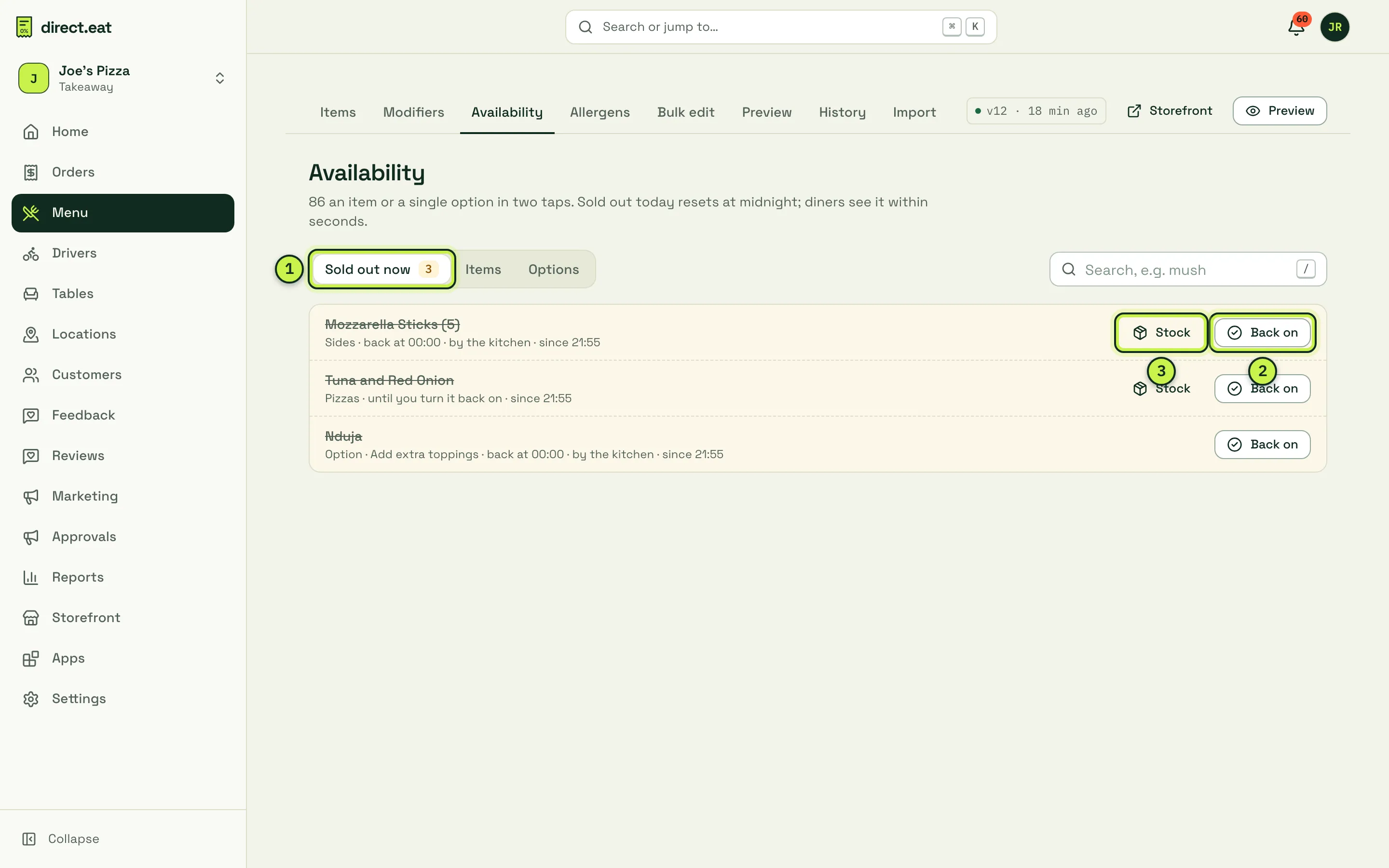
- Sold out now: everything currently 86’d, with how long for, who did it (“by the kitchen”) and since when.
- Back on: one tap to make it available again.
- Stock: set a stock count for the item (see below).
86 with a time limit
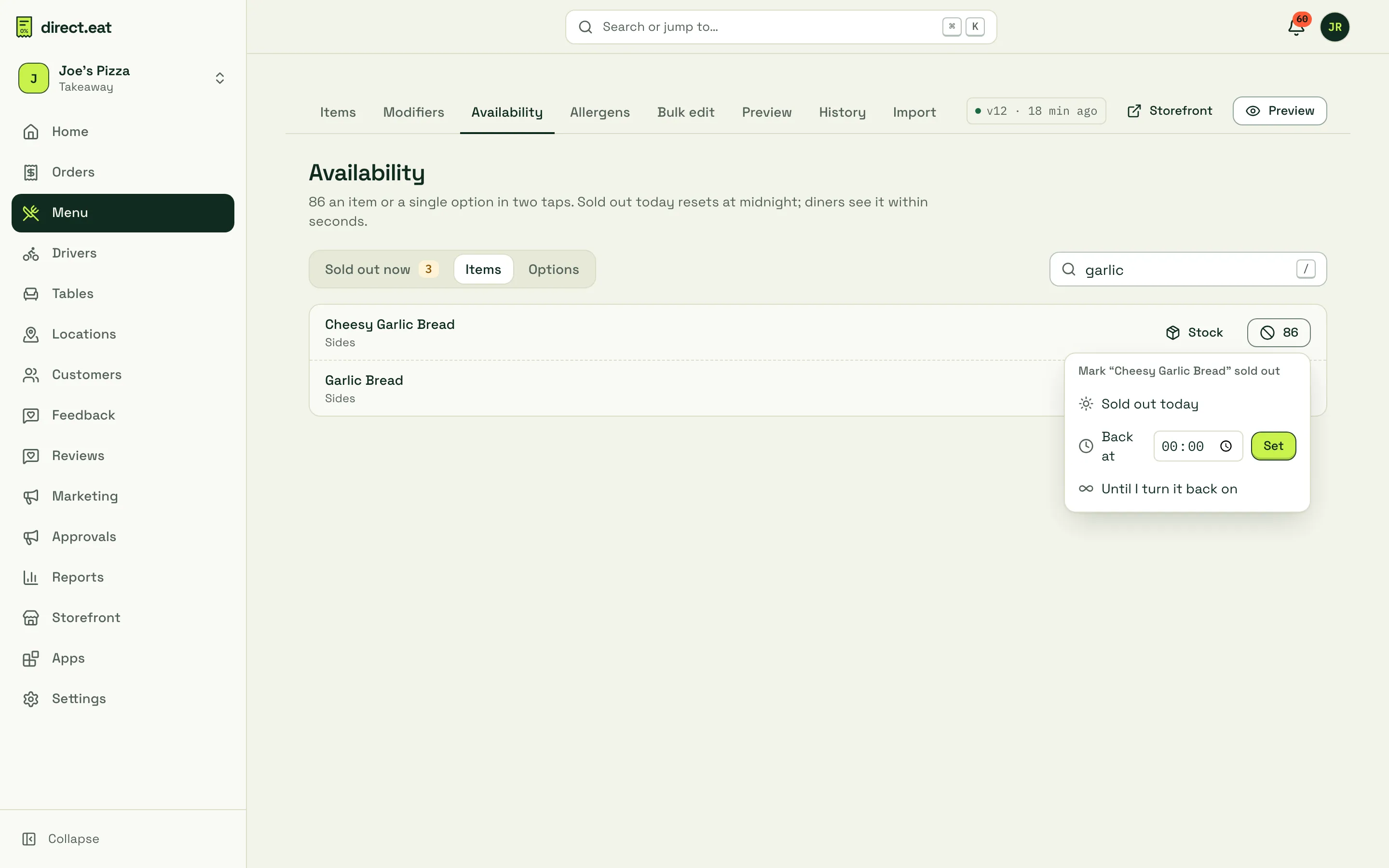
Section titled “86 with a time limit”- Click Items (or Options) and search for the item, for example “garlic”.
- Click 86 next to it.
- Choose how long:
- Sold out today: back on automatically at midnight.
- Back at a time: type the time, click Set. Useful when the next batch of dough is ready at 18:00.
- Until I turn it back on: stays off until someone presses Back on.
86 a single option
Section titled “86 a single option”Out of nduja but still making pizzas? 86 the option, not the pizza.
- On Menu → Availability, click Options.
- Find the option (“Nduja”) and click 86, then pick how long.
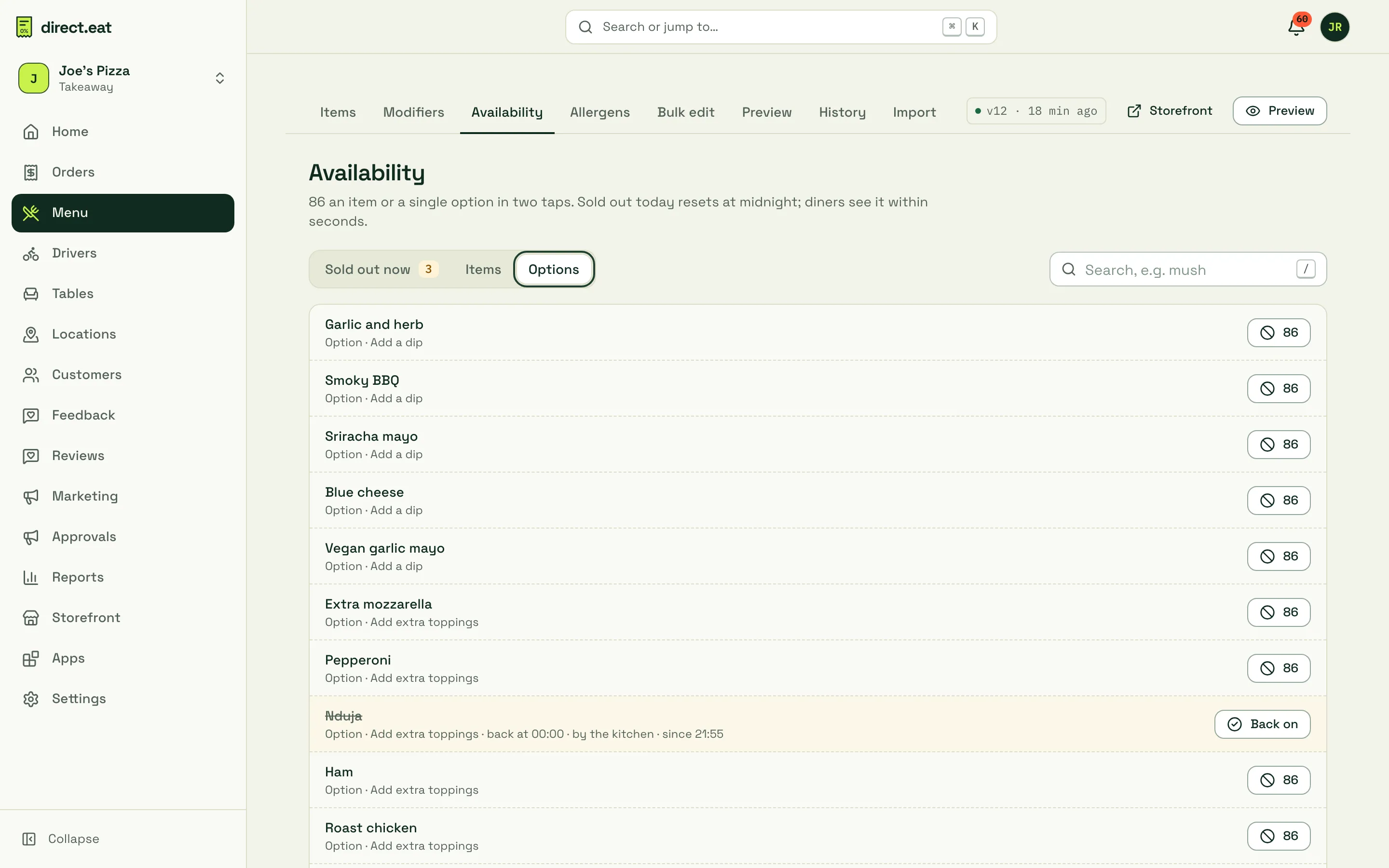
On the storefront the option shows as Sold out, can’t be chosen and is never pre-selected. If a diner already had it in their basket, checkout won’t accept it and asks them to change their choice.
86 from the kitchen app
Section titled “86 from the kitchen app”In the kitchen app, tap 86 in the header. The sheet has Items and Options and extras tabs, with 86 today, until I turn it back on and Back on. Changes show on the Availability board with “by the kitchen”. When the kitchen rejects an order because an item is unavailable, the items they pick are 86’d for the rest of today. See The kitchen app.
What diners see
Section titled “What diners see”- Sold-out items stay on the menu, marked sold out, and can’t be added to the basket.
- Open storefronts listen for menu changes and refresh the menu when something is 86’d or comes back, so diners who are already browsing see the change without reloading.
- Checkout re-checks availability. If an item was 86’d while someone was checking out, they’re told it “sold out a moment ago” before they pay.
Stock counts
Section titled “Stock counts”For things you make a fixed number of (12 sourdough loaves, 20 portions of brisket), set a stock count and let direct.eat sell it down.
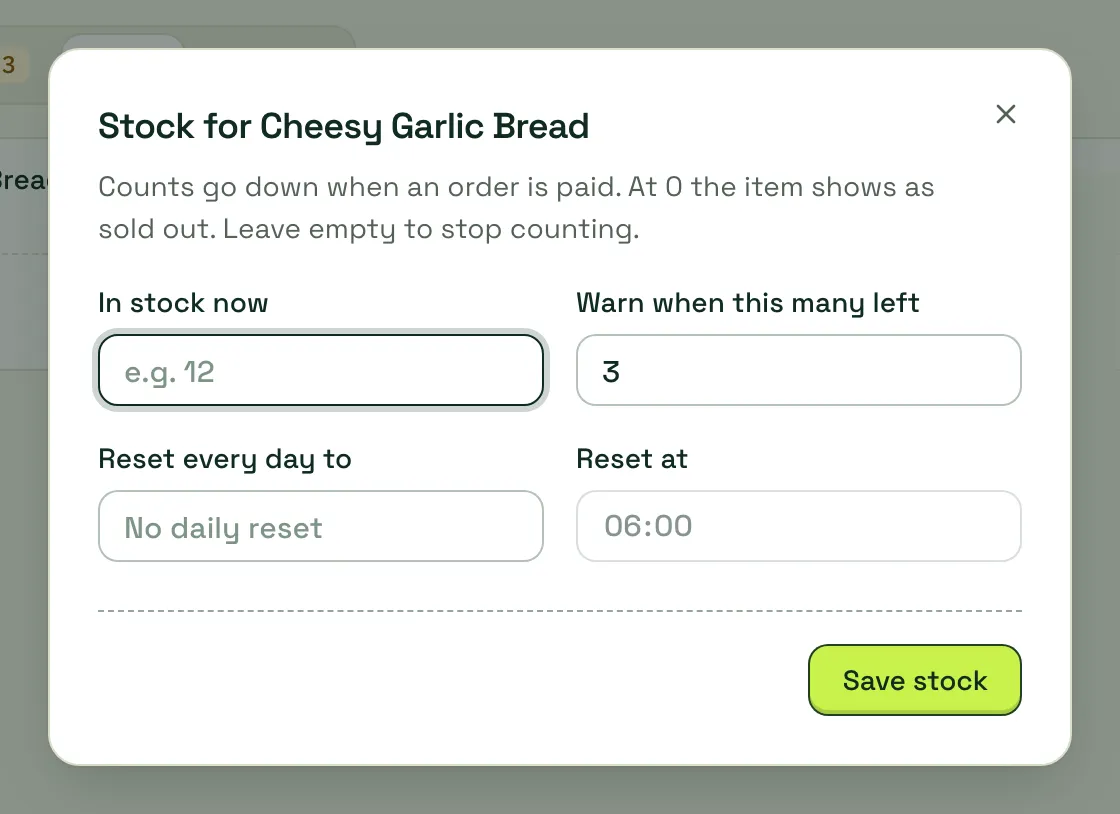
- On the Availability board, click Stock next to the item (search for it under Items first if it isn’t sold out).
- Enter In stock now, and optionally Warn when this many left.
- Optionally set Reset every day to and Reset at (for example 12 at 06:00).
- Click Save stock. To stop counting, open it again and click Stop counting.
The count goes down when an order is paid. At 0 the item shows as sold out. Turn the Stock counts feature on or off in Modes and business type.
Availability schedules
Section titled “Availability schedules”86 is for “we’ve run out”. For things that are only sold at certain times, use a schedule instead, so you don’t have to remember to switch them on and off:
| What | Where | Example |
|---|---|---|
| One item | Item editor → Availability → Only at certain times | Breakfast wrap until 11:30 |
| A whole category | Category settings (sliders icon) → own times | Lunch deals 12:00 to 15:00 weekdays |
| A whole menu | Menu settings → When is this menu on? | Sunday menu on Sundays |
| Order types | Item editor → Availability → Offer for | Ice cream for collection only |
| Notice | Item editor → Order ahead | Celebration cake, 1440 minutes (24 hours) |
Diners only see what’s available for the time and order type they pick. Check any combination with Menu → Preview, which shows the menu as a customer at any date, time and order type. See Bulk edit, history and preview.
Hidden (in the item editor, or in bulk) is different again: the item stays in your dashboard but is off the storefront completely, with no “sold out” label.
- “Sold out today” resets at midnight. If you’re open past midnight and 86 something at 23:30, use Back at or Until I turn it back on instead.
- To 86 several things at once (a supplier didn’t turn up), use Bulk edit: select the items, then 86 today. It’s one change you can undo.
- Every 86 and Back on is in History with who did it.
Related
Section titled “Related”- Busy mode and pausing: when the whole kitchen is under pressure, not just one dish
- Edit your menu
- The kitchen app
Was this page helpful?