

Order statuses
Every order moves through a fixed set of statuses. Your team sees short labels on the board and kitchen app. Customers see friendlier labels on their tracking page, and are told when anything important changes.
The flow
Section titled “The flow” ┌──────────── Rejected │Paid ──► New ────┼──► Accepted ──► Cooking ──► Ready ──┬──► Completed (Collected / Served) │ │ │ │ │ │ │ │ │ └──► Out for delivery ──► Completed (Delivered) │ │ │ │ │ └────────┴───────────┴──────────┴─────────────────┴──► Cancelled- Cooking is optional. You can go straight from Accepted to Ready.
- Delivery orders can go out from Accepted, Cooking or Ready. Collection and table orders can’t go out for delivery.
- Rejected is only possible from New. After accepting, use Cancel.
- Completed, Rejected and Cancelled are final. A finished order can’t be reopened.
All statuses
Section titled “All statuses”| Status | Board and kitchen label | What it means | Customer sees |
|---|---|---|---|
| Awaiting payment | not shown | Checkout started, not paid yet | nothing |
| Abandoned | not shown | Payment never completed. Unpaid checkouts are abandoned after 30 minutes. | nothing |
| New | New | Paid and waiting to be accepted. The alarm rings. | Received |
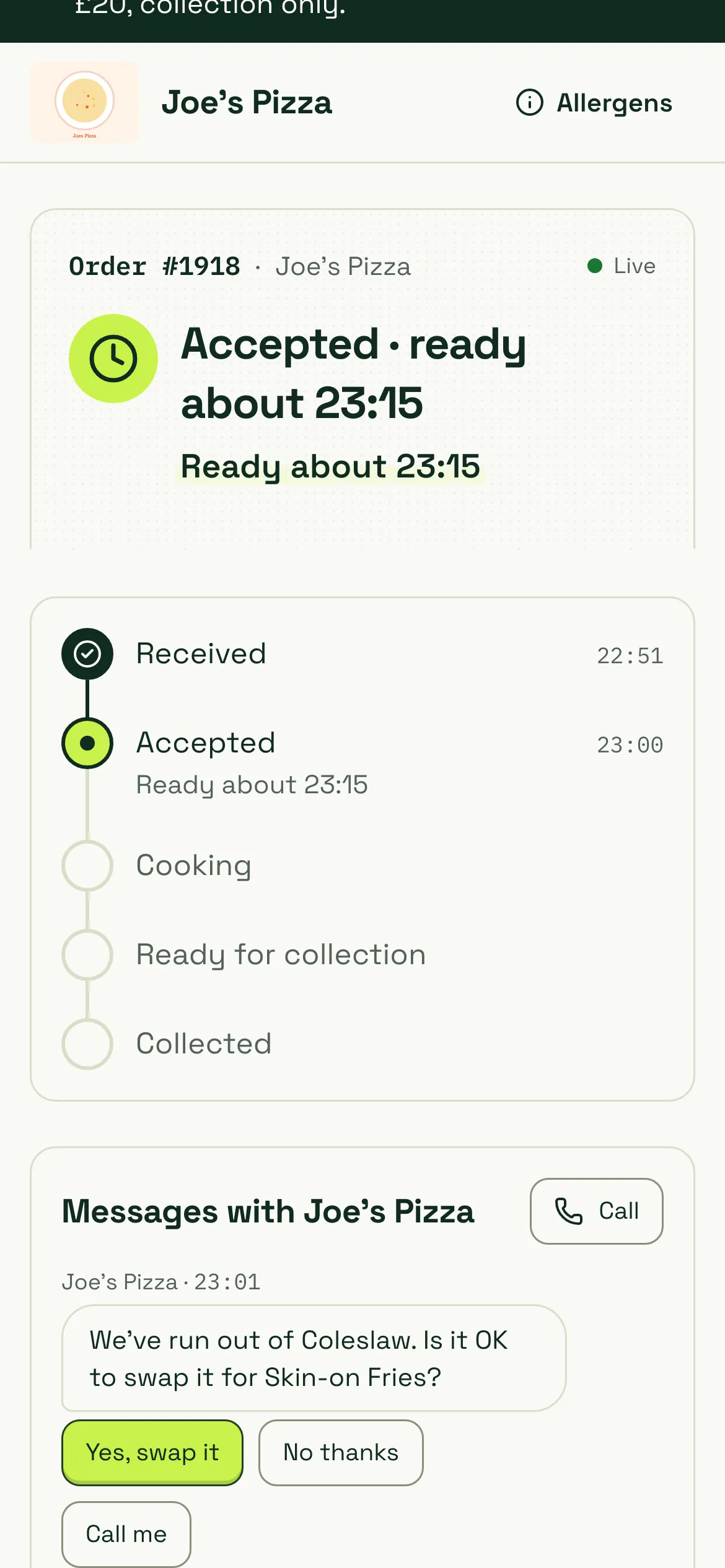
| Accepted | Accepted | Accepted with a ready time, not started | Accepted, ready about 19:45 (collection) or Accepted, arriving about 20:05 (delivery) |
| Preparing | Cooking | In the kitchen | Cooking |
| Ready | Ready (Packed for delivery) | Ready to hand over | Ready for collection. For delivery it still shows Cooking (“Packed, waiting for the driver”) until it leaves. |
| Out for delivery | Out / Out for delivery | With the driver | Out for delivery |
| Completed | Done / Completed | Collected, delivered or served | Collected, Delivered or Served |
| Rejected | Rejected | Turned down by the shop, refunded in full | Rejected with the reason |
| Cancelled | Cancelled | Cancelled after placing, refunded in full | Cancelled with the reason and refund |
Delayed
Section titled “Delayed”Delayed isn’t a status of its own. It’s shown on top of Accepted, Cooking and Out for delivery (and packed delivery orders) whenever you’ve added time. The customer sees, for example, “Accepted, ready about 23:25 · Delayed. Now ready about 23:25”. Your board shows a Delayed +10 badge. See delays.
Allowed moves
Section titled “Allowed moves”| From | Can move to |
|---|---|
| Awaiting payment | New, Abandoned, Cancelled |
| New | Accepted, Rejected, Cancelled |
| Accepted | Cooking, Ready, Out for delivery (delivery only), Cancelled |
| Cooking | Ready, Out for delivery (delivery only), Cancelled |
| Ready | Completed, Out for delivery (delivery only), Cancelled |
| Out for delivery | Completed, Cancelled |
| Completed, Rejected, Cancelled, Abandoned | nothing |
These rules are enforced by direct.eat itself, not just by the buttons, so the API and integrations follow them too. Every change is recorded in the order’s timeline with the time and who made it.
Buttons on the board
Section titled “Buttons on the board”| Status | Main button | Others |
|---|---|---|
| New | Accept (with the default prep time) | time chips, Reject |
| Accepted | Start cooking | Ready (Packed for delivery), +5, Cancel (dashboard) |
| Cooking | Ready (Packed · ready for delivery) | +5, Cancel (dashboard) |
| Ready, collection | Collected | Cancel (dashboard) |
| Ready, table | Served | Cancel (dashboard) |
| Ready, delivery | Handed to driver | Cancel (dashboard) |
| Out for delivery | Delivered | Cancel (dashboard) |
On the kitchen display, the first bump at any station moves the order to Cooking, and the last station’s bump (or the Expo bump) moves it to Ready.
What notifies the customer
Section titled “What notifies the customer”Every status change updates the customer’s tracking page straight away, and adds a line to the order’s message thread (for example “Accepted · ready about 18:25”, “Cooking now”, “Ready for collection”). Some changes also send an email or a push notification:
| Change | Push | Text (SMS) | |
|---|---|---|---|
| Order placed (Received) | Yes | Yes | |
| Accepted with ready time | Yes | Yes | |
| Cooking | Yes | ||
| Ready time moved by 5 minutes or more (at most 3 times) | Yes | Yes | Yes |
| Ready for collection | Yes | Yes | Yes |
| Delivery packed, waiting for the driver | |||
| Out for delivery | Yes | Yes | Yes |
| Delivered | Yes | Yes | |
| Collected | Yes | ||
| Rejected | Yes | Yes | Yes |
| Cancelled | Yes | Yes | Yes |
| Refund issued | Yes | ||
| You send a message | Yes | Yes | |
| Not accepted after 5 minutes (“we’re calling them”) | Yes | ||
| Not accepted after 8 minutes (keep waiting or cancel) | Yes | Yes |
Texts are only sent if the shop has turned them on and the customer gave a mobile number.
Order emails go out in your shop’s name and colours. Preview them in Settings → Notifications → Email templates. See notification settings.
Related
Section titled “Related”Was this page helpful?