

Apps
Apps add optional features to your storefront, tickets, kitchen and dashboard. The library has 56 apps, all built and supported by direct.eat. They never run on your checkout or payment pages, and every one can be switched off in a tap.
Before you start
Section titled “Before you start”- Owners and admins install, configure and remove apps (permission
plugins.manage). - Managers can browse the library and see what’s installed, but can’t install.
- Apps are installed per shop. Switch shop first if you run several.
Browse the library
Section titled “Browse the library”Click Apps in the sidebar.
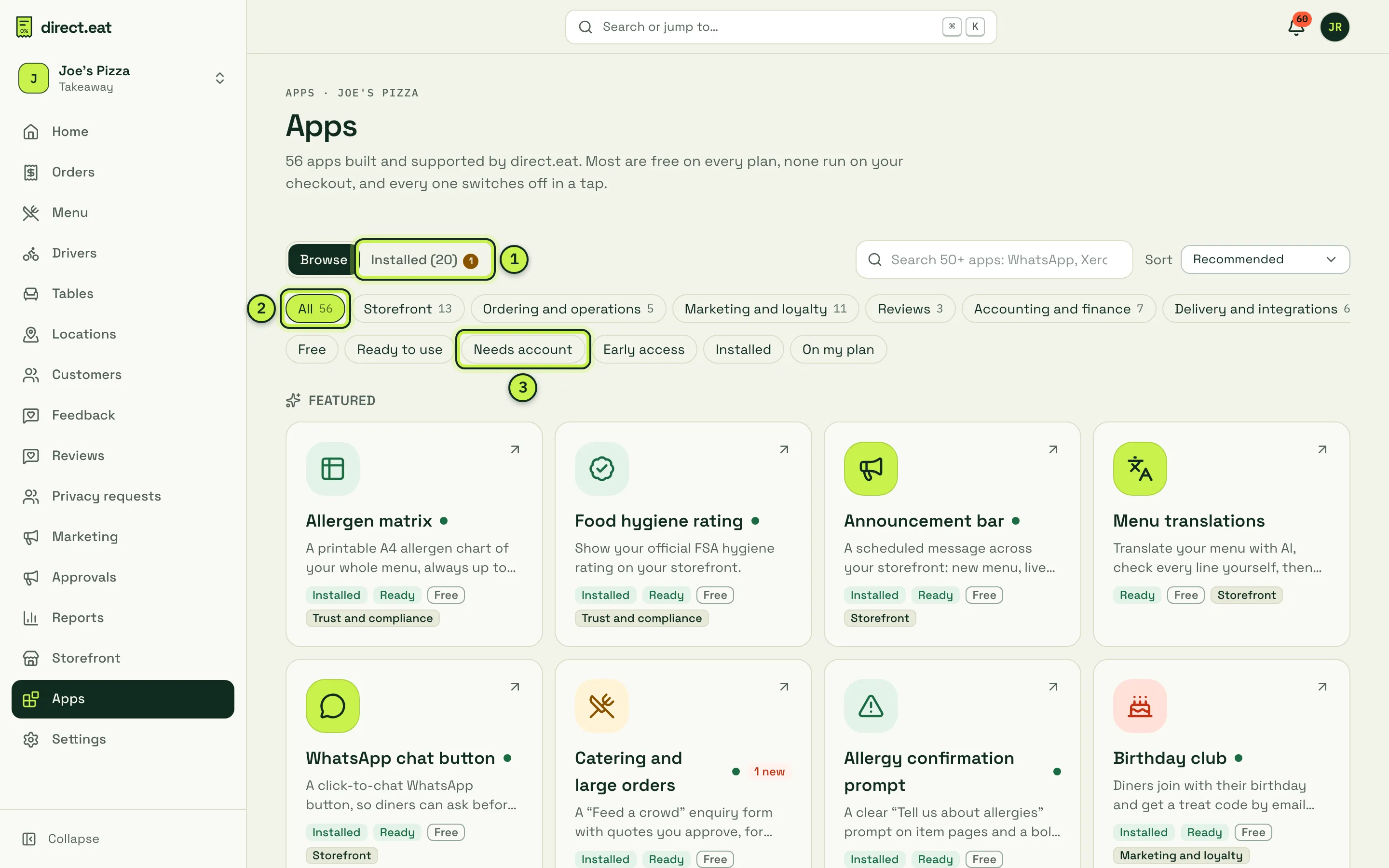
- Browse / Installed: the whole library, or what this shop has installed. A number on Installed means an app needs your attention (for example a new catering enquiry).
- Categories: Storefront (13), Ordering and operations (5), Marketing and loyalty (11), Reviews (3), Accounting and finance (7), Delivery and integrations (6), Trust and compliance (9) and Kitchen (2). Or use Search apps and Sort.
- Filters: Free, Ready to use, Needs account, Early access, Installed and On my plan.
Each card says whether the app is:
- Ready: works fully today (36 apps).
- Needs account: connects to an outside service with your own account, such as Xero or Mailchimp (16 apps). See Apps that connect to other services.
- Early access: works in part while the rest is finished (4 apps).
What’s in the library
Section titled “What’s in the library”| Category | Apps |
|---|---|
| Storefront | Announcement bar, Holiday closure notice, Order-ahead countdown, Calories and nutrition, Menu translations, Dietary badges legend, Map and directions, WhatsApp chat button, Social links, As seen in, Packaging and sustainability, Table booking link, Custom fonts |
| Ordering and operations | Catering and large orders, Seasonal pre-order, Tips report, Order notes prompts (early access), Cutlery opt-in (early access) |
| Marketing and loyalty | Birthday club, Refer a friend, QR cards and flyers pack, Google Business Profile helper, Facebook and Instagram order buttons, Gift card shop, Basket reminders (early access), Mailchimp audience sync, Klaviyo profiles sync, Charity round-up, Instagram feed |
| Reviews | Review booster, Google reviews, Trustpilot reviews |
| Accounting and finance | Accounting export, End-of-day cash-up, VAT return helper, Xero, QuickBooks, Sage and FreeAgent daily journals |
| Delivery and integrations | Uber Direct, Stuart and Gophr delivery, Deliverect, Square POS sync, Zapier and Make |
| Trust and compliance | Allergen matrix, Food hygiene rating, Allergy confirmation prompt, No hidden fees badge, Accessibility statement, Age verification (early access), Natasha’s Law labels (PPDS), Data request page, Google Analytics (cookie-free) |
| Kitchen | Kitchen prep checklist, Bag and delivery labels |
Some apps add a page to your storefront (for example /a/catering, /a/birthday-club or /a/calories); others add a block to your home or item pages, a line on tickets and receipts, or a tool in the dashboard (catering quotes, prep checklist, labels, cash-up, VAT figures). An app’s page shows exactly Where it shows.
Most apps are free on every plan. Apps that belong to a Growth feature need Growth or Pro: Birthday club, Refer a friend, Gift card shop, Basket reminders, Mailchimp and Klaviyo sync, the Xero, QuickBooks, Sage and FreeAgent journals, Square POS sync, Deliverect and Zapier and Make. On Starter their page says Upgrade to install with a link to See plans. Use the On my plan filter to see only what you can install now.
Install an app
Section titled “Install an app”-
Click the app’s card.
-
Read the description, Data use and the Storefront preview on the right.
-
Check Permissions: This app can lists exactly what it gets, and It can’t lists what it never gets (for example “See or change card payments”, “Run on checkout or payment pages”, “See customer details”). Some higher-risk permissions need you to tick them before you can install.
-
Fill in the settings. Each app has its own, for example the Note under the chart for the allergen matrix, or the FSA search for the hygiene rating.
-
Click Install (for example Install Allergen matrix).
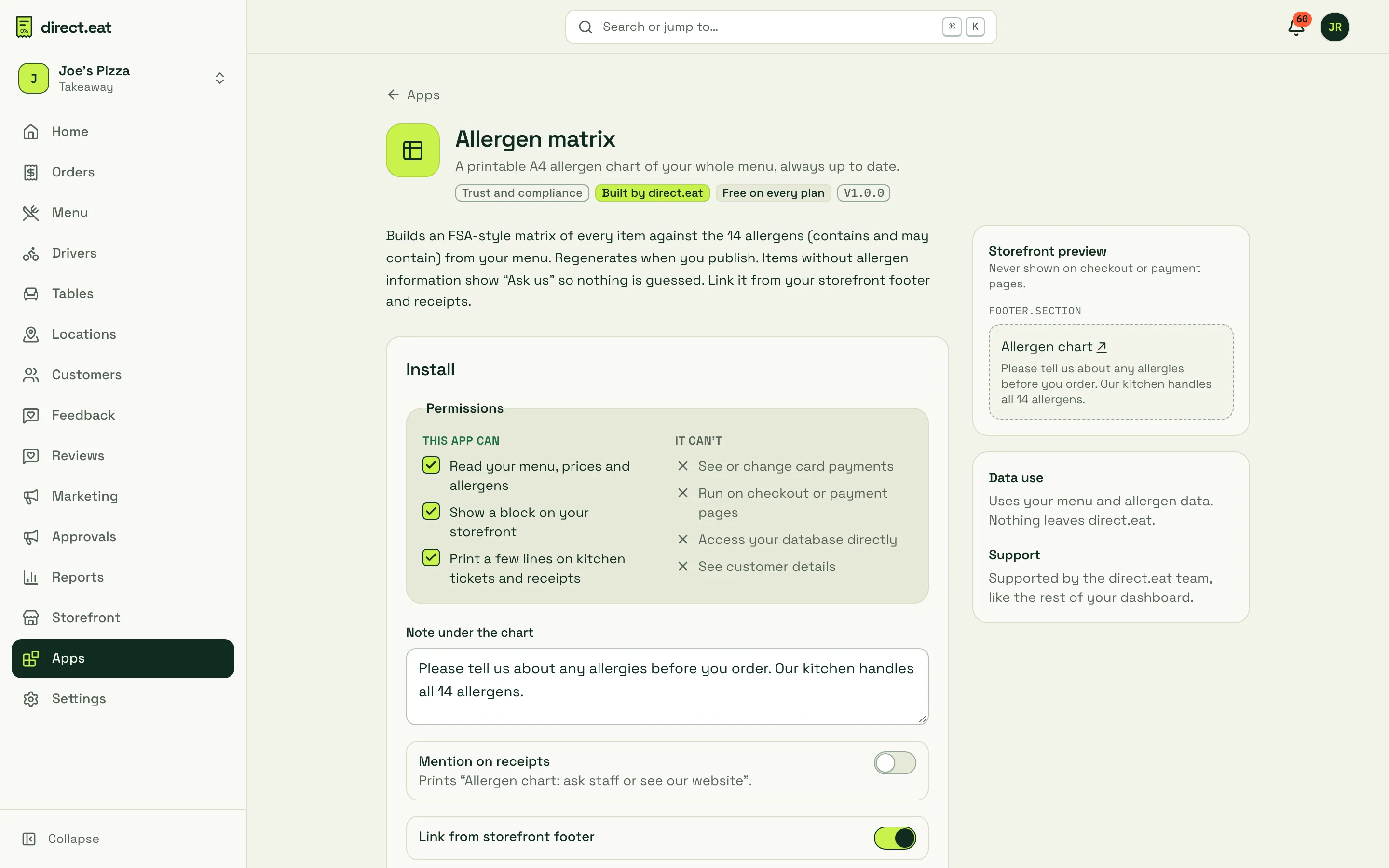
Food hygiene rating
Section titled “Food hygiene rating”Type your business name and postcode under Find your business on the FSA register and click Search. Pick your business from the results. If it isn’t found, enter your FSA establishment ID by hand (copy it from ratings.food.gov.uk).
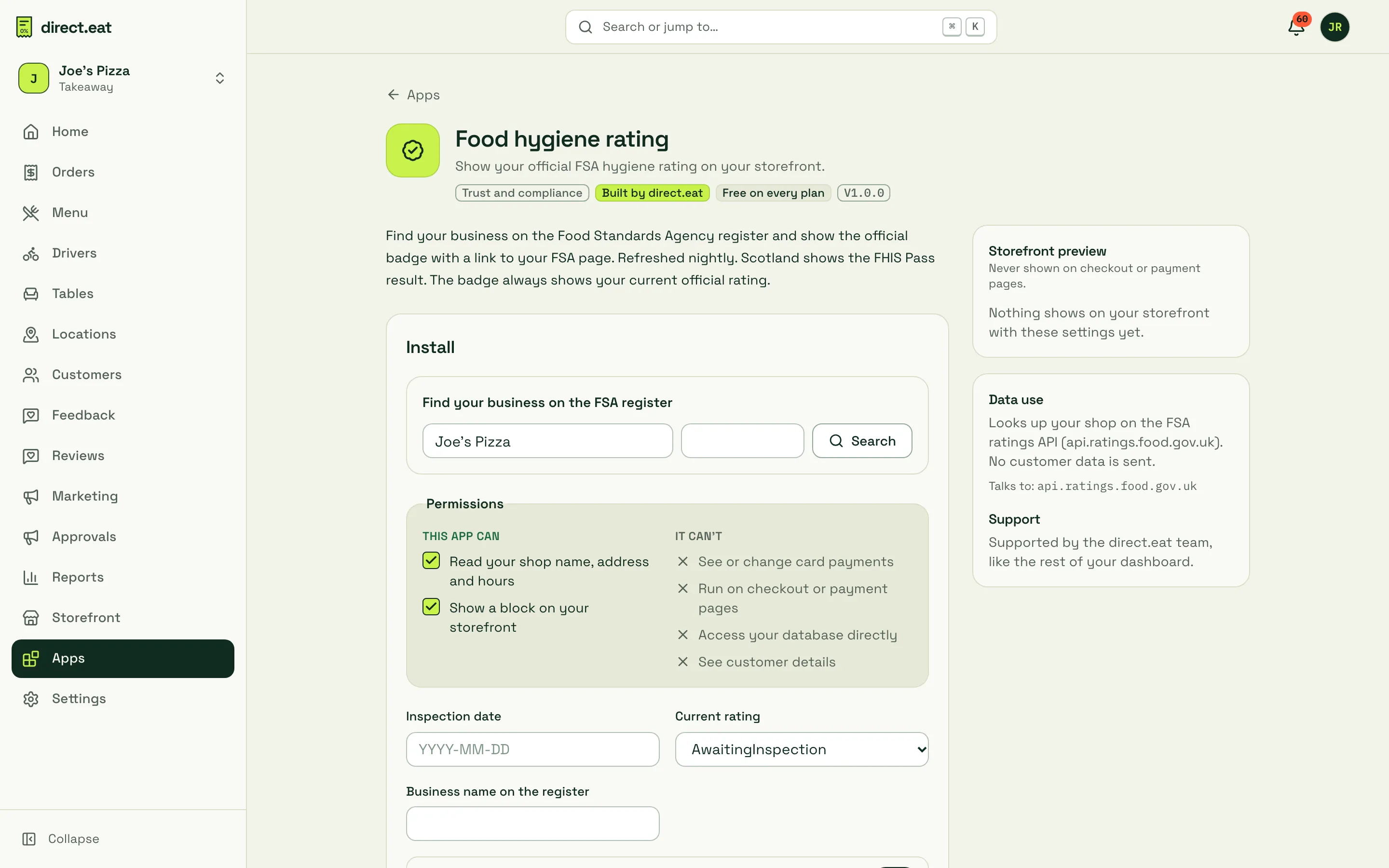
Allergen matrix: print it
Section titled “Allergen matrix: print it”Once installed, the allergen matrix has a print view in A4 landscape. Click Print or save as PDF and stick it up by the counter. Because it regenerates on every menu publish, reprint it after menu changes.
Accounting export
Section titled “Accounting export”Once installed, the accounting export app offers Download a sales journal: a CSV of the daily journal for a date range. Import it into your accounting software, or hand it to your accountant. The Xero, QuickBooks, Sage and FreeAgent apps post the same journal for you once their connections are live (see Integrations).
Apps that connect to other services
Section titled “Apps that connect to other services”Needs account apps (Google reviews, Instagram feed, Trustpilot, Mailchimp, Klaviyo, Charity round-up, Xero, QuickBooks, Sage, FreeAgent, Uber Direct, Stuart, Gophr, Deliverect, Square POS sync and Google Analytics) have a Connect card on their page. You paste the key or sign in as asked; keys are stored encrypted and only the last few characters are ever shown. Connection test and Activity show the last 10 things the connector did.
Change, pause or uninstall
Section titled “Change, pause or uninstall”Open an installed app (the Installed tab lists them):
- Change its settings and click Save settings.
- Pause hides it from your storefront and tickets without losing settings. Turn back on brings it back.
- Uninstall removes it from your storefront and tickets straight away. Its settings are kept for 30 days in case you reinstall, then deleted.
Every install, change and uninstall is recorded in your activity log.
Safety rules for every app
Section titled “Safety rules for every app”- Apps never see card details and never run on checkout or payment pages.
- An app only gets the permissions shown on its page.
- If an app misbehaves, direct.eat can switch it off for everyone while we fix it. You’ll see “We switched it off while we fix a problem. Nothing shows on your storefront meanwhile; your settings are safe.”
Third-party apps
Section titled “Third-party apps”Pro includes apps from other developers once they’re listed. Every third-party app is reviewed by direct.eat before it appears in the library.
Related
Section titled “Related”Was this page helpful?