

Billing and plans
One subscription covers your whole organisation and all its shops. Published prices, no per-order fees, no setup fee and no contract.
| Plan | Ex VAT | Inc VAT |
|---|---|---|
| Starter | £39 a month | £46.80 |
| Growth | £69 a month | £82.80 |
| Pro | £99 a month | £118.80 |
Pay annually and get 2 months free (£390, £690 or £990 a year ex VAT). Extra shops on Growth and Pro are £29 a month each. Everything each plan includes is listed in Plan limits.
Before you start
Section titled “Before you start”- Owners and admins can see billing, change plan, update the card and buy add-ons.
- Only the owner can cancel.
- Managers and staff don’t see Plan and billing.
Your billing page
Section titled “Your billing page”Go to Settings → Plan and billing.
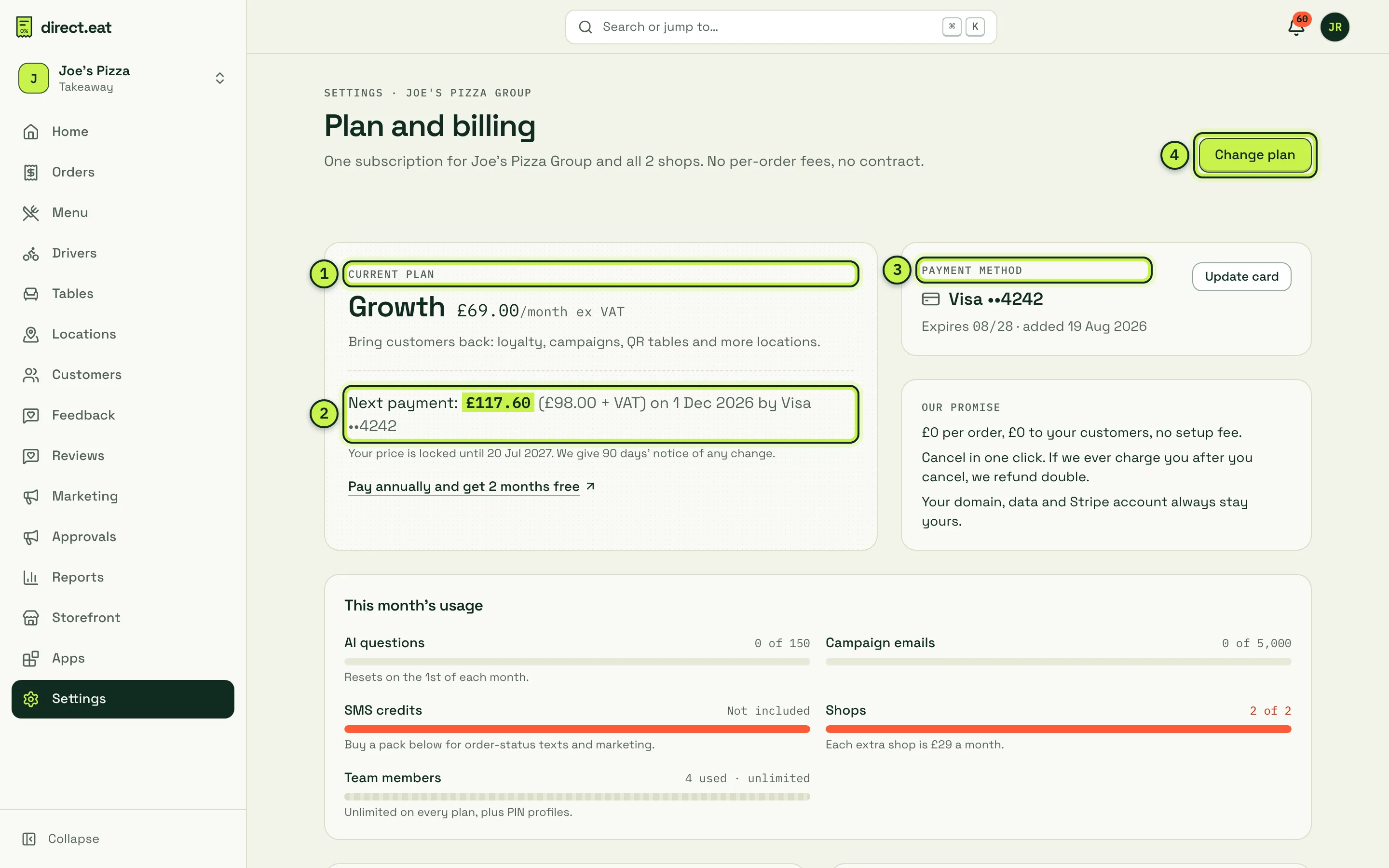
- Current plan: your plan, price ex VAT and a one-line summary. Founding members see a badge.
- Next payment: the exact amount with and without VAT, the date and the card. Below it: how long your price is locked. We give 90 days’ notice of any price change.
- Payment method: the card on file, with Update card.
- Change plan: compare plans and switch.
Further down:
- This month’s usage: AI questions, campaign emails, SMS credits, shops and team members against your plan’s allowance. Allowances reset on the 1st of each month.
- Add-ons and SMS and email credits.
- Offers: the GloriaFood switch offer and founding-member pricing.
- Invoices.
- Invoice details: the name, address and VAT number printed on your invoices.
- Your data, your way out: the export pack and the cancel link. See Data export and cancelling.
The free trial
Section titled “The free trial”New accounts get 14 days of Growth features, with no card needed.
- The 14 days start with your first real order, so you can set up at your own pace.
- The trial always ends within 30 days of signing up, even if you haven’t had an order yet.
- While trialling, the billing page shows a banner with the end date. From day 10 it’s more prominent, and in the last 3 days it’s a warning.
- Choose a plan and add a card any time during the trial. Nothing is charged until the trial ends.
- No card at the end of the trial means no charge, ever. Your subscription ends instead.
We email you 7 days and 2 days before the trial ends.
Change plan
Section titled “Change plan”-
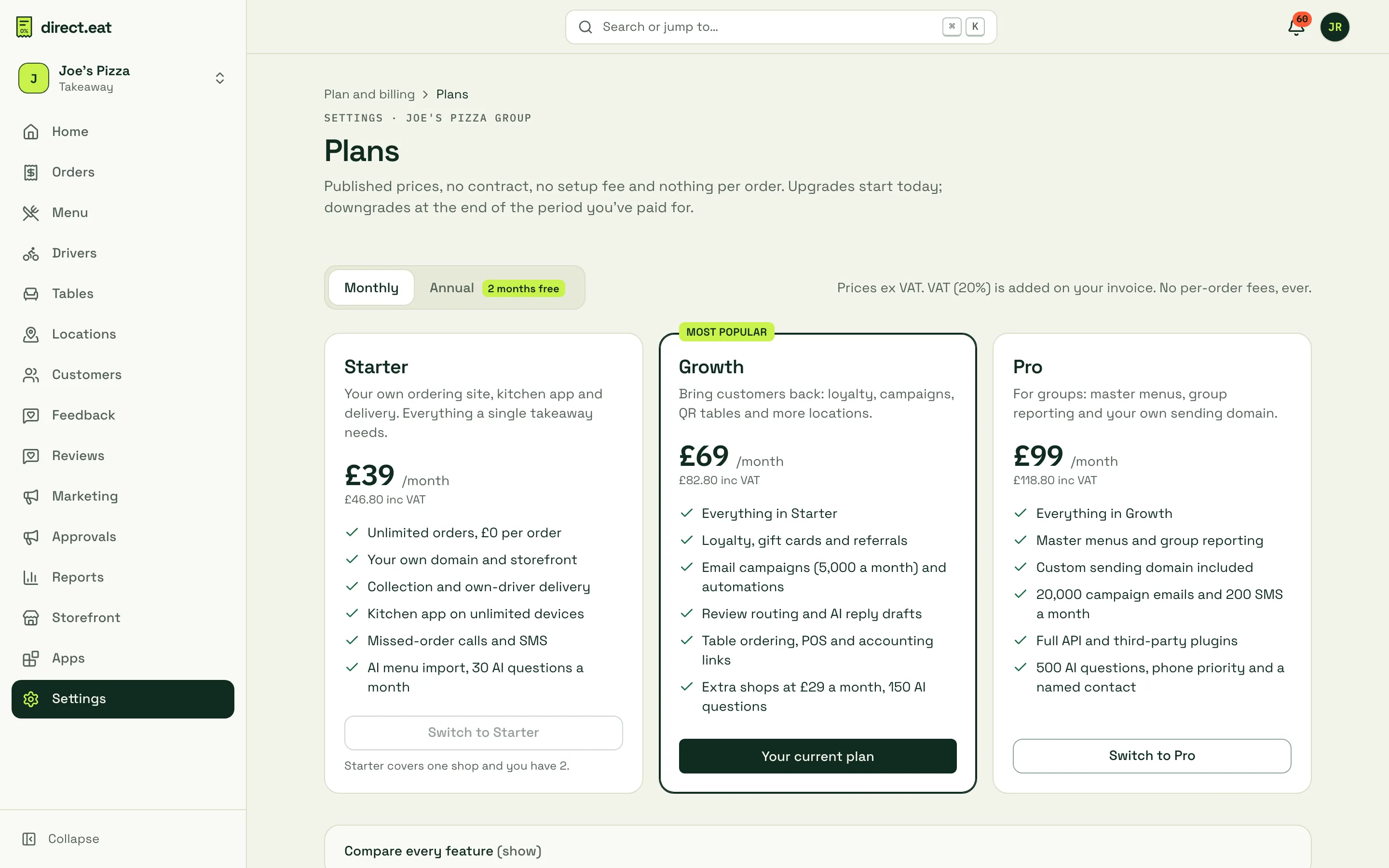
Click Change plan.
-
Choose Monthly or Annual at the top.
-
Click Switch to on the plan you want.
-
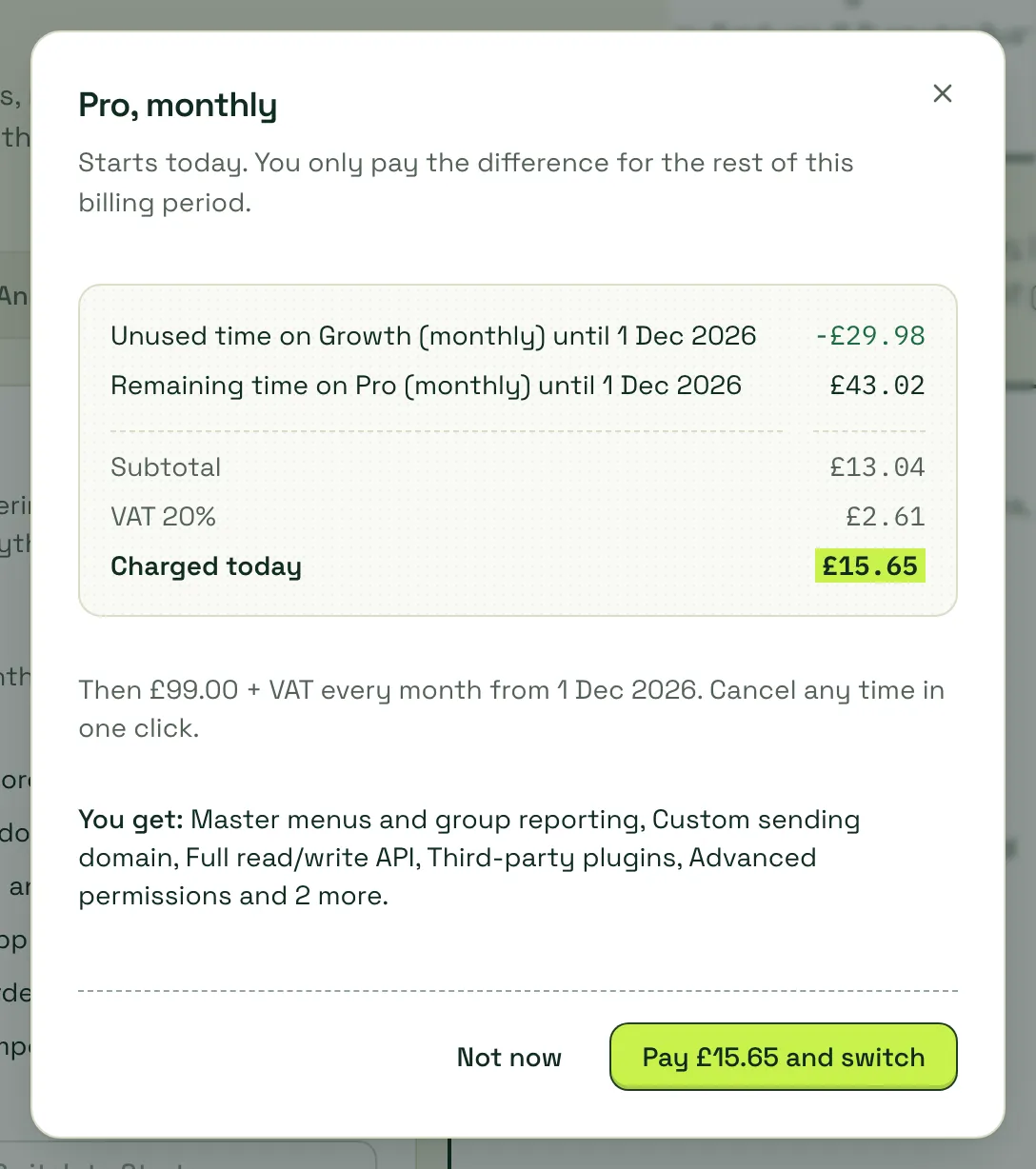
Check the preview: what you pay today, the VAT, and what you’ll pay from your next billing date.
-
Click the button to confirm (for example Pay £15.65 and switch), or Not now.
How changes work:
- Upgrades start today. You pay only the difference for the rest of this billing period: unused time on your old plan is credited and the remaining time on the new plan is charged. New features switch on straight away.
- Downgrades start at the end of the period you’ve paid for. Nothing is charged today. The preview lists the features you’ll lose so there are no surprises. Until then the billing page shows “Moving to … on …” with a Keep button to cancel the change.
- Monthly to annual starts today: the unused part of this month is credited and your year starts now.
- If you have more shops than a plan allows, you can’t switch to it. For example, Starter covers one shop, so a two-shop group sees “Starter covers one shop and you have 2.”
- The amount you confirm is the amount charged. If prices or your account changed since the preview, you’re asked to check again.
Add-ons and credit packs
Section titled “Add-ons and credit packs”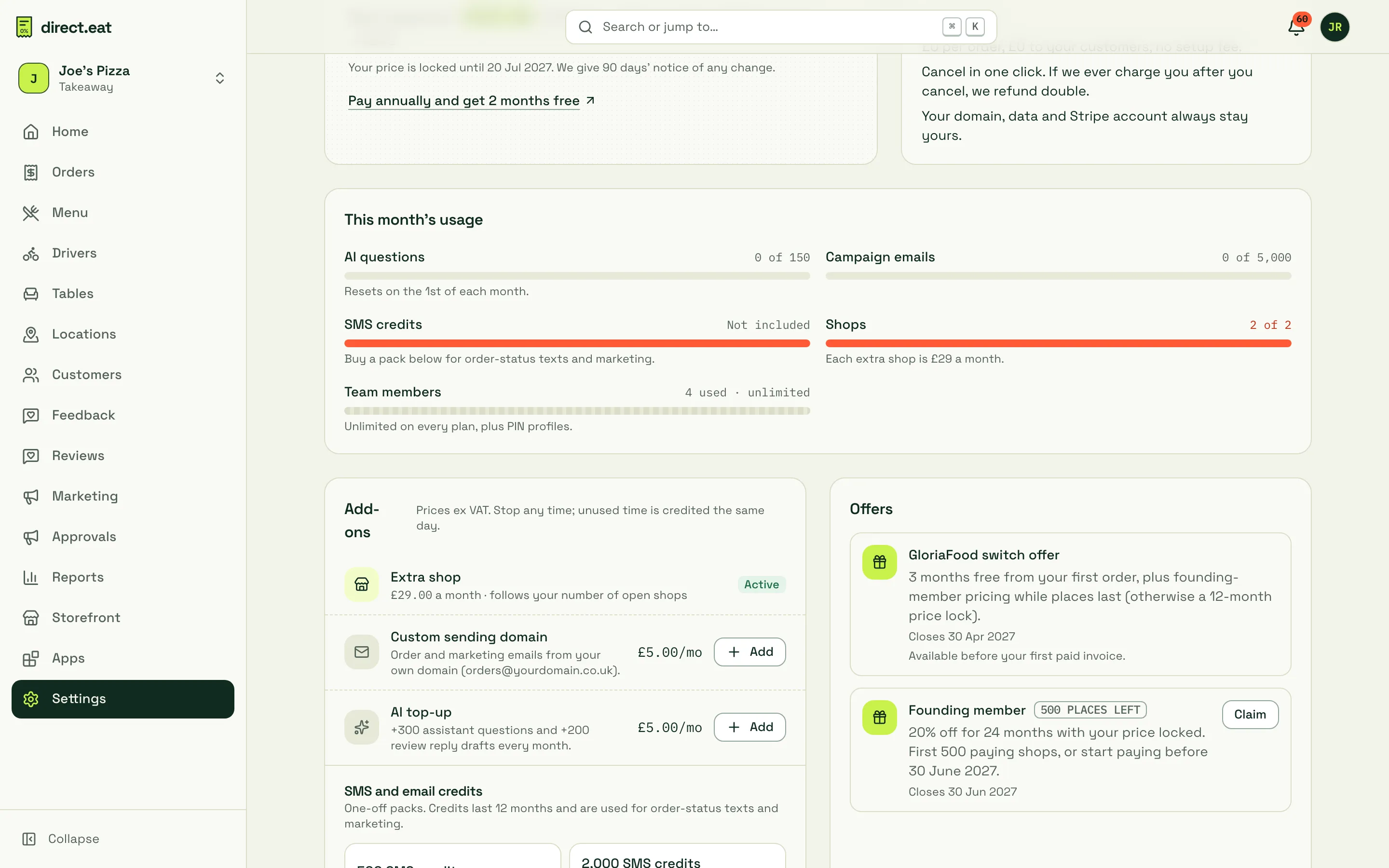
- Extra shop (£29 a month, Growth and Pro): follows your number of open shops automatically. Adding a location adds it; closing one stops it.
- Custom sending domain (£5 a month, included in Pro): order and marketing emails from your own domain.
- AI top-up (£5 a month): +300 assistant questions and +200 review reply drafts a month.
- SMS credits: 500 for £30, 2,000 for £100 or 10,000 for £450. Used for order-status texts and marketing SMS. Credits last 12 months.
- 10,000 campaign emails for £10 (Growth and Pro), on top of your monthly allowance.
Click Add on a recurring add-on and you pay only for the rest of this billing period. Remove it any time and unused days are credited the same day. Packs are charged straight away and the credits appear at once.
Offers
Section titled “Offers”- Founding member: 20% off for 24 months with your price locked. First 500 paying shops, or start paying before 30 June 2027. Click Claim.
- GloriaFood switch offer: 3 months free from your first order, plus founding-member pricing while places last (otherwise a 12-month price lock). Closes 30 April 2027 and is only available before your first paid invoice. If we can’t match your claim to a GloriaFood menu import, it shows Checking your GloriaFood account while our team checks it. We email you before your free months end.
Invoices
Section titled “Invoices”Every payment produces a full VAT invoice, numbered DE-…. They’re listed under Invoices and kept for 6 years. The owner gets an email receipt when an invoice is paid.
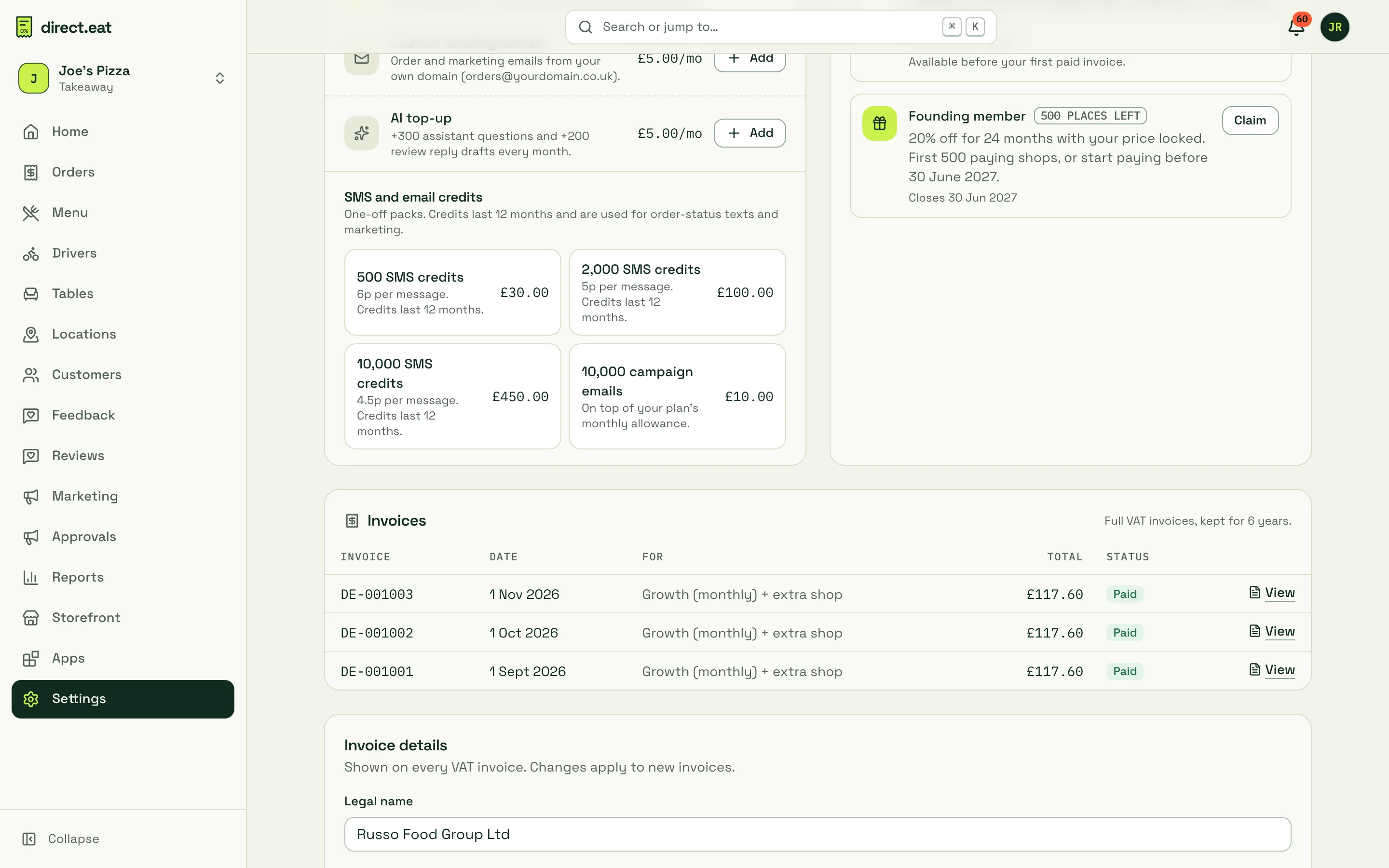
Click View to open an invoice, then Print or save as PDF.
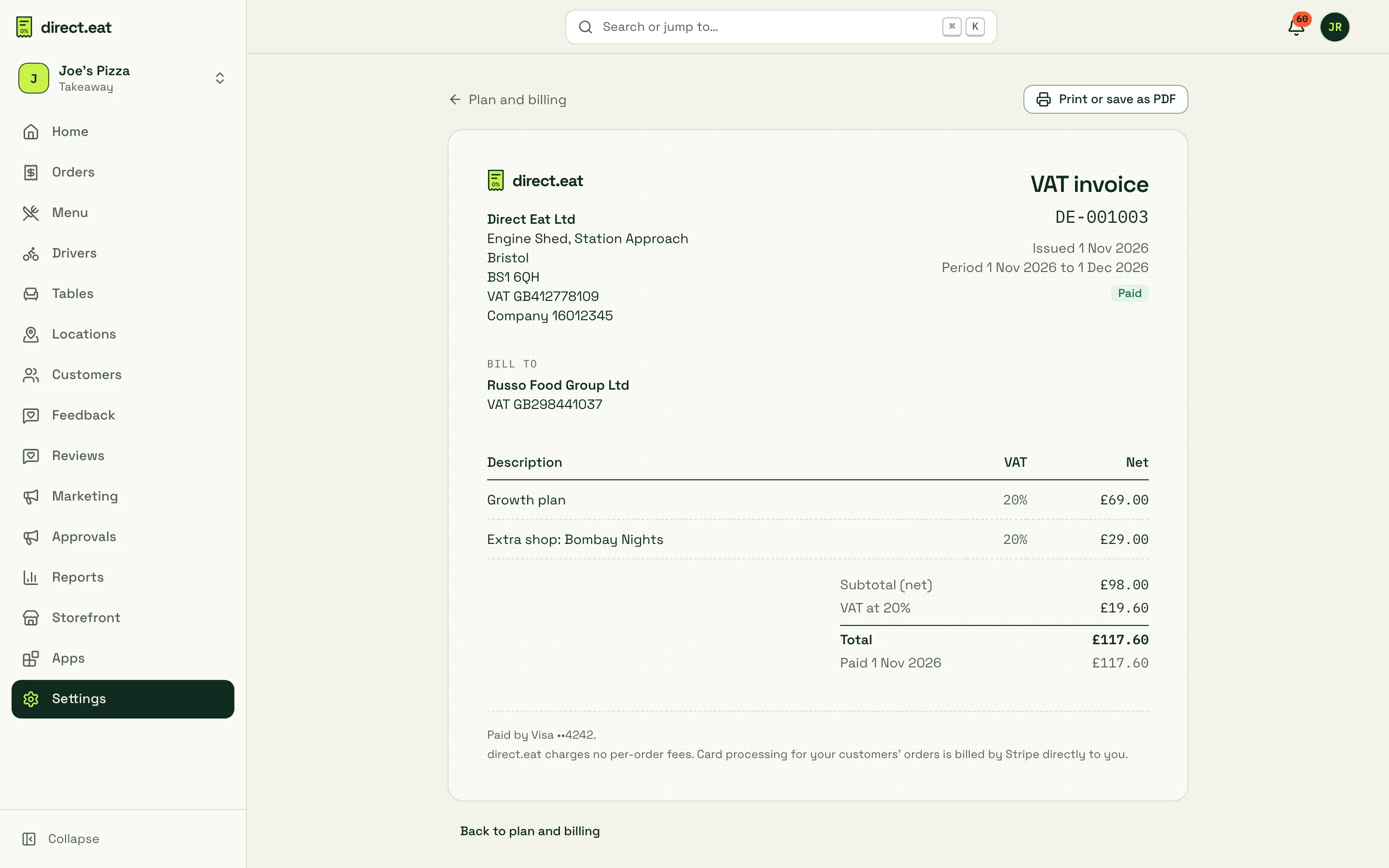
To change what’s printed on future invoices, fill in Invoice details (legal name, address, VAT number, an optional PO reference, and which emails invoices go to) and click Save details. Past invoices don’t change.
Update your card
Section titled “Update your card”Click Update card, enter the card details and click Save card. This card pays for direct.eat only. Your customers’ payments go straight to your own Stripe account, not through this card.
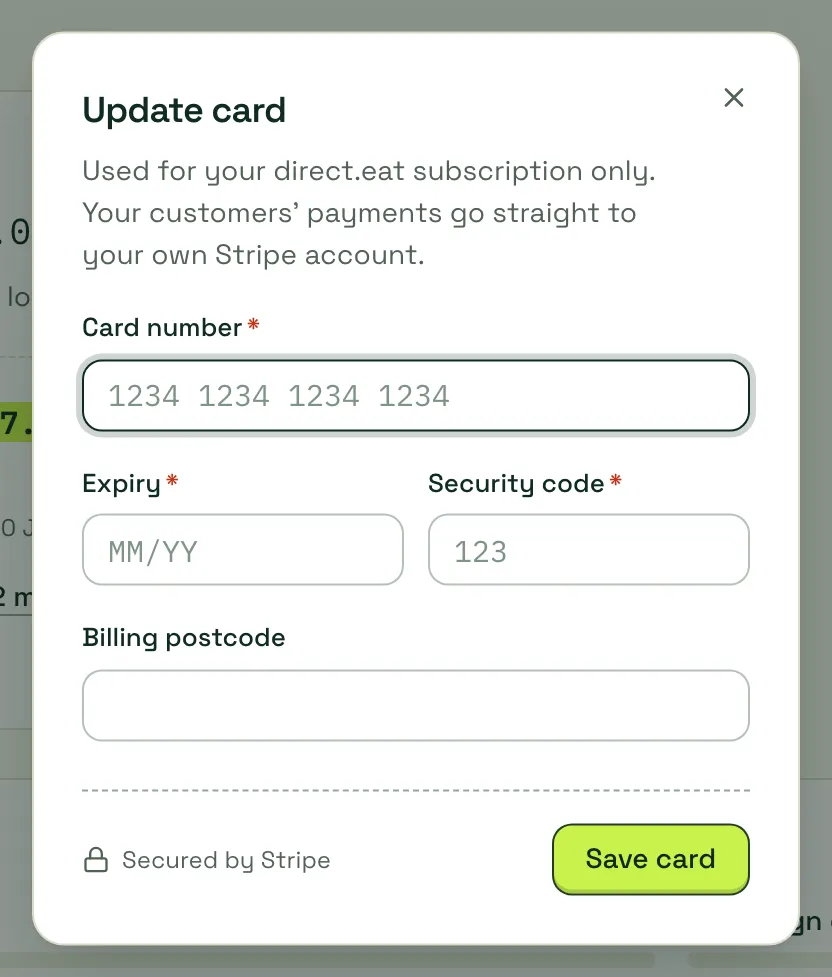
If there’s an unpaid invoice, saving a new card pays it straight away.
If a payment fails
Section titled “If a payment fails”Your orders, kitchen app and alerts keep working while we sort it out. Only owners and admins see the warnings; staff and the kitchen app never do.
| Day | What happens |
|---|---|
| 0 | Payment failed. We retry automatically and email you. The billing page shows “We couldn’t take your last payment” with Update card and Retry now |
| 3 | Second reminder email |
| 7 | Marked past due. Marketing campaigns pause; orders keep flowing |
| 14 | Final notice by email and SMS |
| 21 | The subscription is cancelled for non-payment and online ordering pauses |
The banner always says what happens next and when, and how much is outstanding. Updating the card pays the outstanding invoice at once and clears the banner.
Related
Section titled “Related”- Plan limits
- Data export and cancelling
- Multi-location: adding shops.
Was this page helpful?