

API keys and scopes
An API key lets software act on your organisation’s data. Give each tool its own key with only the scopes it needs, so you can revoke one without breaking the others.
Before you start
Section titled “Before you start”- You need to be the owner or an admin (permission
api.manage). Managers and staff don’t see API and webhooks in Settings. - API keys need the Growth plan and above. Write scopes need the Pro plan.
Where keys live
Section titled “Where keys live”Go to Settings → API and webhooks.
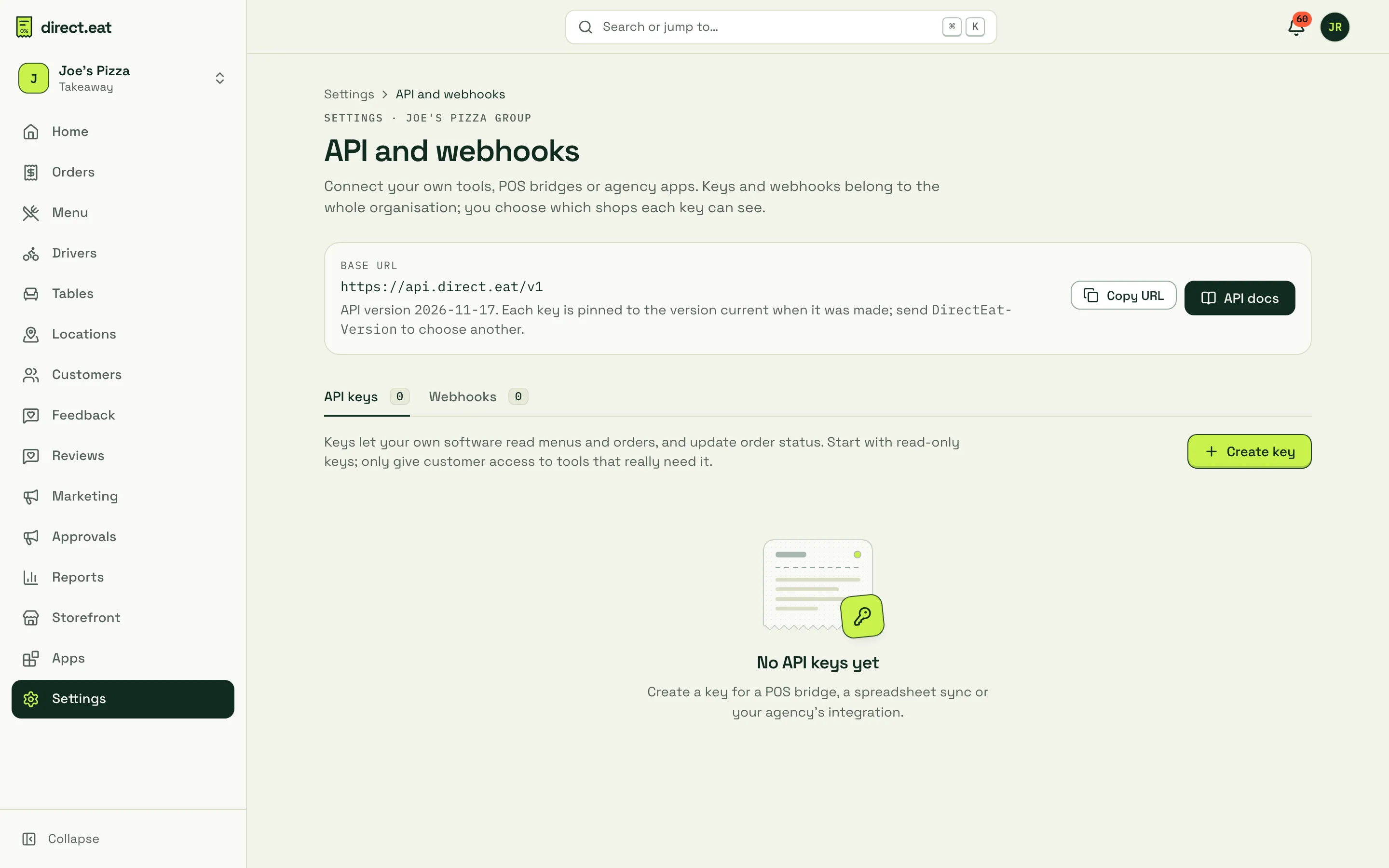
The page shows the base URL, the current API version and two tabs: API keys and Webhooks. API docs opens the reference inside the dashboard.
Create a key
Section titled “Create a key”-
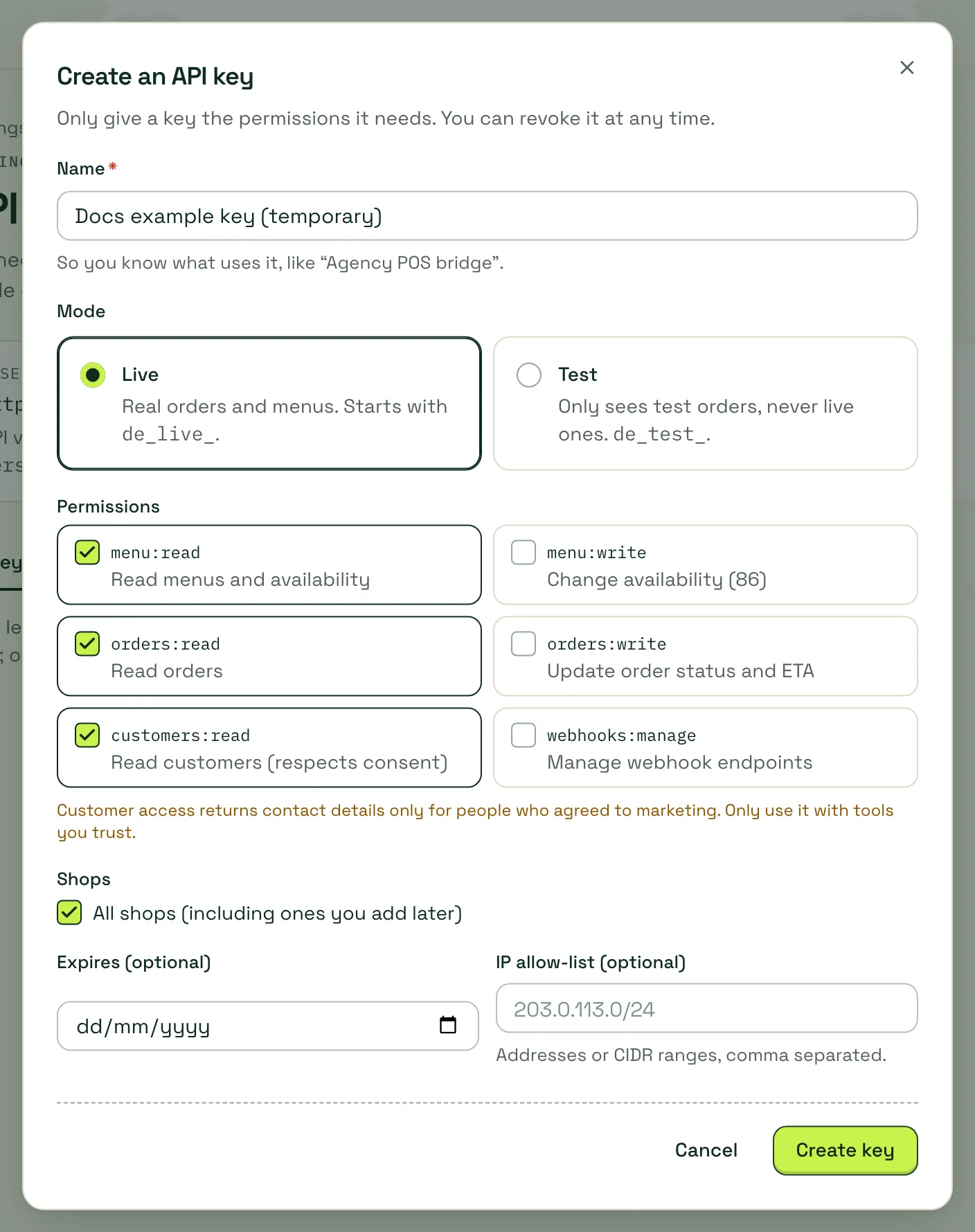
Click Create key.
-
Give it a Name that says what uses it, like “Agency POS bridge”.
-
Choose the Mode:
- Live: real orders and menus. Starts with
de_live_. - Test: only sees test orders, never live ones. Starts with
de_test_.
- Live: real orders and menus. Starts with
-
Tick the Permissions (scopes) it needs.
menu:readandorders:readare ticked by default. -
Under Shops, leave All shops (including ones you add later) ticked, or untick it and choose shops.
-
Optionally set Expires (a date) and an IP allow-list (addresses or CIDR ranges, comma separated).
-
Click Create key.
Copy it now
Section titled “Copy it now”The key is shown once. We only store a fingerprint of it, so nobody (including direct.eat) can show it again. Click Copy, put it in your password manager or your server’s secret store, then click I’ve saved it.
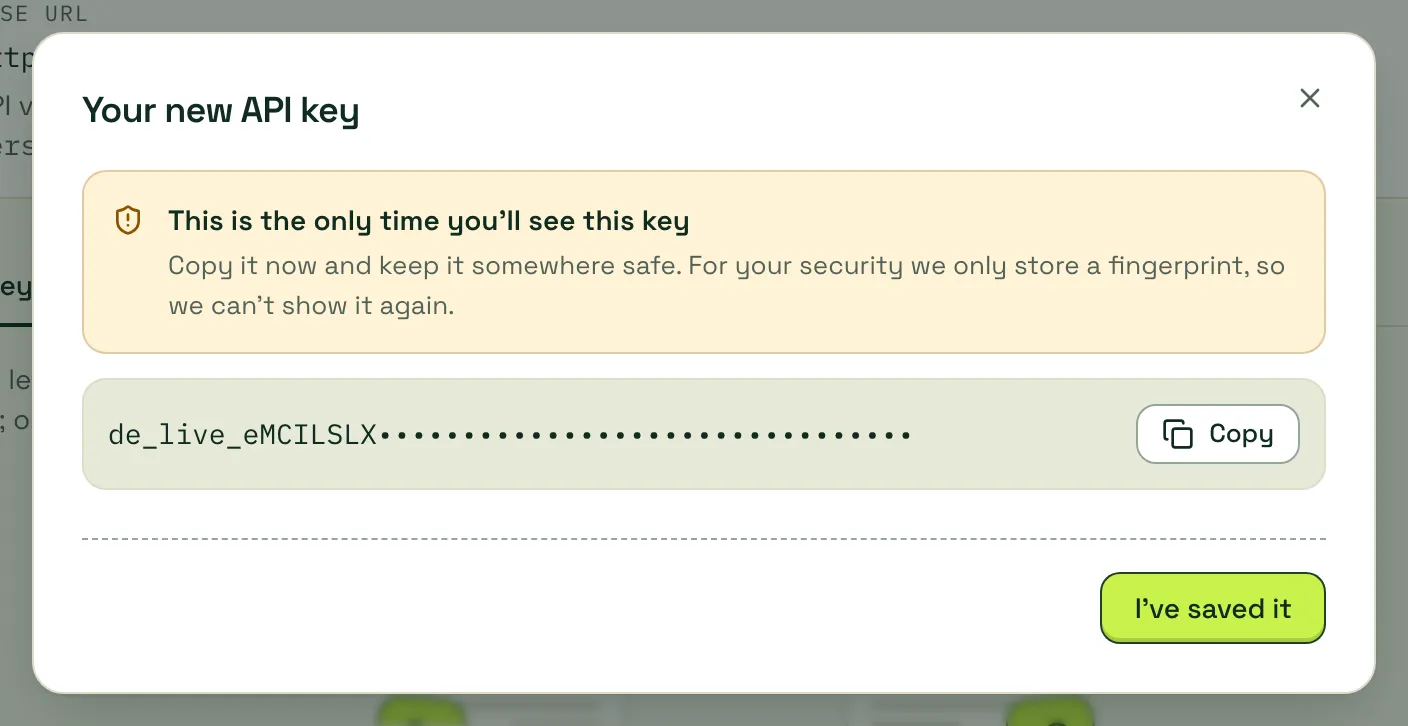
If you lose a key, revoke it and create a new one.
Scopes
Section titled “Scopes”| Scope | What it allows | Plan |
|---|---|---|
menu:read |
Read shops, published menus and live availability (86) | Growth |
orders:read |
Read orders and the events feed | Growth |
customers:read |
Read customers. Email and phone are included only for customers who subscribed to marketing on that channel | Growth |
orders:write |
Update order status and ready time | Pro |
menu:write |
Change availability (86). Reserved: no endpoint uses it yet | Pro |
webhooks:manage |
Manage webhook endpoints. Reserved: no endpoint uses it yet | Pro |
A write scope includes the matching read scope: a key with orders:write can also read orders.
When you tick customers:read, the dialog warns: “Customer access returns contact details only for people who agreed to marketing. Only use it with tools you trust.”
Key format
Section titled “Key format”de_live_8Hq3xY2a… live key: de_live_ + 40 letters and digitsde_test_… test key: de_test_ + 40 letters and digitsThe first 8 characters after de_live_ or de_test_ are shown in the key list, so you can tell keys apart. Send the whole key as a bearer token:
Authorization: Bearer de_live_8Hq3xY2a…The key list
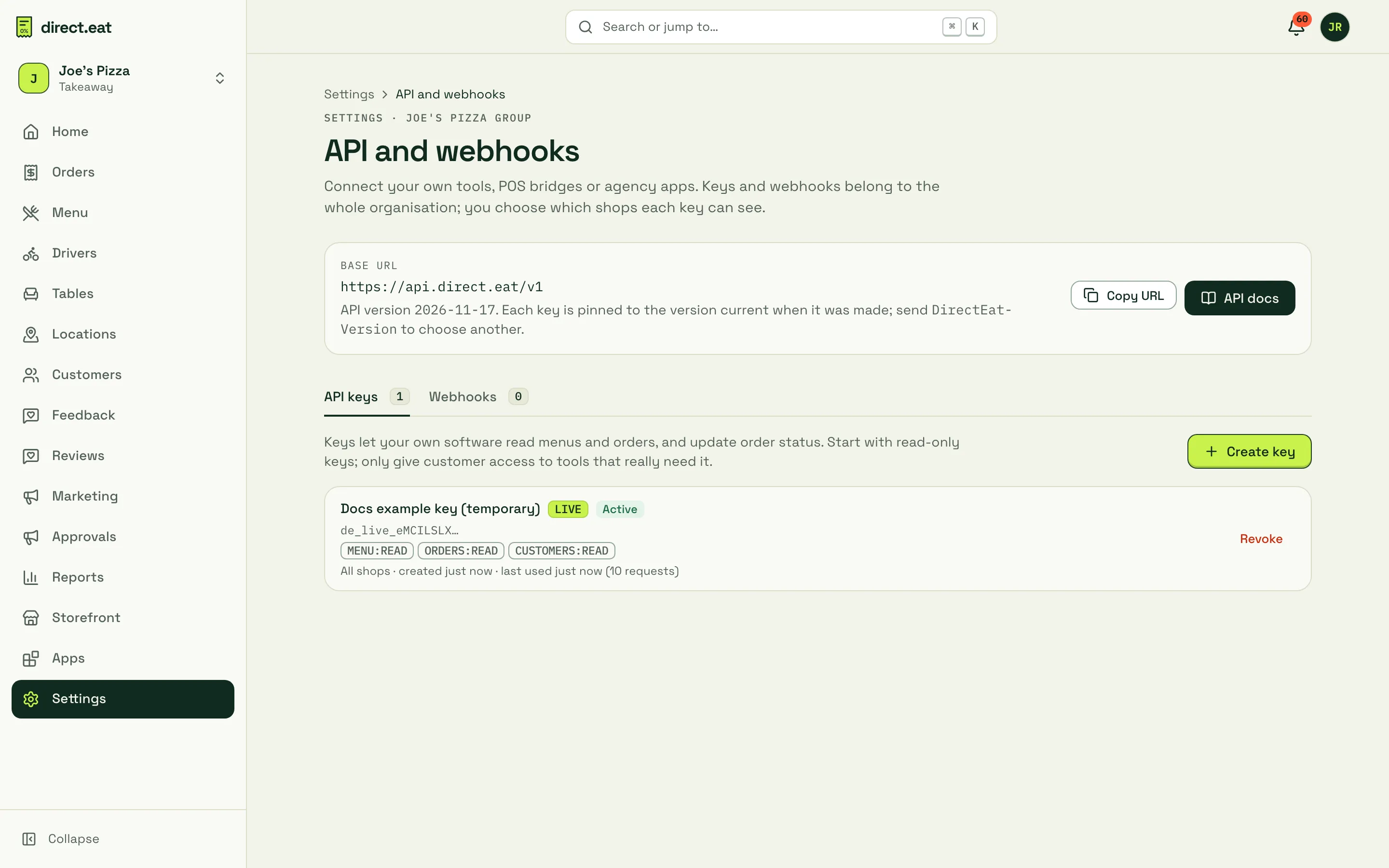
Section titled “The key list”Each key shows its name, LIVE or TEST, its status, the visible prefix, its scopes, which shops it can see, when it was created and when it was last used, with a request count.
Revoke a key
Section titled “Revoke a key”Click Revoke next to the key, then Revoke again to confirm.
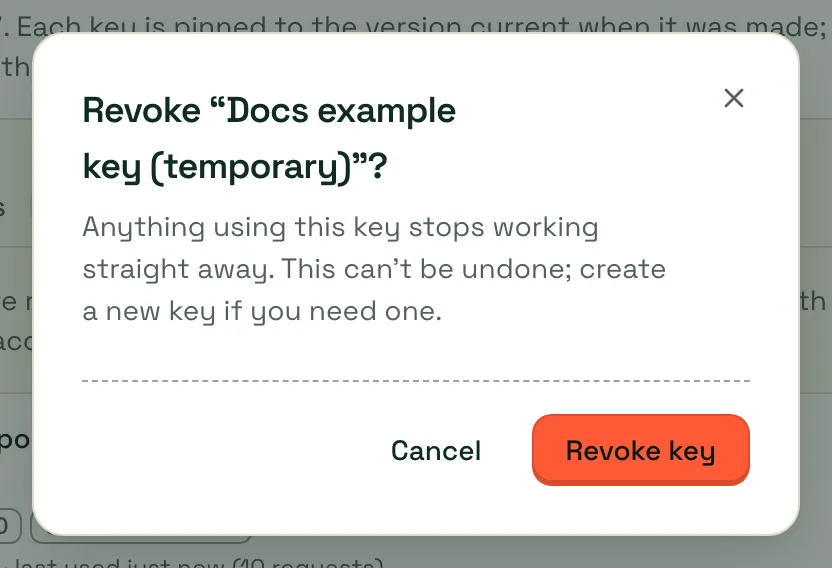
Anything using the key stops working straight away and gets 401 with the code api_key_revoked. This can’t be undone.
Rotate a key
Section titled “Rotate a key”There’s no “rotate” button. To swap a key without downtime:
-
Create a new key with the same scopes and shops.
-
Deploy it to your software.
-
Check last used on the old key stops moving.
-
Revoke the old key.
Good habits
Section titled “Good habits”- One key per tool. Name it after the tool.
- Start read-only. Add
orders:writeonly for tools that really change orders. - Add
customers:readonly when the tool needs customer data. - Use a test key while building, then create a live key.
- Never put a key in a web page, a mobile app or a public repository. Keys are for servers.
- Set an IP allow-list when your server has a fixed address.
- Set an expiry for contractors and short projects.
Errors you might see
Section titled “Errors you might see”| Status | Code | Why |
|---|---|---|
| 401 | invalid_api_key |
Missing, mistyped or unknown key |
| 401 | api_key_revoked |
The key was revoked |
| 401 | api_key_expired |
The key passed its expiry date |
| 403 | ip_not_allowed |
The request came from an IP address not on the allow-list |
| 403 | missing_scope |
The key doesn’t have the scope this endpoint needs |
| 403 | upgrade_required |
Your plan doesn’t include API access, or write access |
More in Errors and limits.
Related
Section titled “Related”Was this page helpful?