

Allergies and allergen information
Where to find allergen information
Section titled “Where to find allergen information”Every direct.eat ordering site has allergen information in the same places:
- The Allergens link at the top of every page opens the full allergen table.
- Each dish shows a short summary, for example “Contains: Gluten, Milk”, with a Full allergen information link.
- Checkout links to the allergen table next to the allergy question.
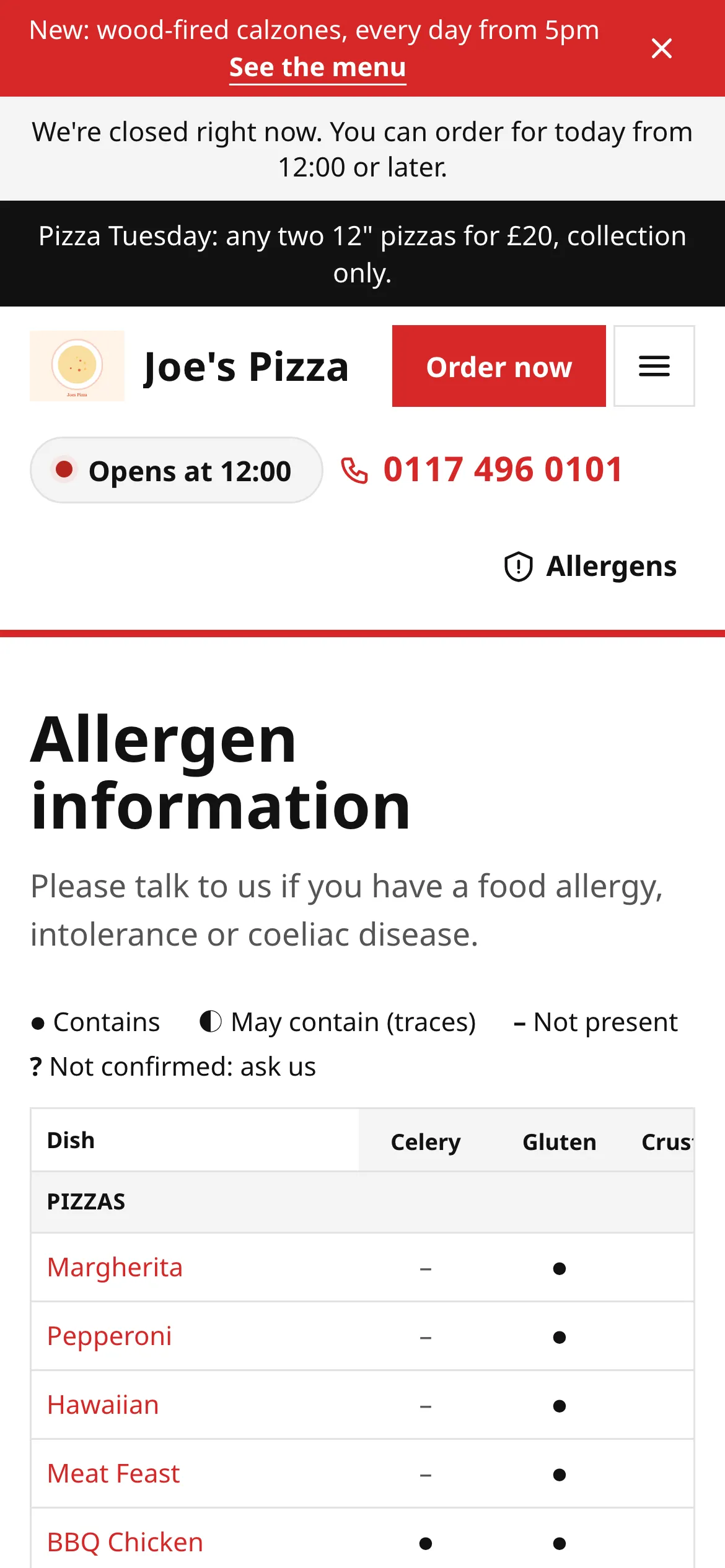
The allergen page lists the 14 major allergens recognised in UK law (celery, cereals containing gluten, crustaceans, eggs, fish, lupin, milk, molluscs, mustard, tree nuts, peanuts, sesame, soya, and sulphites) for every dish. Each cell uses a symbol and a word, so it doesn’t rely on colour:
- Contains: the dish contains this allergen.
- May contain (traces): the restaurant says there’s a risk of cross-contamination.
- Not present: the restaurant has recorded it isn’t in the dish.
- Not confirmed: ask us: the restaurant hasn’t recorded this yet. Treat it as unknown and ask.
Filtering the menu
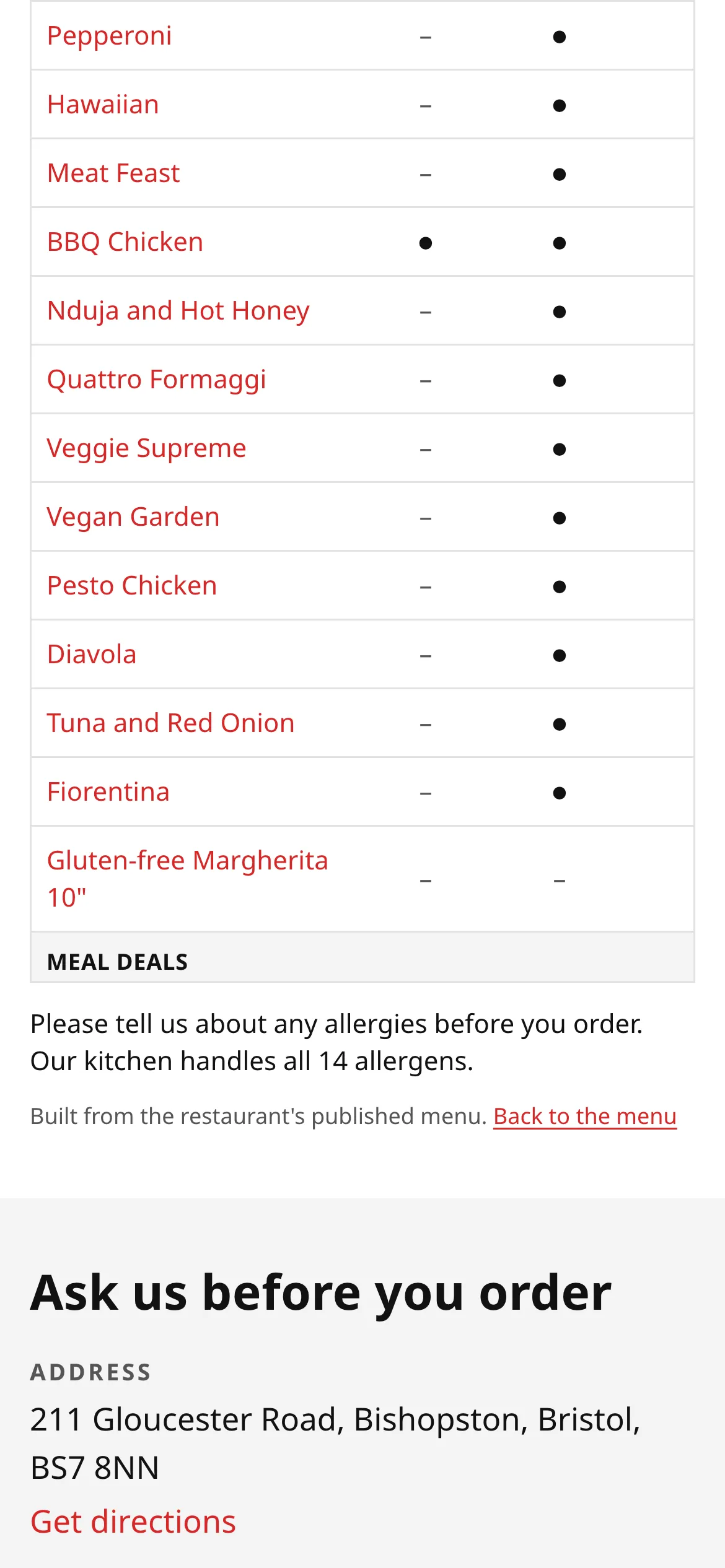
Section titled “Filtering the menu”On the menu, tap Allergens and tick the allergens you need to avoid. Dishes containing them are hidden, and so are dishes where the restaurant hasn’t confirmed that allergen, so you don’t see something that might not be safe. Your choices stay on your device for this visit only.
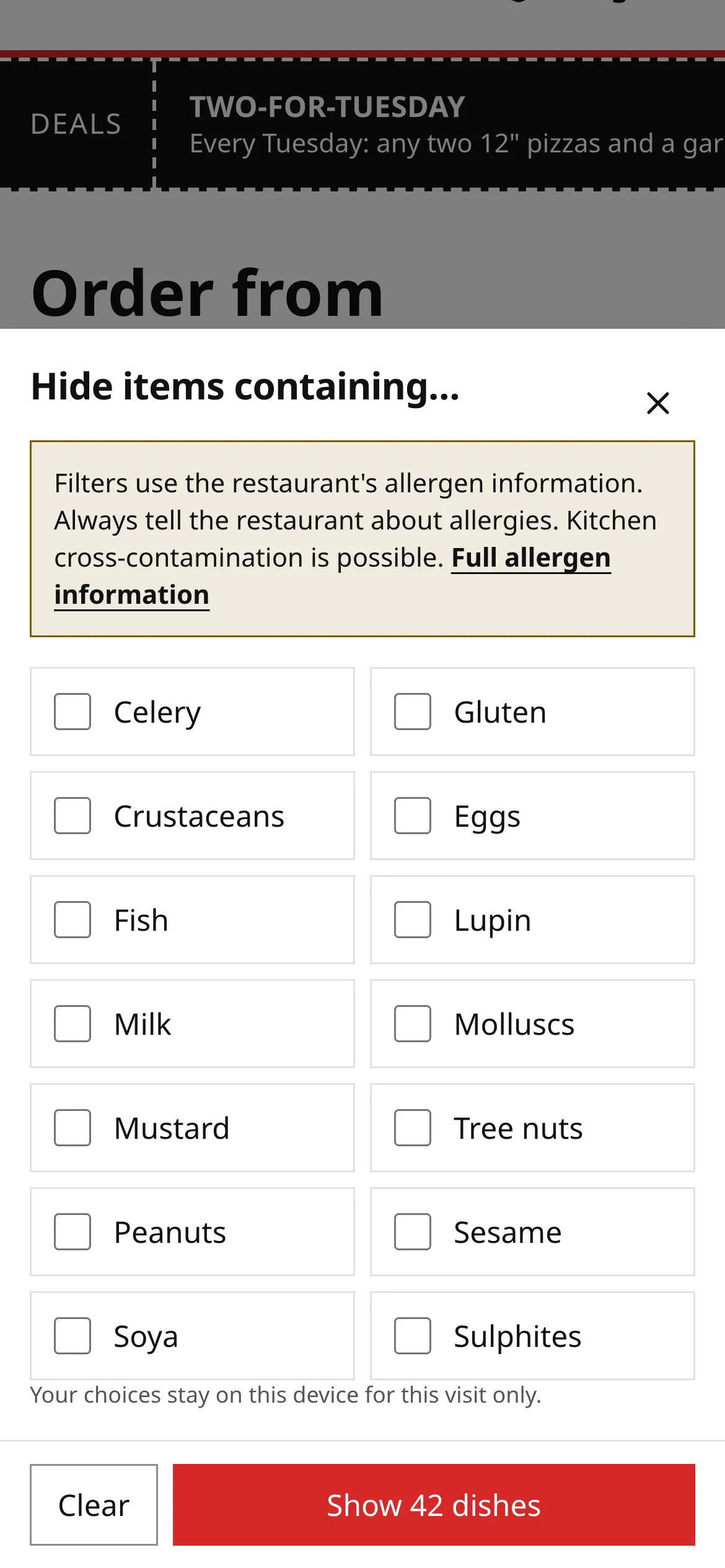
The filter is a shortcut, not a guarantee. It can only be as accurate as the restaurant’s own information.
Telling the kitchen about an allergy
Section titled “Telling the kitchen about an allergy”At checkout, every order asks: Does anyone in your order have a food allergy or intolerance?
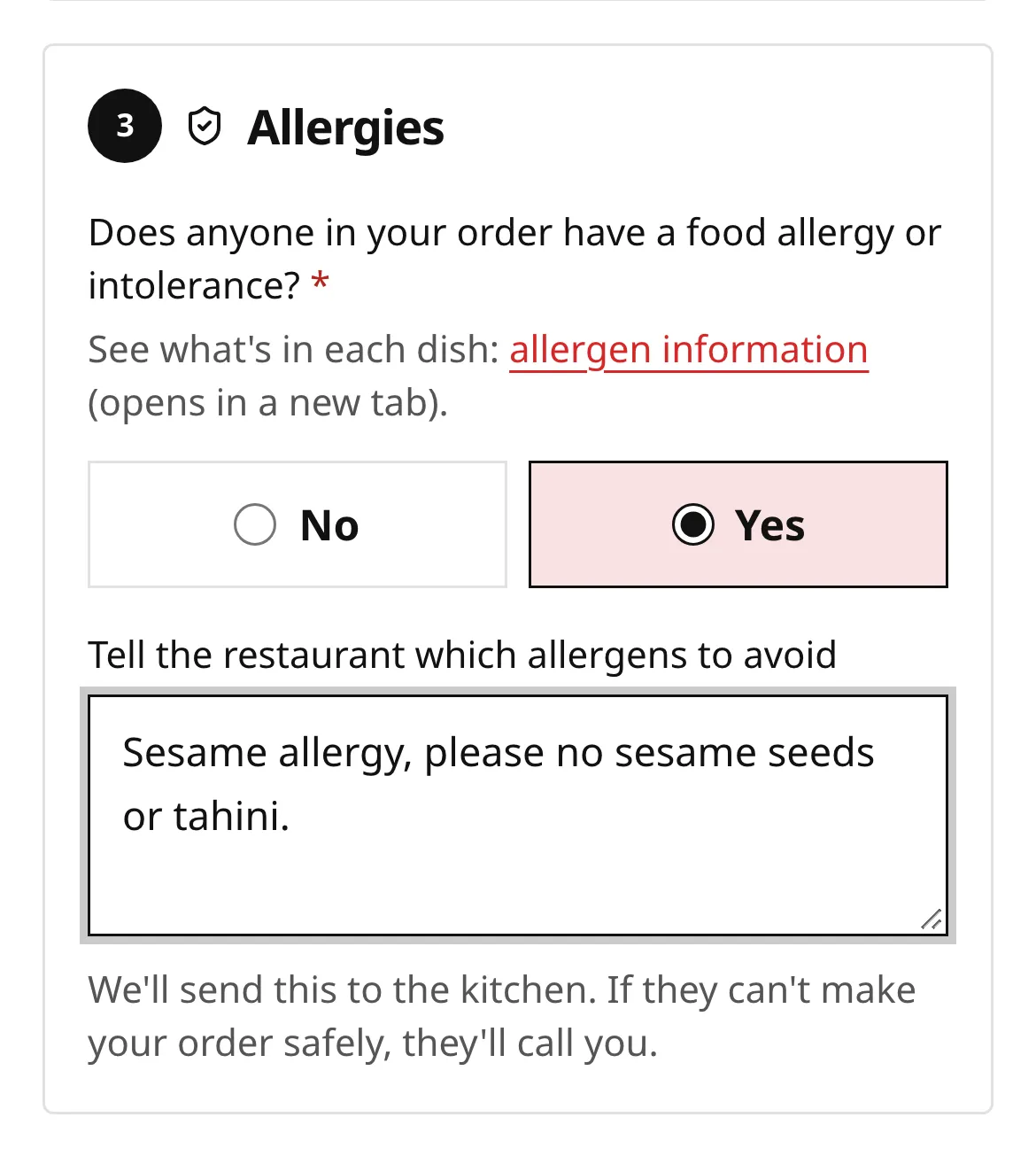
If you answer Yes, type which allergens the kitchen must avoid. Be specific, for example “Sesame allergy: no sesame seeds, tahini or sesame oil”.
What happens next:
- Your note goes to the kitchen with the order, highlighted so it stands out.
- If the kitchen can’t make your order safely, they’ll phone you, or turn the order down and refund you in full.
- Your tracking page repeats the allergens in your order and your note to the kitchen, so you can check it was received.
Don’t put allergies in the dish notes or order notes. Those are for things like “extra crispy”. The allergy question is the one the kitchen is trained to look for.
Changing your mind after you’ve ordered
Section titled “Changing your mind after you’ve ordered”If you remember an allergy after ordering, phone the restaurant. You can also message them from your tracking page, but the message box warns you: “Allergy changes are confirmed by phone; they don’t change your order automatically.”
If you react to your food
Section titled “If you react to your food”Get medical help first. Then contact the restaurant. You can also tell them through the feedback link in your order emails, where “allergy concern” is one of the options: it’s flagged to the restaurant as urgent. See Something wrong with your order.
Related
Section titled “Related”- Order food
- Track your order
- Ordering at a table: in a restaurant, speak to a member of staff about allergies before ordering.
Was this page helpful?