

Modifiers and meal deals
Modifiers are the choices a diner makes on an item: crust, size of chips, extra toppings, a dip. In direct.eat they live in shared option groups. Edit a group once and every item using it updates.
Before you start: you need permission to edit the menu (owner, admin or manager). Open Menu → Modifiers.
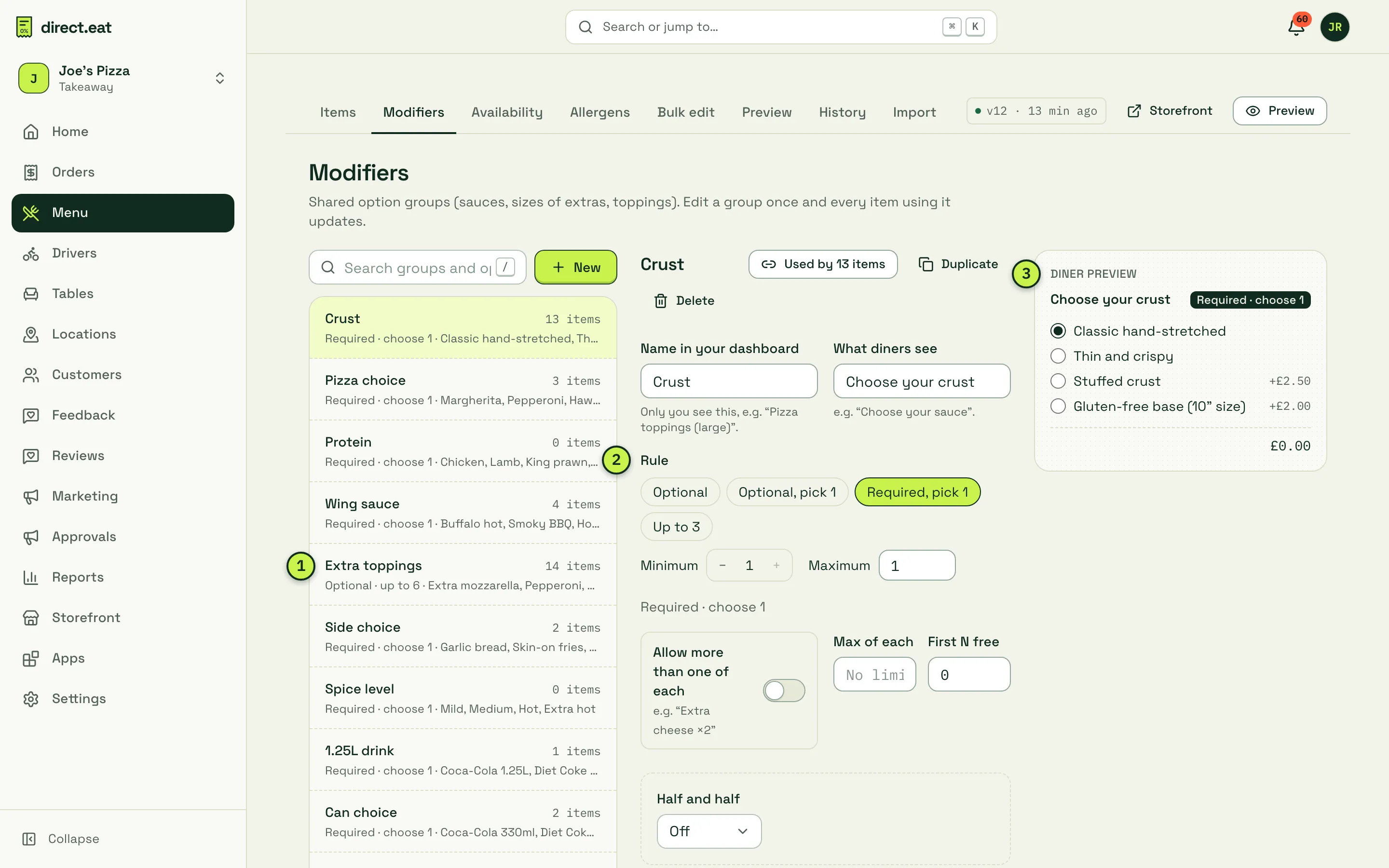
- The group list: every option group, how many items use it and its rule (“Optional · up to 6”).
- Rule: how many choices a diner must or can make.
- Diner preview: exactly how the group looks in the item sheet on your storefront, updated as you edit.
Create an option group
Section titled “Create an option group”- Click New.
- Fill in Name in your dashboard (only you see this, for example “Pizza toppings (large)”) and What diners see (for example “Choose your sauce”).
- Pick a Rule: Optional, Optional, pick 1, Required, pick 1 or Up to 3. Or set Minimum and Maximum yourself.
- Under Options, type each choice and press Enter. Add a price if it costs extra. Prices can be negative (“No cheese −50p”); a line never goes below £0.
- Mark one option as Default if it should be pre-selected.
- Under Items using this group, tick every item that should offer this choice.
You can also attach a group from inside an item: open the item, go to Options and use Attach an option group…. There you can set a different minimum and maximum for that item, or attach the group to one size only (for example the gluten-free base on 10” only).
More settings on a group
Section titled “More settings on a group”- Allow more than one of each: lets diners pick “Extra cheese ×2”. Max of each caps it.
- First N free: the cheapest N choices are free, for example “2 free dips”.
- Price by size: attach the group to an item with sizes and price each option per size (80p on 10”, £1.00 on 12”).
- Advanced: price by order type: a different option price for collection, delivery or dine-in.
- Kitchen ticket name: a short name printed for the kitchen.
- Allergens this option adds: for example a pesto drizzle adds tree nuts. The item’s allergen summary includes it when chosen.
- Removes dietary tag: adding bacon removes “Vegetarian”. The storefront tells the diner: “With your choices this is no longer vegetarian.”
- Opens another choice: an option can open a follow-up group (for example “Meal” then “Choose your drink”), up to 3 levels deep. The editor stops you creating a loop.
Half-and-half pizzas
Section titled “Half-and-half pizzas”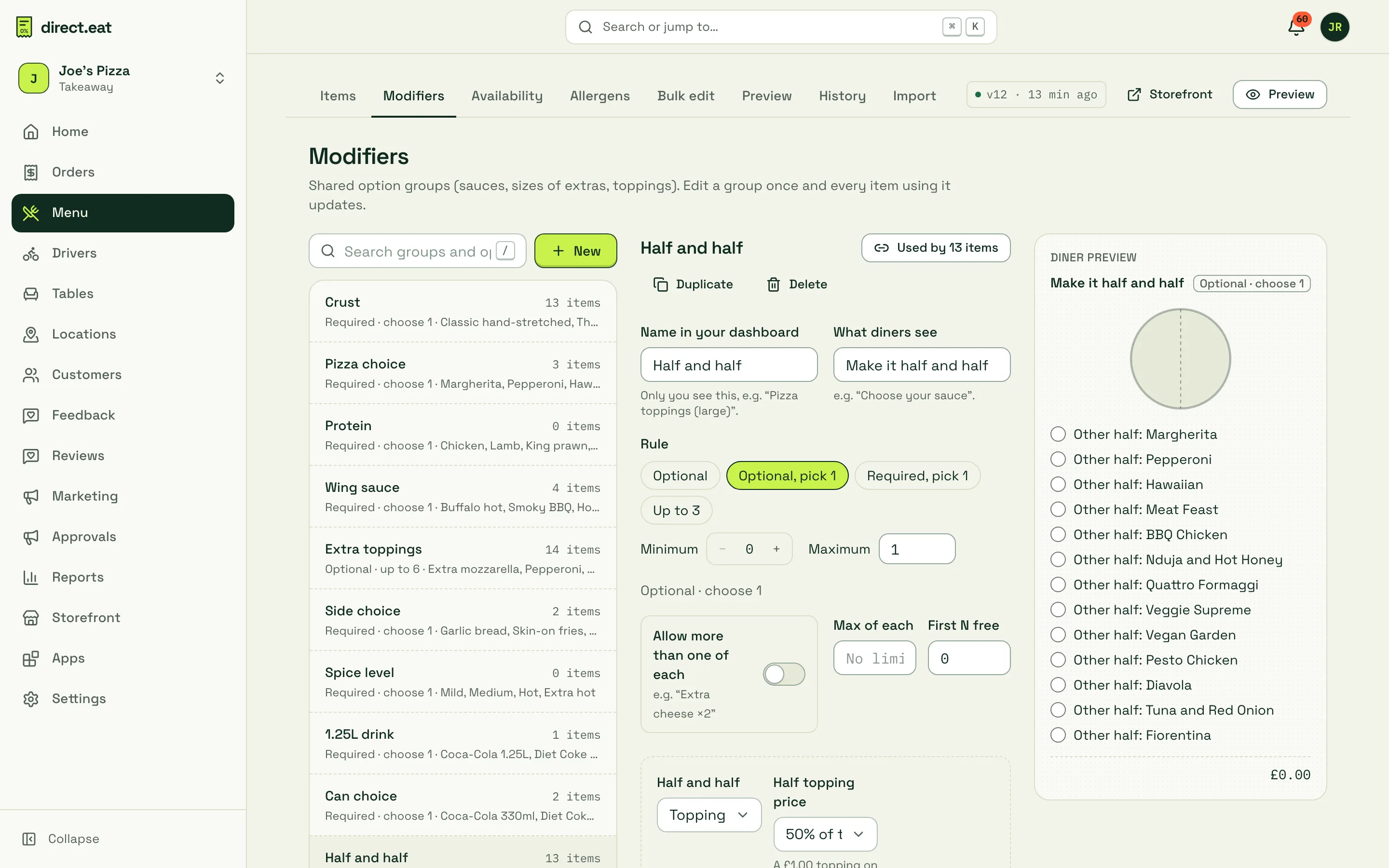
The Half and half setting on a group has three choices:
- Off: normal options.
- Toppings on either half: diners put each topping on the left half, right half or the whole pizza. Set the Half topping price, for example 50% of the full price.
- Two different pizzas (split): each option is “Other half: Pepperoni” and so on. Choose the Split price: Price of the dearer half, Average of the two, or Half of each, added.
Tickets print which half each topping goes on, for example “Extra cheese (left half)”, so the kitchen can’t get it wrong.
Meal deals
Section titled “Meal deals”A meal deal is an item with its own price and a set of choices. Open the item, switch on Meal deal (combo) in Basics, and set the deal price under Price.
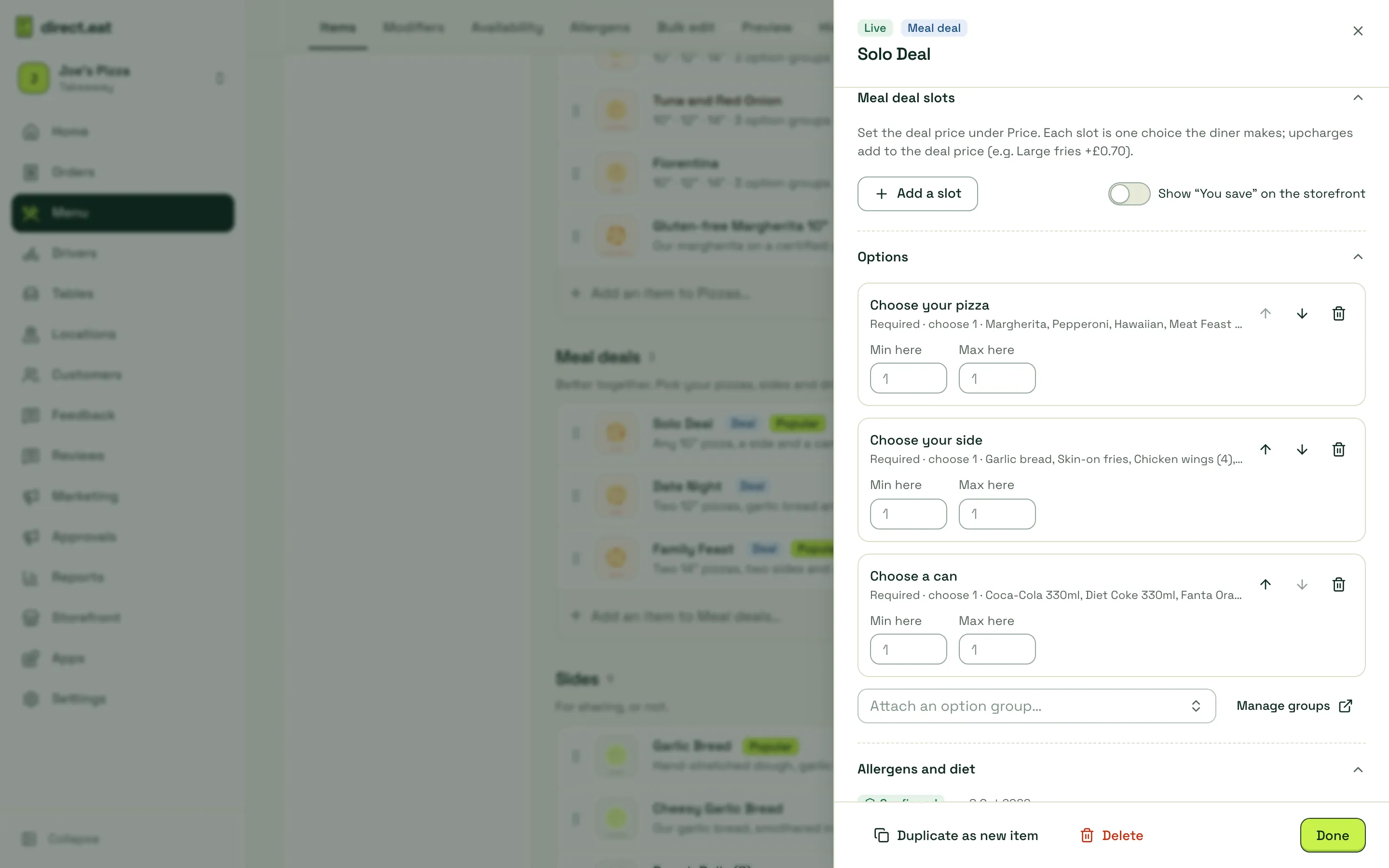
There are two ways to build the choices:
- Meal deal slots: each slot is one choice the diner makes (“Choose your main”, “Choose your side”, “Choose your drink”). Click Add a slot, then Add a choice… to pick menu items or sizes. Give a choice an Upcharge (large fries +£0.70) and set a Default choice. The Slot rule sets how many the diner picks.
- Option groups: attach groups such as “Choose your pizza” and “Choose a can”, as Joe’s Pizza does above.
Switch on Show “You save” on the storefront to show the saving against buying the items separately.
What the diner sees
Section titled “What the diner sees”On the storefront, required groups say so (“Required · choose 1”). If a diner taps Add before choosing, the item sheet scrolls to the missing choice and tells them (“Choose a dip”). Each option shows its price next to it, and the line total updates as they choose. Sold-out options show as Sold out and can’t be picked.
- Keep groups generic and reuse them. One “Dips” group on 9 items is easier to keep right than 9 copies.
- To take one option off for the night (you’ve run out of nduja), 86 the option rather than editing the group. See 86 items and stock.
- Deleting a group used by items asks you to Detach from all and delete.
Related
Section titled “Related”Was this page helpful?