

Track your order
Every order gets its own tracking page. You land on it as soon as you’ve paid, and the link is in every email the restaurant sends you about the order. It updates by itself: you don’t need to refresh.
The tracking page
Section titled “The tracking page”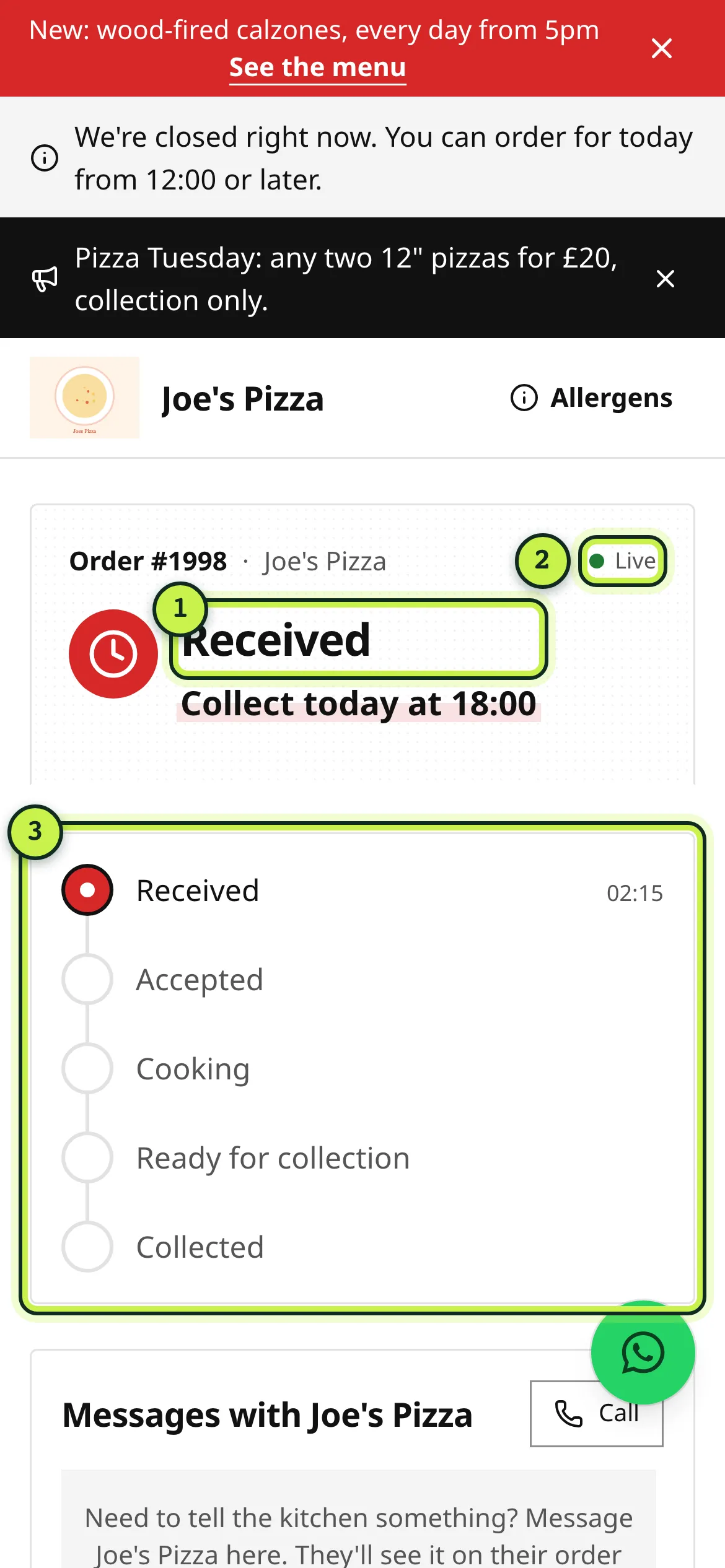
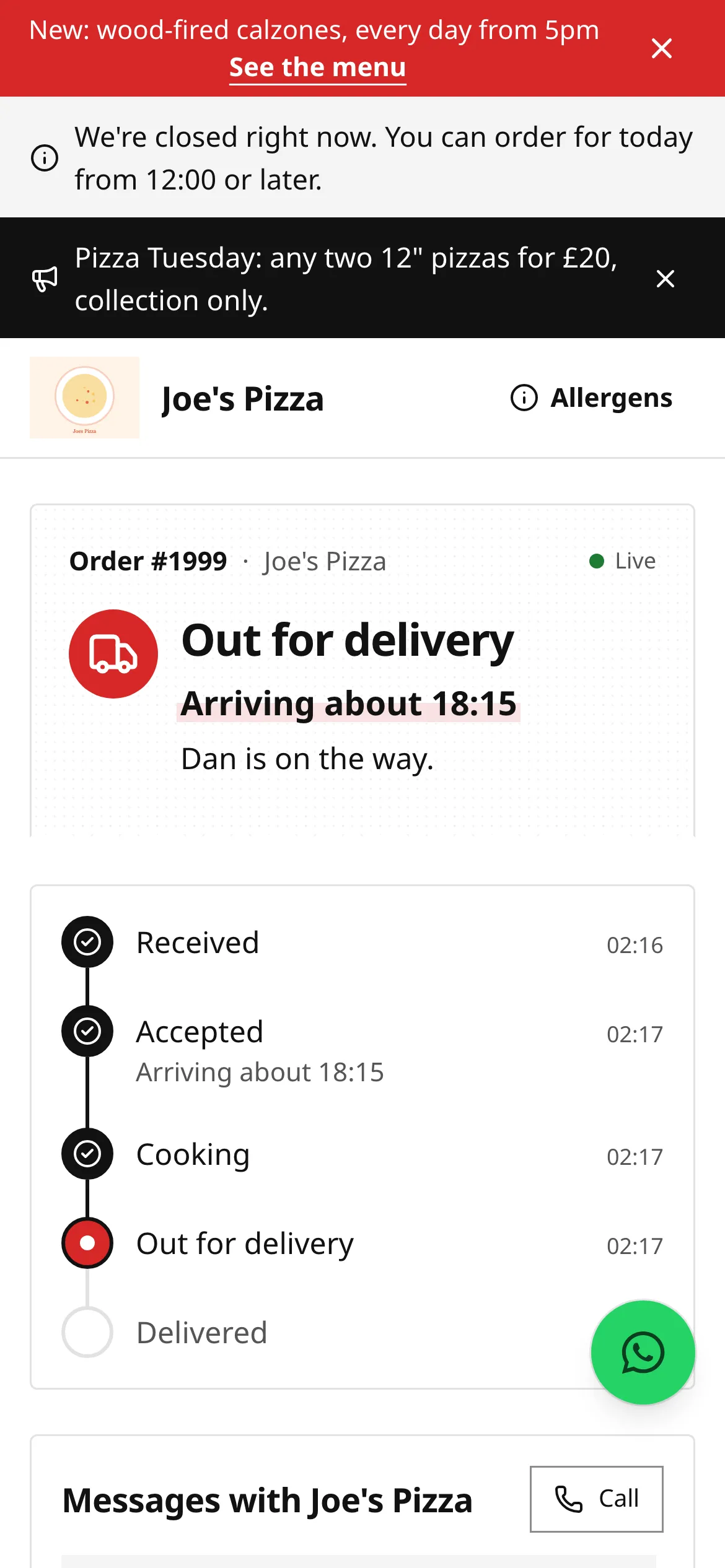
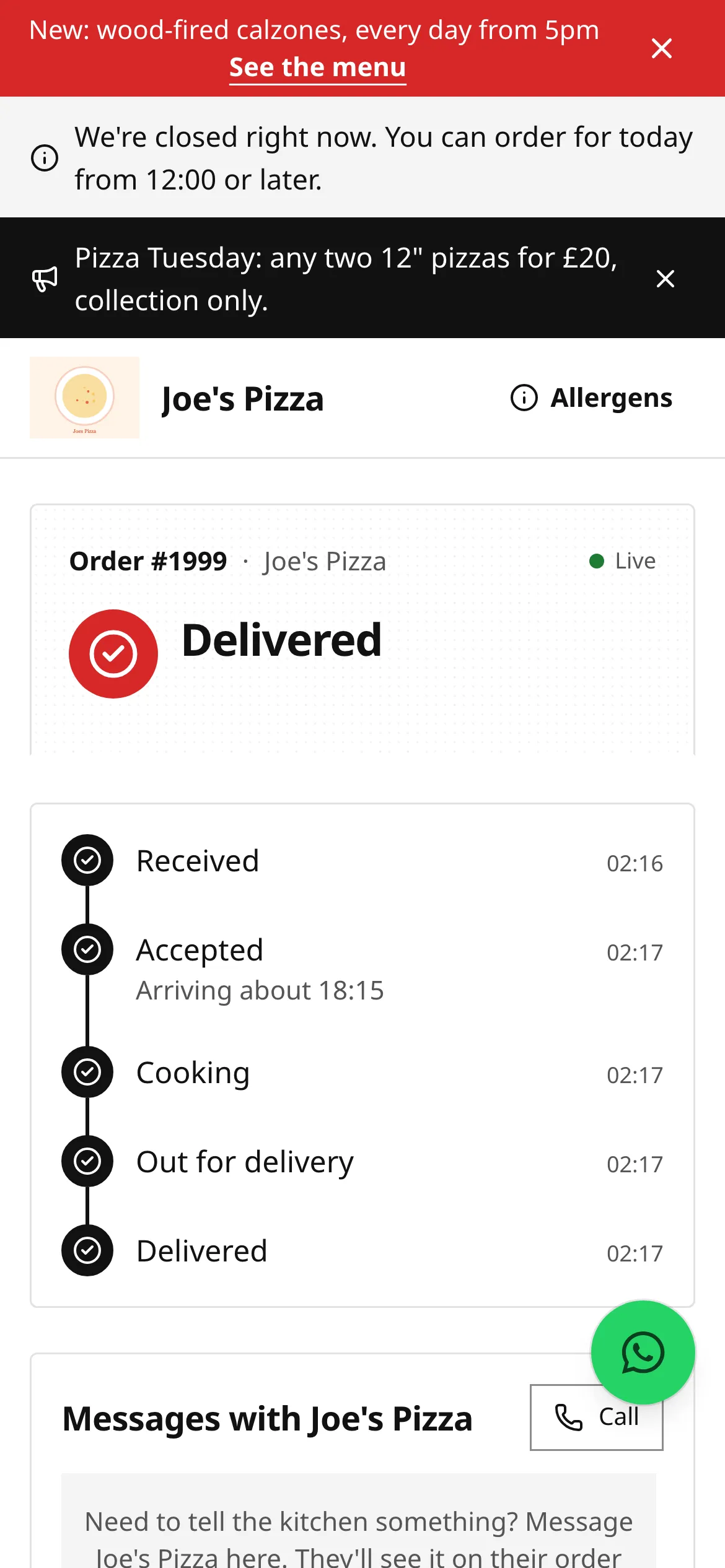
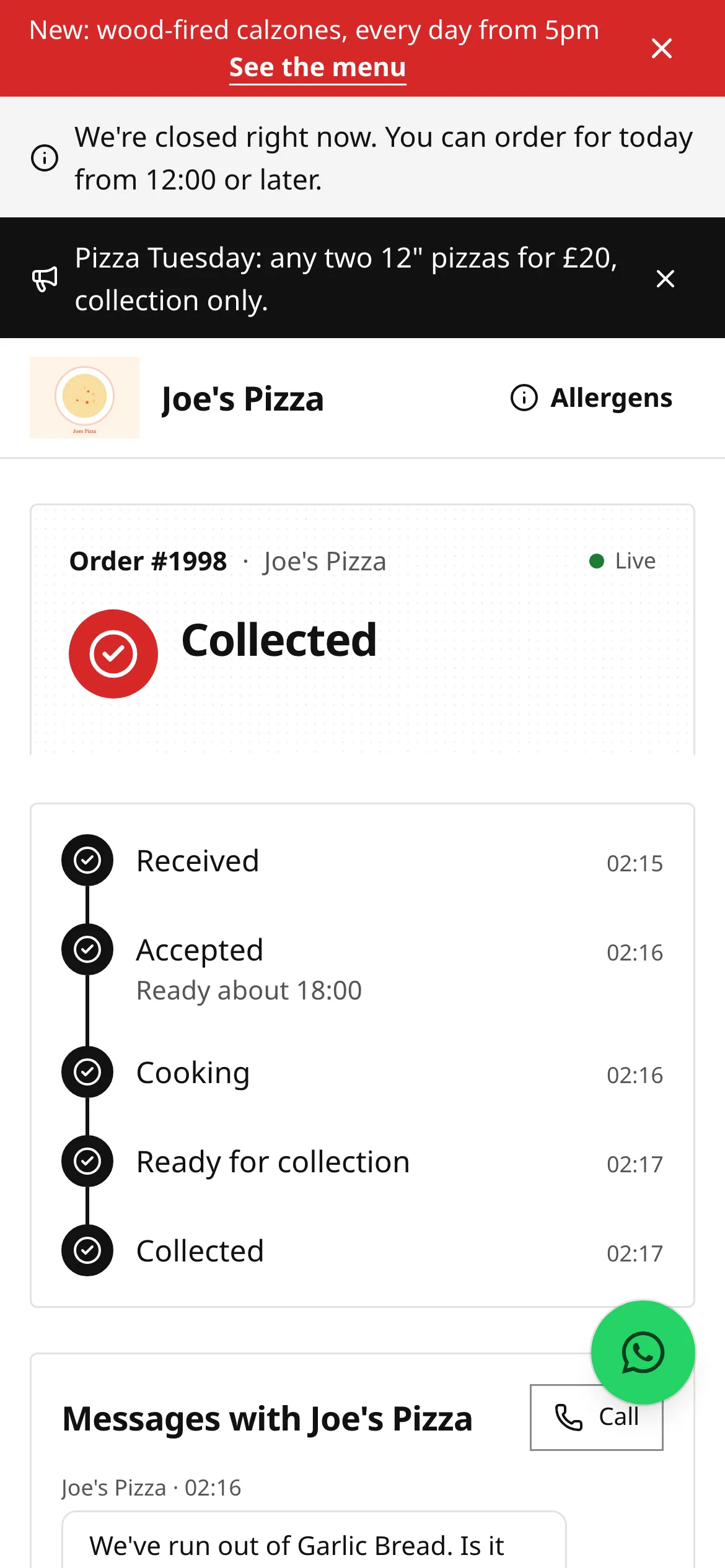
- Status: where your order is now, with the ready or arrival time once the restaurant has accepted it.
- Live: the page is getting updates as they happen. If the connection drops it says Auto-refreshing and checks every 20 seconds.
- Progress: each step with the time it happened.
Further down the page you’ll find:
- Messages with the restaurant: see Message the restaurant.
- Allergens in your order, and your note to the kitchen if you gave one.
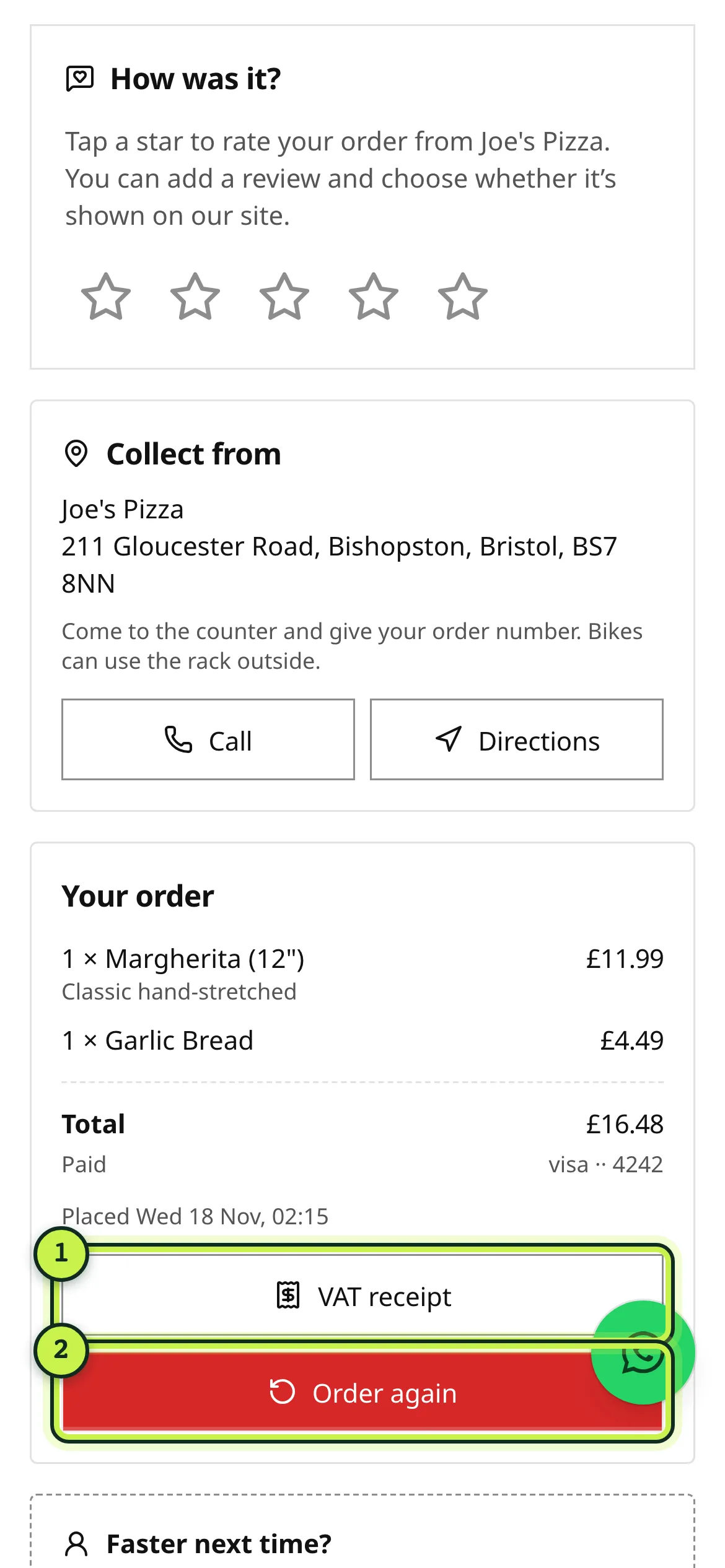
- Collect from (address, Call and Directions) or Delivery (your postcode area).
- Your order: what you ordered, any discounts, the total and how you paid, with a Receipt (or VAT receipt) button and Order again.
The tracking link is private to you: it contains a long random code, and the page never shows your full phone number or email. Anyone you send the link to can see the order, so share it with care.
What each status means
Section titled “What each status means”| Status | What it means |
|---|---|
| Received | The restaurant has your order and payment. They haven’t accepted it yet. |
| Accepted | The restaurant has accepted your order. You’ll see “ready about 18:20” for collection, or an arrival window such as “arriving 18:35–18:45” for delivery. |
| Cooking | The kitchen is making it. |
| Ready for collection | Your food is ready. Head to the restaurant and give your order number. |
| Out for delivery | It’s with the driver. If the restaurant shows driver names, you’ll see “Dan is on the way.” |
| Collected / Delivered | Done. Enjoy your food. |
| Delayed | Shown next to the status with a new time, for example “Delayed. Now ready about 18:40”. |
| Rejected | The restaurant couldn’t take the order. You see the reason and a full refund is started. |
| Cancelled | The order was cancelled after it was accepted. You see the reason and the refund. |
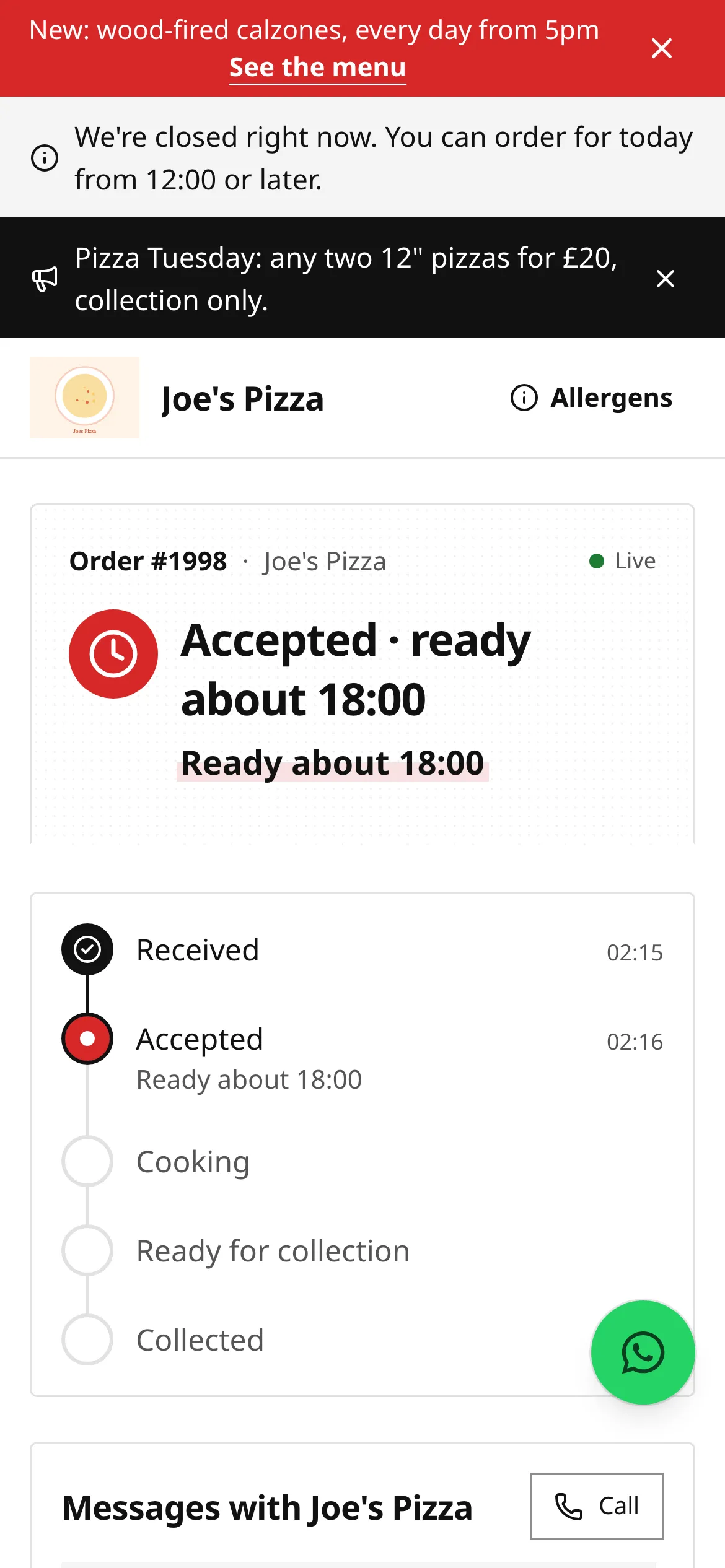
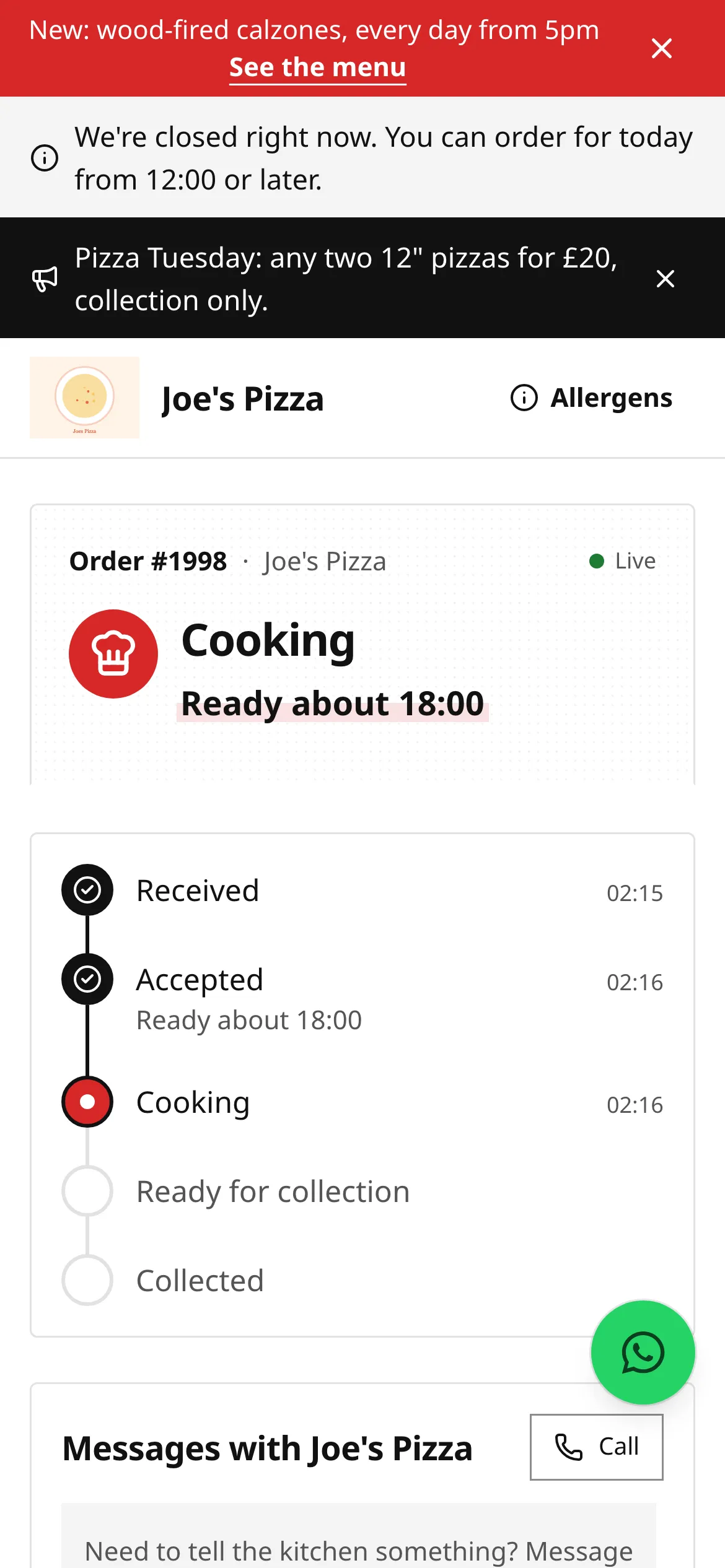
When the restaurant changes your time, the page shows a Delayed badge with the new time and the reason, for example “busy”.
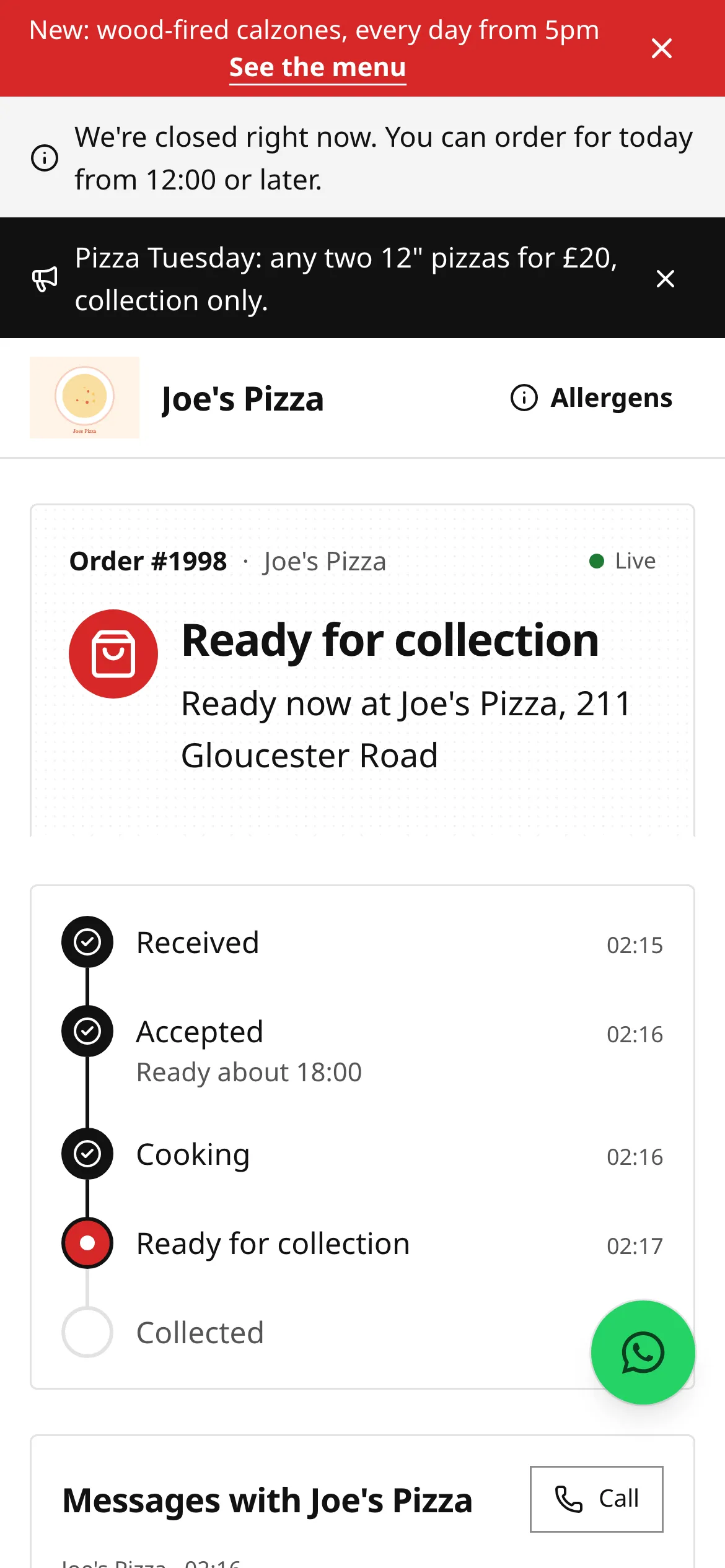
For deliveries, Out for delivery shows your arrival time and, if the restaurant allows it, the driver’s first name. There’s no live map: restaurants on direct.eat never track their drivers’ location.
If the restaurant hasn’t confirmed your order
Section titled “If the restaurant hasn’t confirmed your order”When an order comes in, direct.eat keeps alerting the restaurant until someone accepts it. If yours still hasn’t been accepted after about 5 minutes (the default), the page says The restaurant hasn’t confirmed yet and that you won’t be charged if they can’t take it. A few minutes later you get a choice, on the page and by email: Keep waiting or Cancel for a full refund. If nobody at the restaurant responds, the order is cancelled automatically (by default after 15 minutes) and refunded in full.
If your order is turned down
Section titled “If your order is turned down”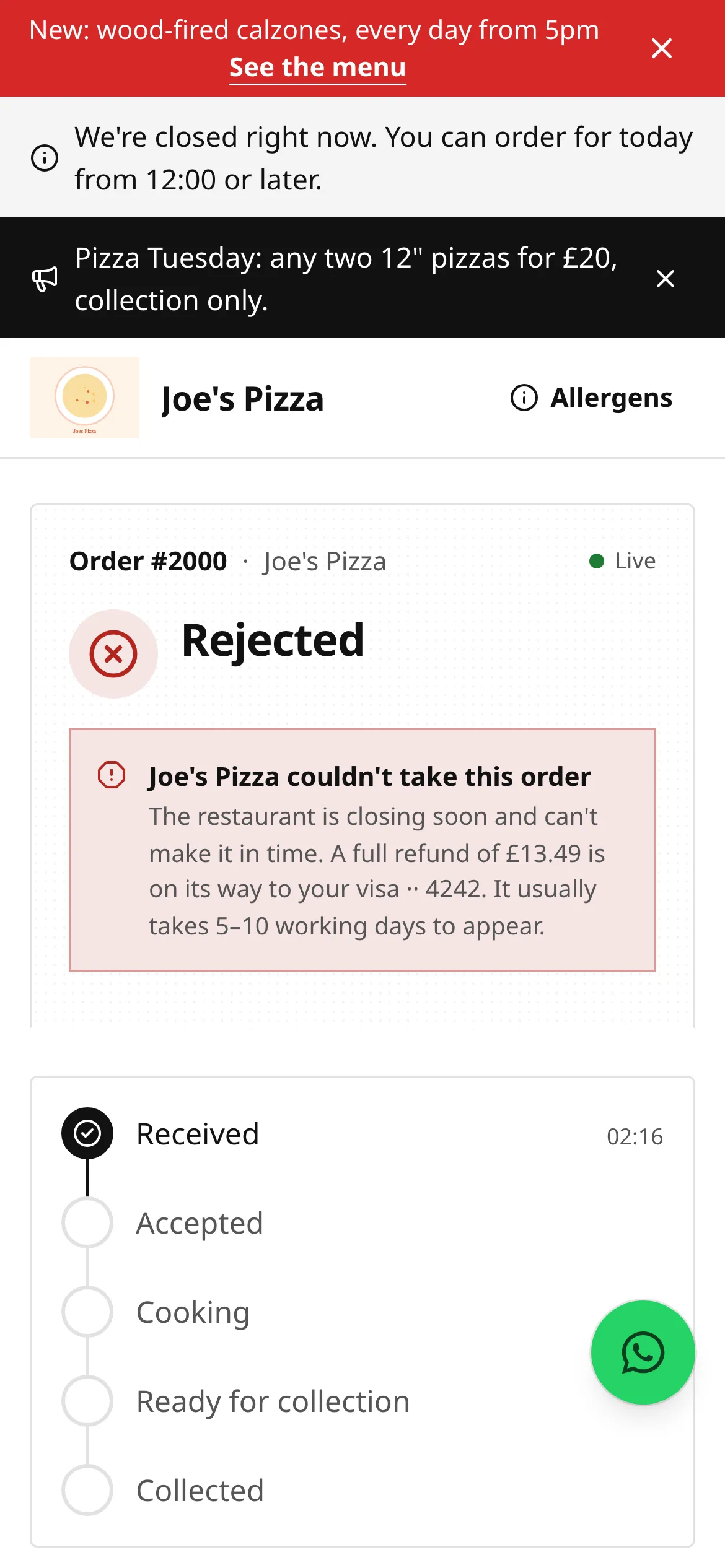
The page tells you why, and that a full refund is on its way to your card. Card refunds usually take 5 to 10 working days to show on your statement: that’s down to your bank. If you used a gift card, the amount goes back on the gift card. See Refunds.
Email updates
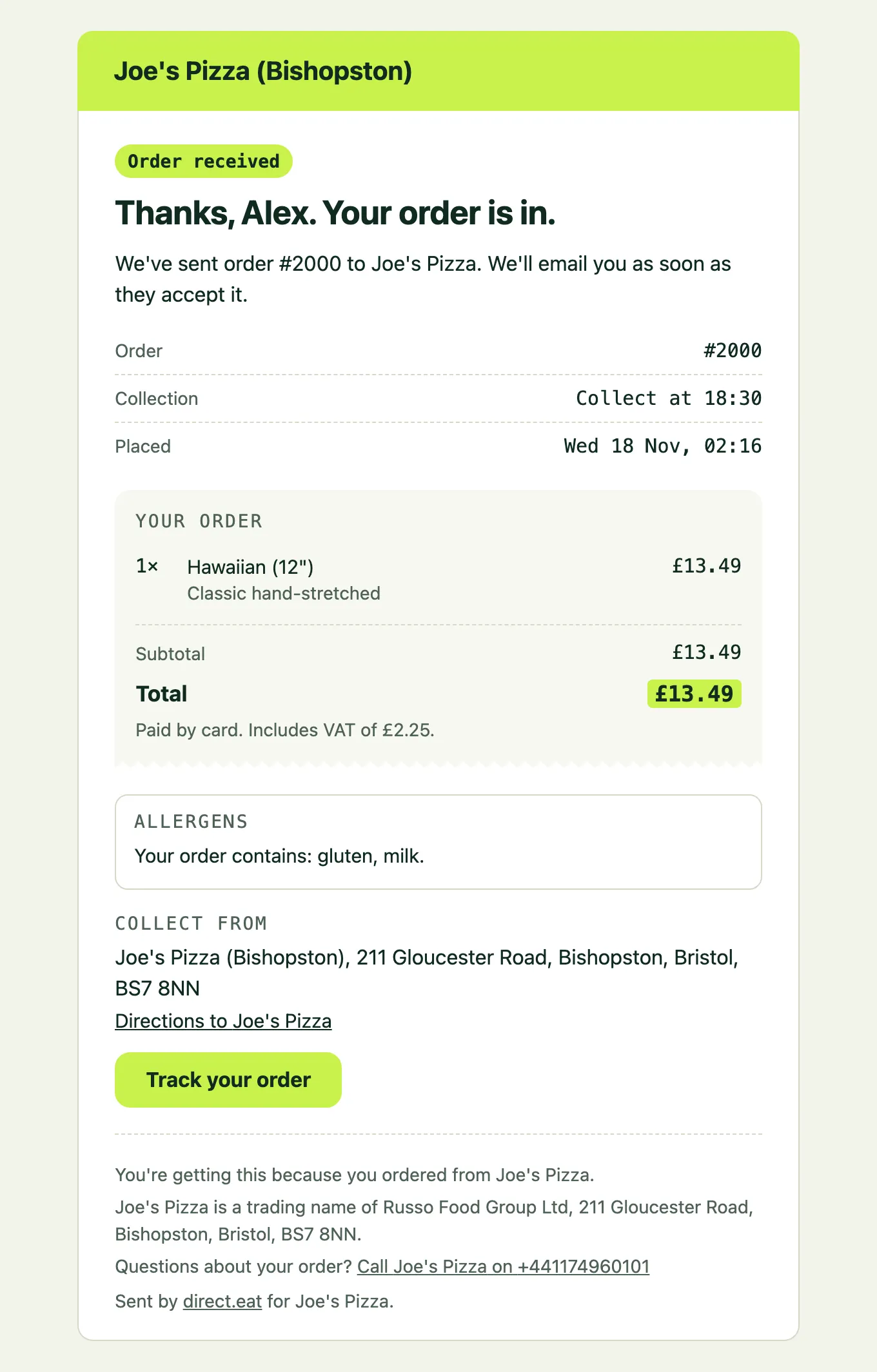
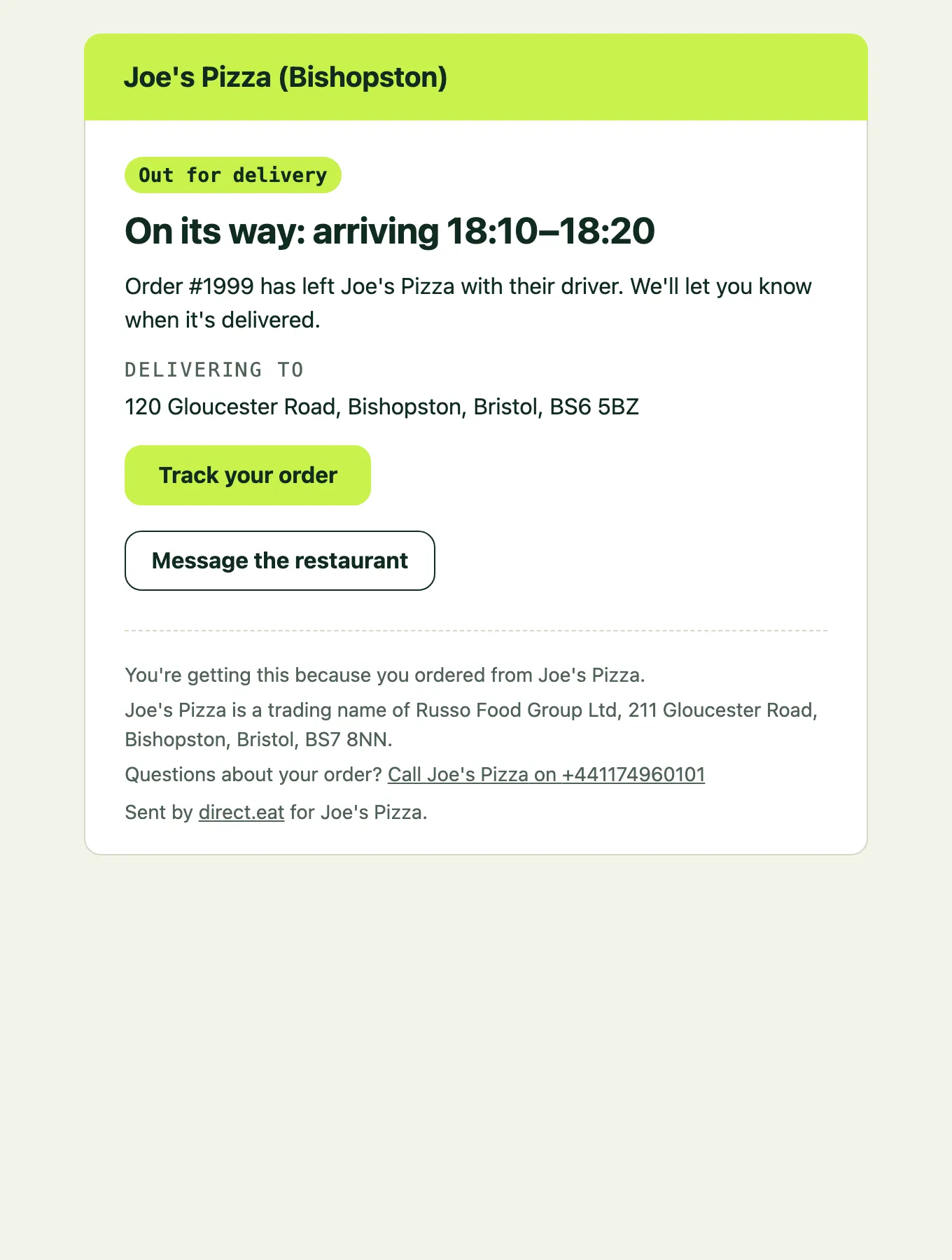
Section titled “Email updates”You get an email when your order is confirmed and at the main steps: accepted (with your time), delayed, ready to collect, out for delivery, delivered, rejected or cancelled, and when a refund is issued. Every email links back to your tracking page. The emails come from the restaurant’s name.
Message the restaurant
Section titled “Message the restaurant”Every tracking page has a message thread with the restaurant. Your messages appear on their order screen in the kitchen, and theirs appear here.
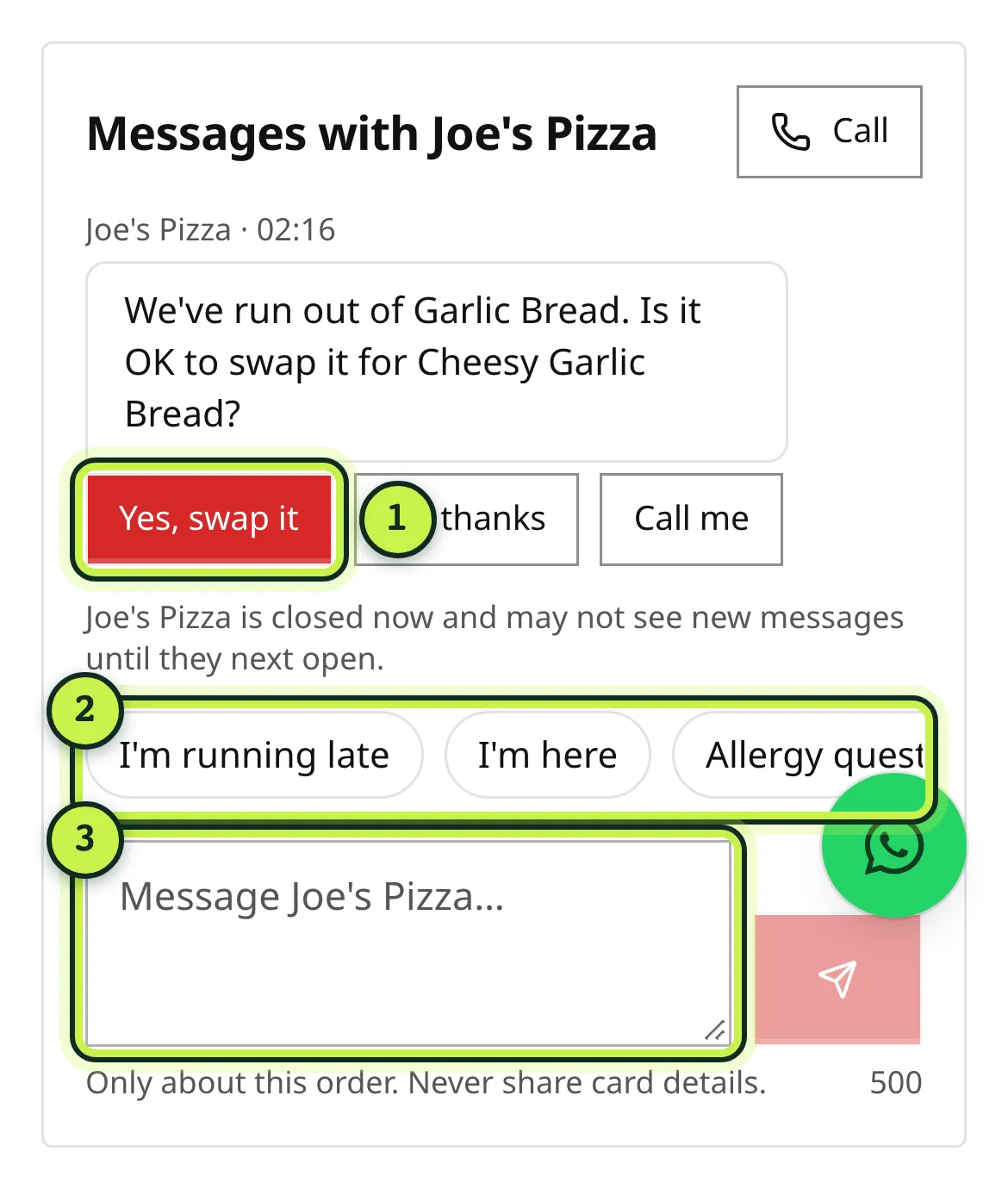
- Answer buttons: when the restaurant asks a question, such as a swap for something that’s sold out, tap Yes, swap it, No thanks or Call me.
- Quick replies: one tap for common messages, such as “I’m running late” or “I’m here”.
- Message box: type anything else about this order, up to 500 characters.
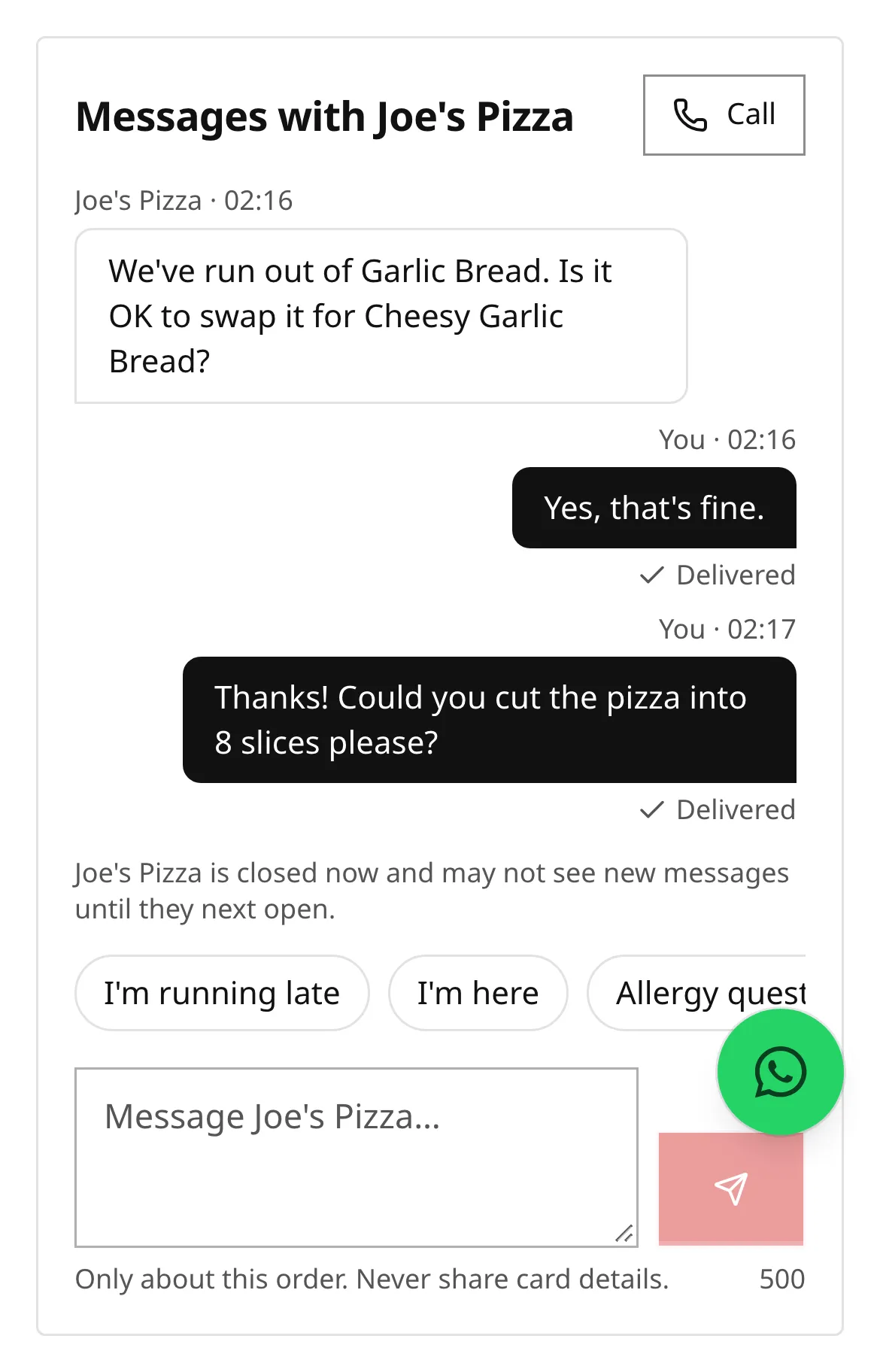
Good to know:
- Under each of your messages you’ll see Delivered, then Read once the restaurant has seen it.
- If the restaurant hasn’t seen your message after a few minutes, the page says so and gives their number to call.
- If the restaurant is closed, it says they may not see new messages until they next open.
- Never send card details. Messages are only about this order.
- Allergy changes are confirmed by phone: a message doesn’t change your order by itself.
- The thread closes 24 hours after the order is finished. After that, call the restaurant.
When the restaurant sends you a message, you also get an email with a link to reply.
After your order
Section titled “After your order”When your order is collected or delivered, the page shows Collected or Delivered and a How was it? card. Tap a star to rate your order and, if you like, leave a review. See Reviews.
From the order summary you can:
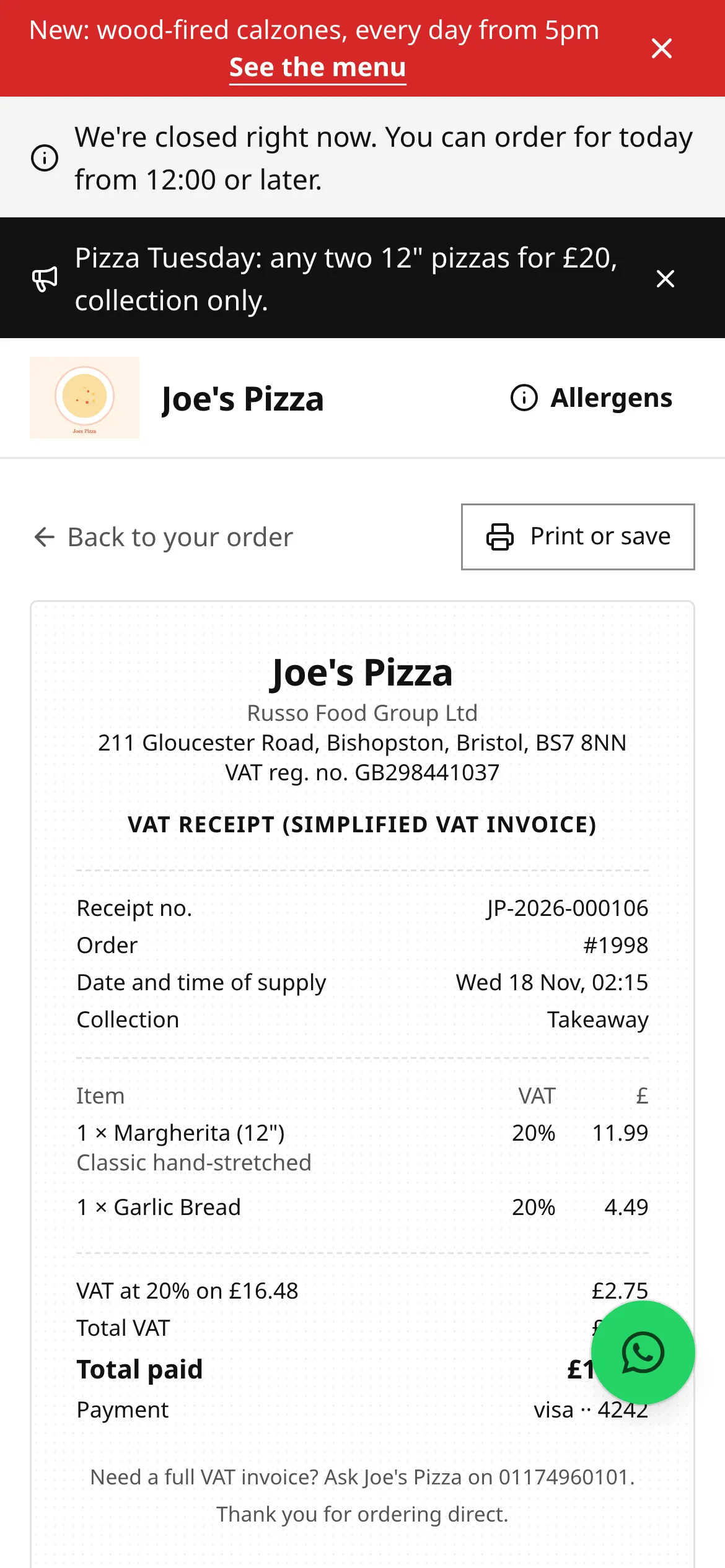
- open your Receipt (a VAT receipt if the restaurant is VAT registered), which you can print or save,
- tap Order again to put the same items back in your basket. Prices and availability are checked again.
If you ordered as a guest, the tracking page offers Save my details, so next time you can sign in with a code and reorder in one tap. See Your account.
Related
Section titled “Related”Was this page helpful?