

Gift cards
Gift cards are digital: a 16-character code like ABCD-EFGH-JKLM-NPQR that the diner types at checkout. You can issue them as a counter sale (paid in the shop) or as goodwill credit to put a problem right. Gift cards are a way of paying, not a food sale, so there’s no VAT on them until they’re spent.
Before you start
Section titled “Before you start”- Gift cards are part of the Growth and Pro plans (and the free trial).
- Owners and admins can issue any amount and change gift card settings (changes go through Approvals).
- Managers can issue goodwill credit up to £10.
- Staff can use the counter balance check.
The gift cards page
Section titled “The gift cards page”Go to Marketing → Gift cards.
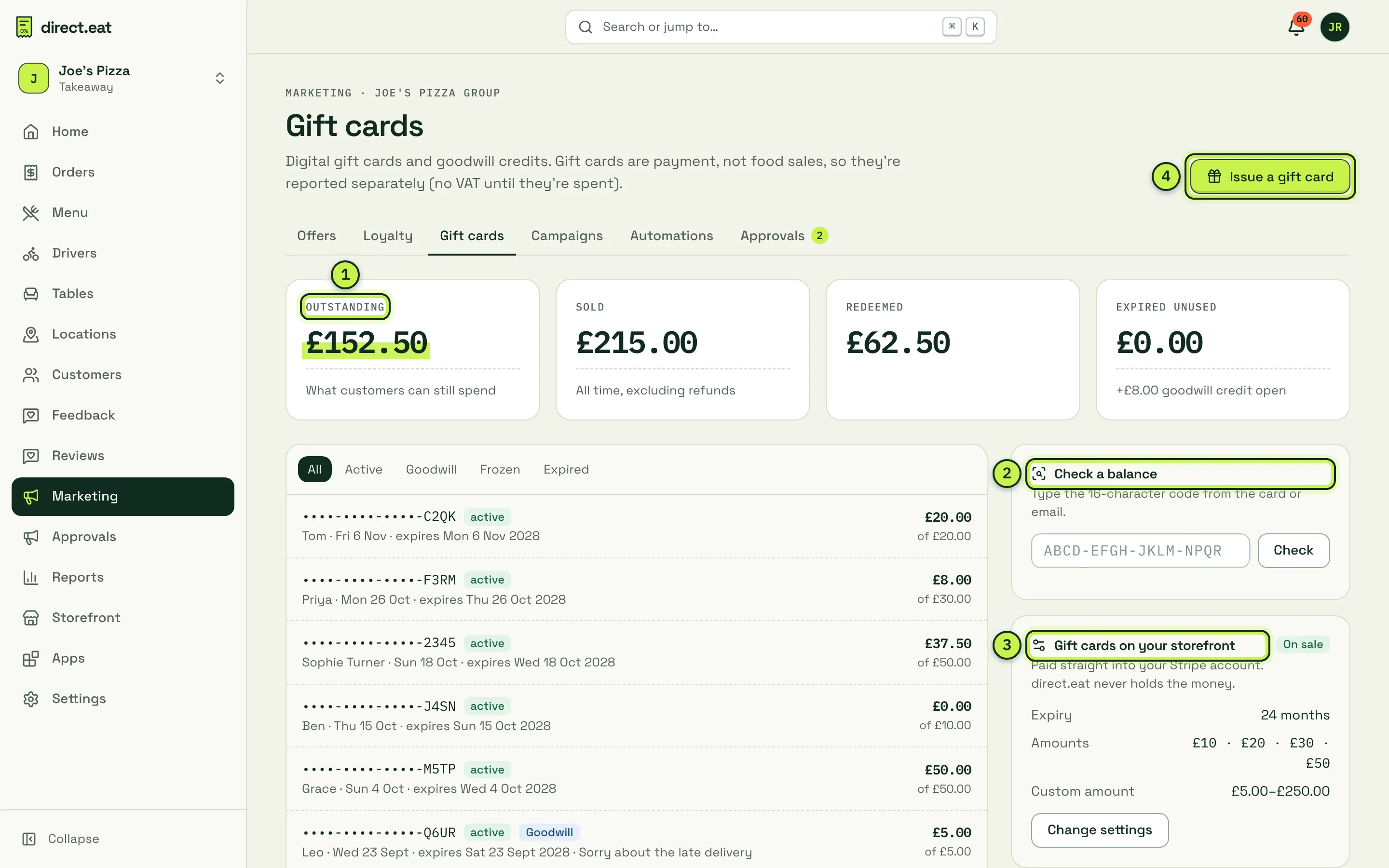
- Outstanding is what customers can still spend: money you’ve taken but not yet “earned”. Next to it: Sold (all time, excluding refunds), Redeemed and Expired unused.
- Check a balance: type a code to see what’s left. Use it when a customer asks at the counter.
- Gift cards on your storefront: expiry (24 months by default) and the amounts offered (£10, £20, £30, £50, or a custom amount from £5 to £250). Change settings sends the change for approval. Expiry can’t be shorter than 12 months.
- Issue a gift card.
The list masks codes (only the last four characters show). Filter by Active, Goodwill, Frozen or Expired.
Issue a gift card or goodwill credit
Section titled “Issue a gift card or goodwill credit”- Click Issue a gift card.
- Choose Goodwill credit (to make up for a problem) or Counter sale (paid in the shop).
- Enter the Amount, the recipient’s name and email, and a Reason (for example “Missing chips on order #1042”). The reason is logged in the activity log.
- Click Issue £…. The full code is shown once: give it to the customer or let the email deliver it.
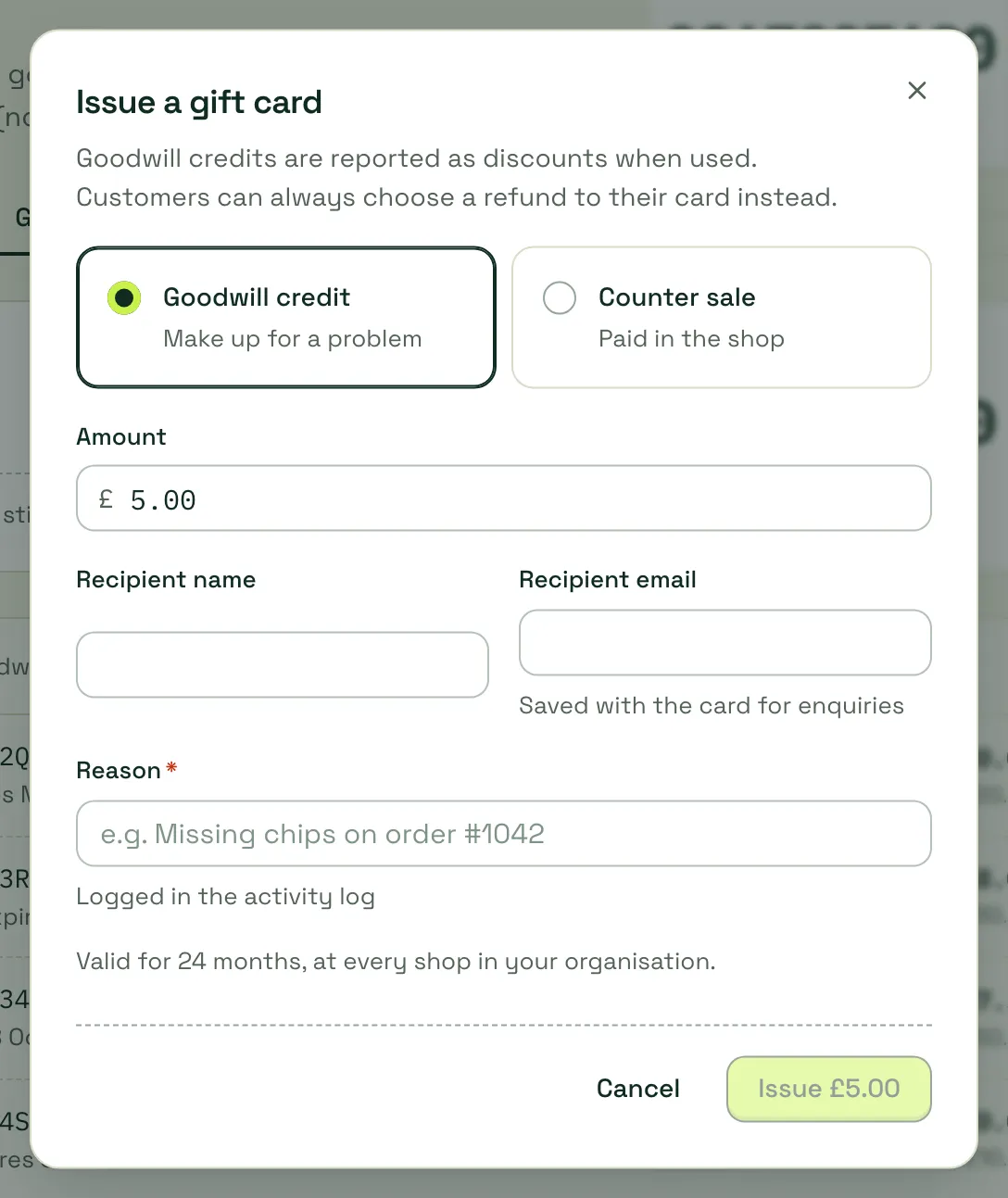
The recipient gets an email with their code. Cards work at every shop in your organisation.
Check a balance at the counter
Section titled “Check a balance at the counter”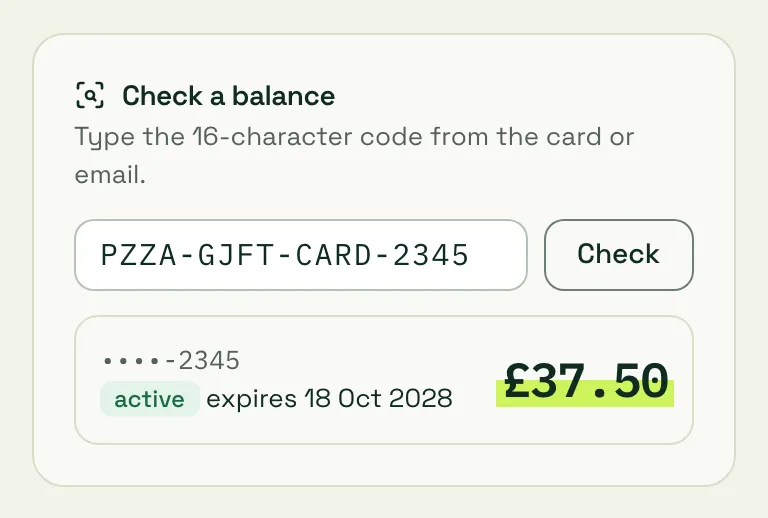
One card’s history
Section titled “One card’s history”Click a card to see its balance, original value, expiry, the message from the buyer and every transaction.
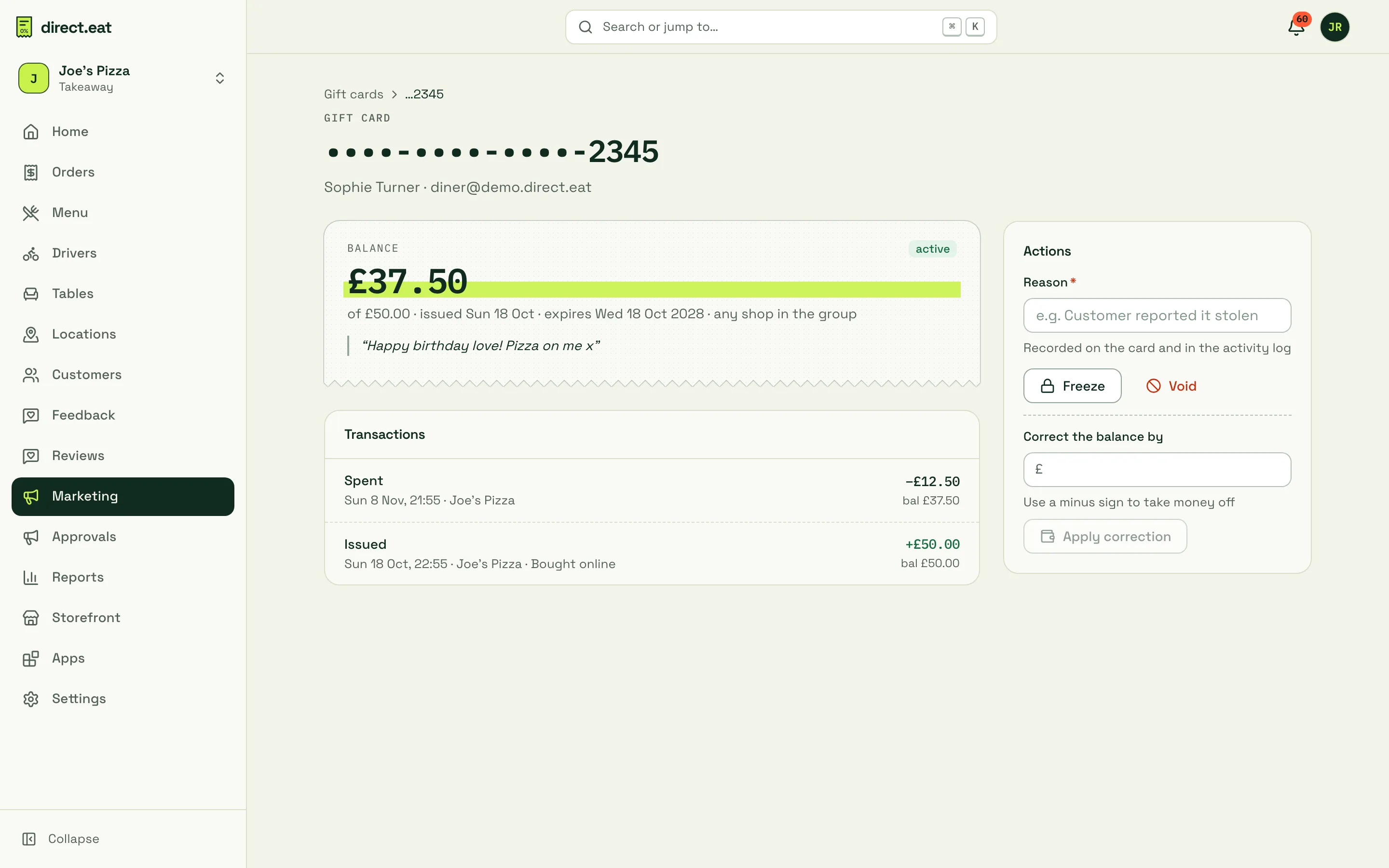
Actions (each needs a reason, recorded on the card and in the activity log):
- Freeze: stops the card being used, for example if it’s reported stolen. Unfreeze to restore it.
- Void: cancels the card permanently.
- Correct the balance by: add or take off an amount (use a minus sign to take money off).
How diners use them
Section titled “How diners use them”- Spending: the diner types the code in the payment step at checkout. It comes off the total and they pay any difference by card. A card can be used over several orders until the balance runs out. If a card covers the whole order, the order is placed with no card payment.
- If an order is rejected or cancelled, the amount taken from the gift card goes straight back onto it.
- Checking a balance: diners can check at
https://{your-slug}.direct.eat/gift-cards. The full code is never shown back.
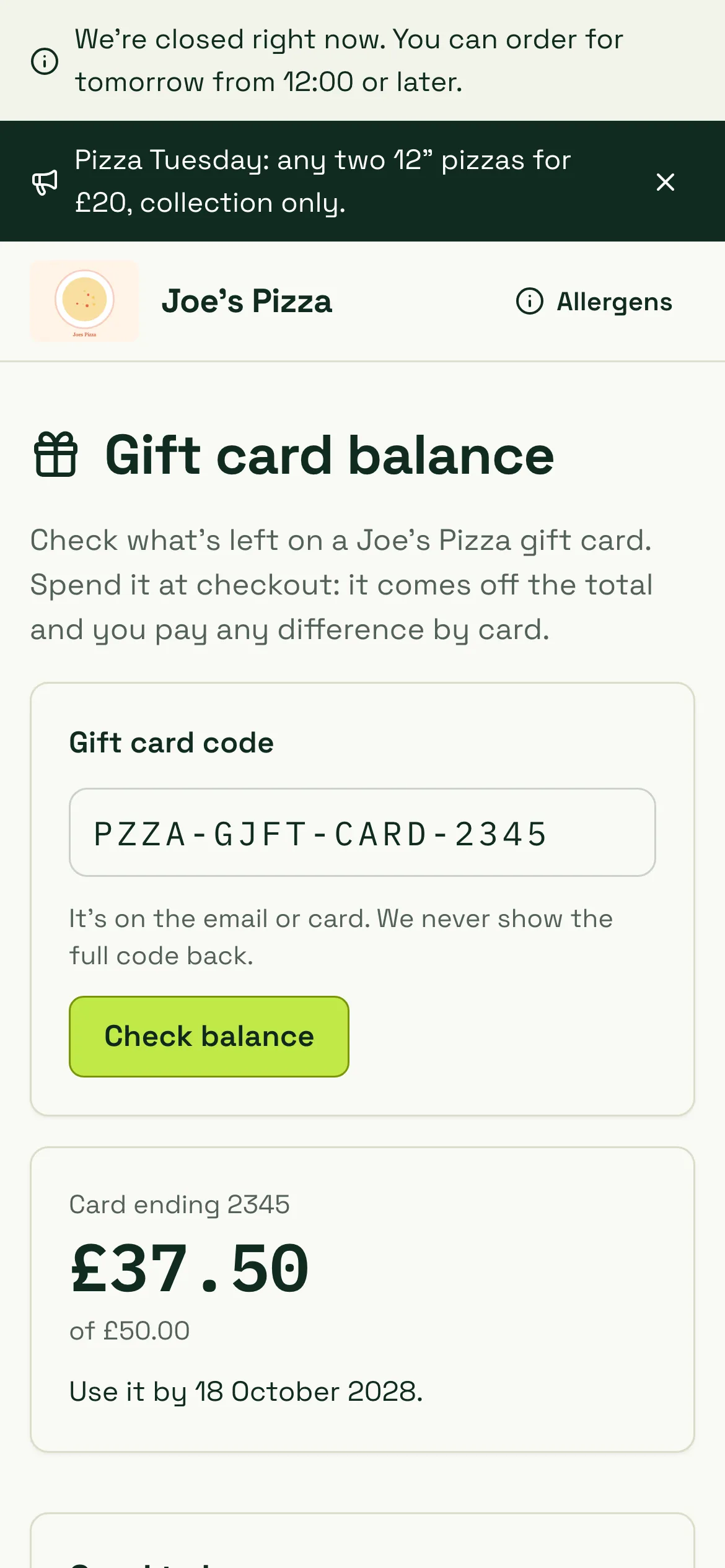
The page tells diners: cards can be used over several orders; they’re reminded 30 days before expiry; unused cards can be refunded to the buyer within 14 days; cards can’t be exchanged for cash.
Buying a gift card online
Section titled “Buying a gift card online”While gift cards are On sale, diners can buy one at https://{your-slug}.direct.eat/gift-cards/buy: pick £10, £20, £30, £50 or Other, choose It’s for me or enter the recipient’s name and email, add a message and an optional Send on date (emailed at 9am that day), then pay by card. The card is only issued once the payment is confirmed, and the buyer gets a receipt. Limits: up to £250 a card and £500 a day per buyer. Payment goes straight to your Stripe account: direct.eat never holds the money.
Expiry and refunds
Section titled “Expiry and refunds”- Cards last 24 months by default. You can set a longer period, but never less than 12 months.
- When a card expires unused, the remaining value shows in Expired unused. Talk to your accountant about how to treat it.
- An unused card can be refunded to the person who bought it within 14 days.
Related
Section titled “Related”- Loyalty
- Feedback and issues (offer goodwill credit when putting things right)
- Delays and refunds
- Accounts, loyalty and gift cards for diners
Was this page helpful?