

Notification settings and the inbox
Kitchen tablets ring for every order. Everything else (an order nobody has accepted, the kitchen going offline, an unread customer message, a payout problem) reaches you through notifications. Each person on your team chooses their own channels in Settings → Notifications. Shop-wide timings for the missed-order ladder are in alerts and escalation.
Before you start
Section titled “Before you start”- Everyone with dashboard access can set their own notifications. Nobody can change someone else’s.
- Defaults depend on your role. Owners and managers get the important ones by push; staff mostly in the app.
- Texts to you go to your on-call number, which is set and verified in Settings → Alerts → On-call contacts.
Choose your notifications
Section titled “Choose your notifications”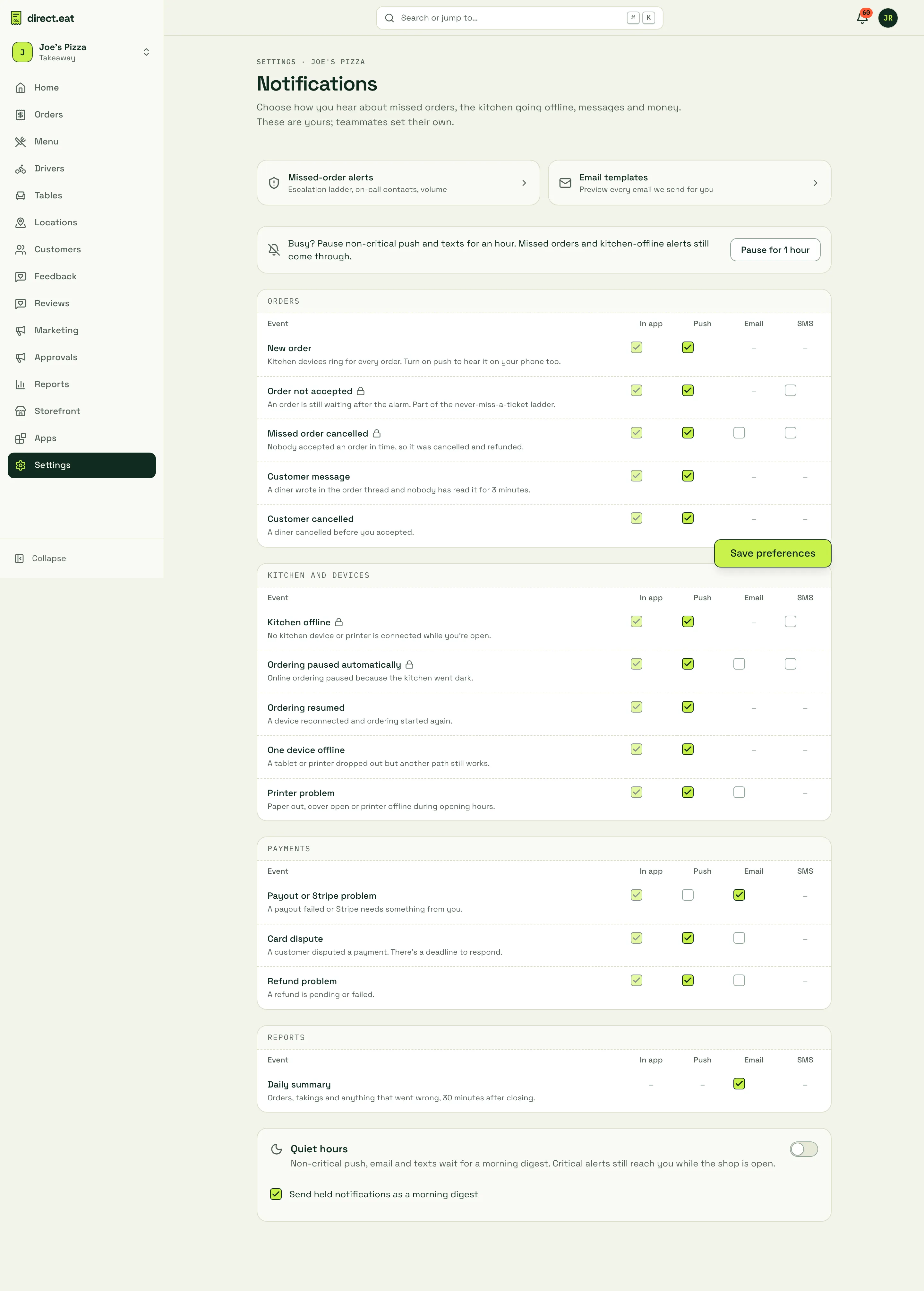
Tick the channels you want for each event: In app (always on), Push, Email and SMS. A dash means that channel isn’t offered for that event. Click Save preferences.
| Group | Event | What it means |
|---|---|---|
| Orders | New order | Kitchen devices ring for every order. Turn on push to hear it on your phone too. |
| Order not accepted (critical) | An order is still waiting after the alarm. Part of the missed-order ladder. | |
| Missed order cancelled (critical) | Nobody accepted an order in time, so it was cancelled and refunded. | |
| Customer message | A diner wrote in the order thread and nobody has read it for 3 minutes. | |
| Customer cancelled | A diner cancelled before you accepted. | |
| Kitchen and devices | Kitchen offline (critical) | No kitchen device or printer is connected while you’re open. |
| Ordering paused automatically (critical) | Online ordering paused because the kitchen went dark. | |
| Ordering resumed | A device reconnected and ordering started again. | |
| One device offline | A tablet or printer dropped out but another path still works. | |
| Printer problem | Paper out, cover open or printer offline during opening hours. | |
| Payments | Payout or Stripe problem | A payout failed or Stripe needs something from you. |
| Card dispute | A customer disputed a payment. There’s a deadline to respond. | |
| Refund problem | A refund is pending or failed. | |
| Reports | Daily summary | Orders, takings and anything that went wrong, 30 minutes after closing. By email. |
Events marked critical have a padlock in the dashboard. They reach you even during quiet hours while the shop is open. If you’re the owner and have no verified on-call contact, you can’t turn off push, SMS and email all at once for a critical event: “Otherwise nobody hears about it.”
Pause for an hour
Section titled “Pause for an hour”Click Pause for 1 hour to hold non-critical push and texts while you’re busy. Missed orders and kitchen-offline alerts still come through. The banner shows when the pause ends.
Quiet hours
Section titled “Quiet hours”Turn on Quiet hours and set a start and end (it can cross midnight, for example 23:30 to 09:00). Non-critical push, email and texts are held. Critical alerts still reach you while the shop is open.
The notifications inbox
Section titled “The notifications inbox”The bell at the top right of the dashboard shows how many notifications you haven’t read. Click it for the latest, or go to Notifications for the full inbox.
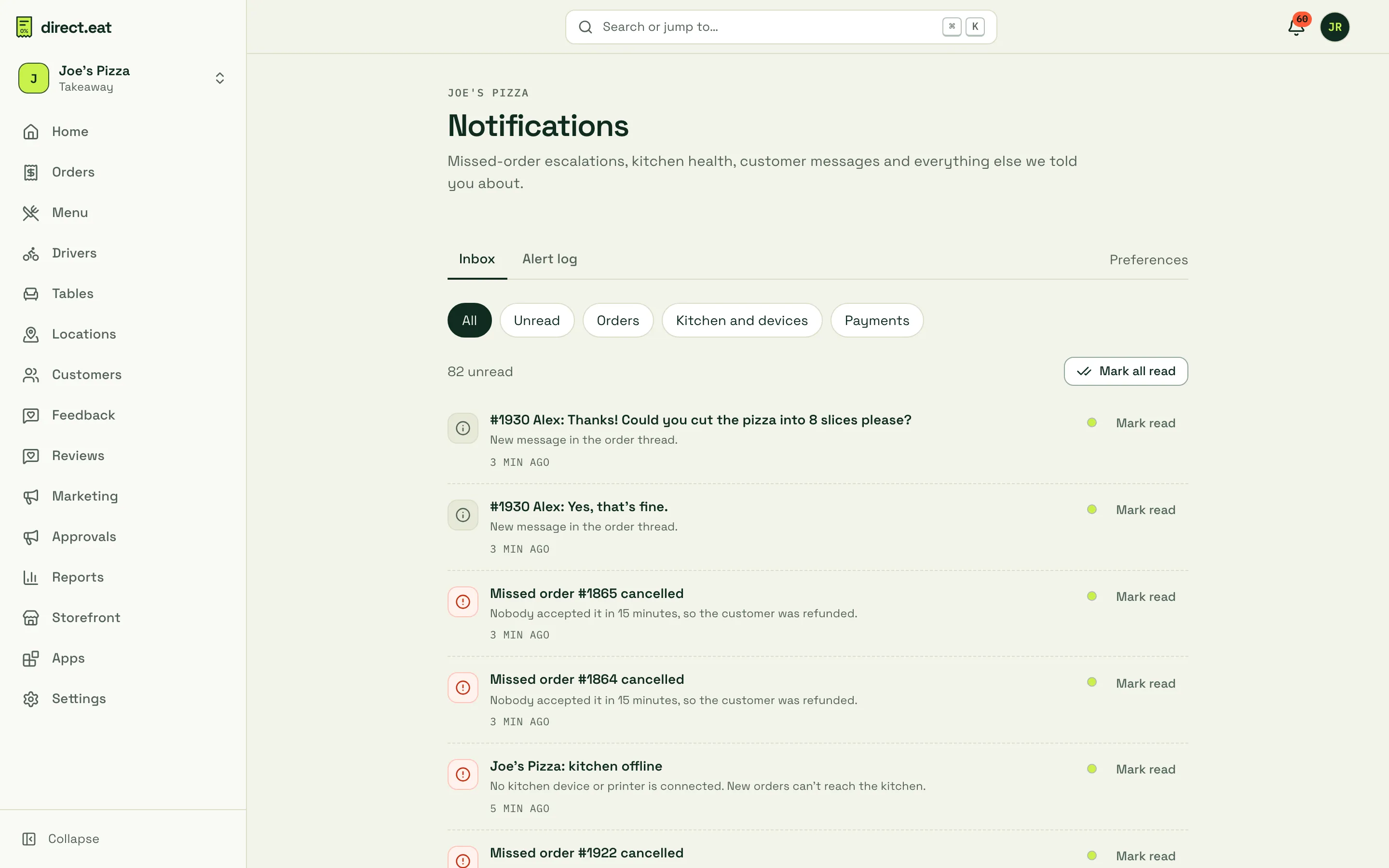
- Tabs: Inbox, Alert log (see the alert log) and Preferences.
- Filters: All, Unread, Orders, Kitchen and devices and Payments.
- Mark read on each one, or Mark all read.
- If the kitchen is offline right now, a banner at the top says so, with Check devices.
- Results of Test the chain land here, marked TEST.
The inbox and bell update live, without refreshing the page.
Emails your customers and team get
Section titled “Emails your customers and team get”Settings → Notifications → Email templates previews every email direct.eat sends.
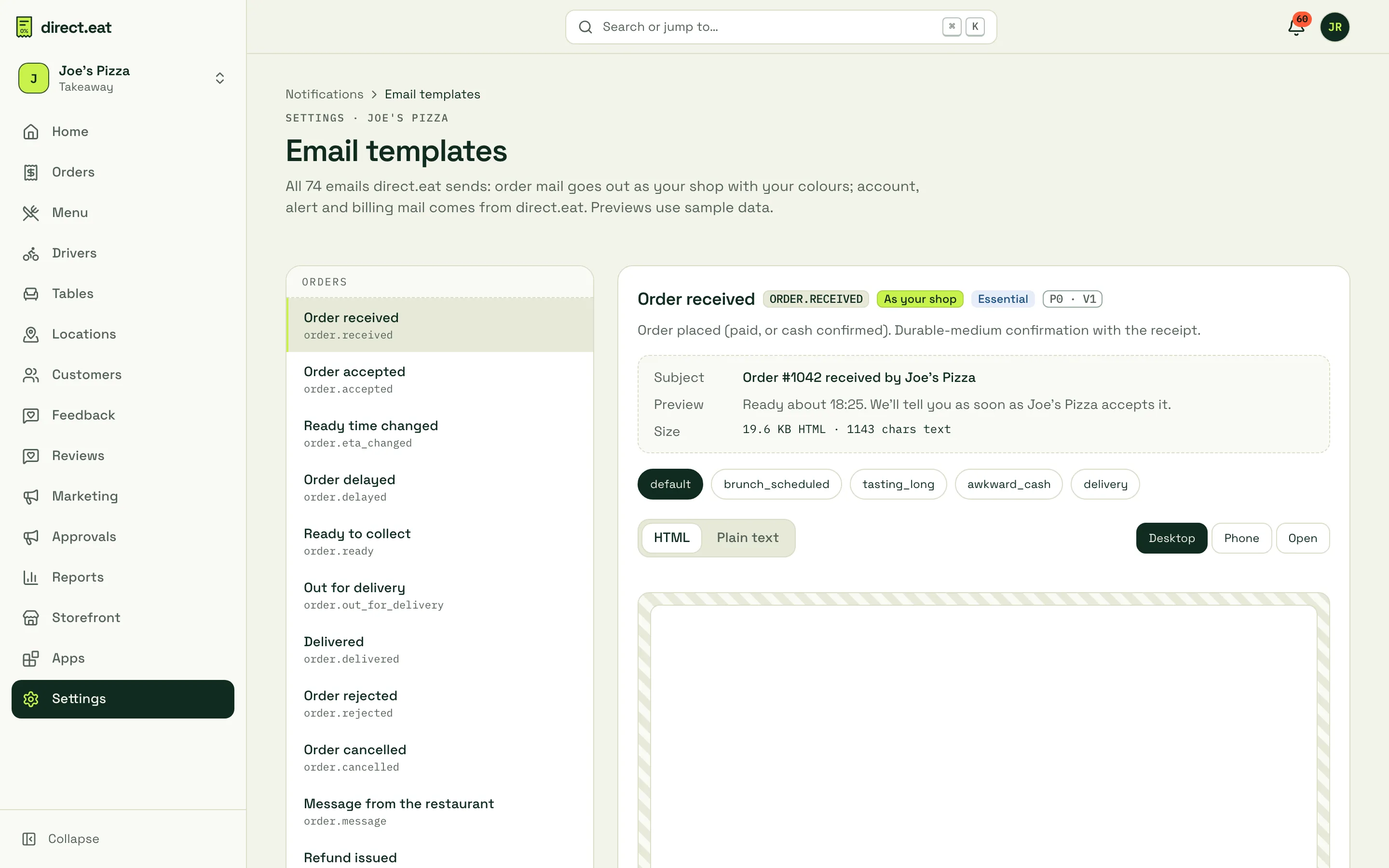
- Order emails go out as your shop, with your name and colours: order received, accepted (with the ready time), ready time changed, delayed, ready to collect, out for delivery, delivered, rejected, cancelled, message from the restaurant, refund issued and more.
- Account, alert and billing emails come from direct.eat.
- Pick an email on the left to see its subject line and preview text, switch between sample orders, and view it as HTML or Plain text, at Desktop or Phone width. Open shows it full size.
- Order emails are service messages only: no offers or marketing, so customers get them whatever their marketing choices.
Which order statuses send an email to the customer is listed in order statuses. The full catalogue of emails is in emails and notifications. If emails aren’t arriving, see email deliverability.
Related
Section titled “Related”Was this page helpful?