

Something wrong with your order
The restaurant is the seller, so they’re the ones who can fix a problem or give you money back. direct.eat gives you quick ways to reach them and shows you exactly what’s been refunded.
Something’s wrong right now
Section titled “Something’s wrong right now”- Open your tracking page. The link is in your order emails.
- Message the restaurant from the Messages with box, or tap Call. For anything urgent, especially allergies, call. See Message the restaurant.
- Say what’s wrong and what you’d like: a replacement, the missing item, or a refund.
Typical problems:
- Running late: the tracking page shows Delayed and the new time when the restaurant updates it. If it hasn’t moved, message or call them.
- Something missing or wrong: message them with what’s missing. They can send it out, refund that item, or refund the order.
- Delivery didn’t arrive: if the driver couldn’t deliver, the tracking page says We couldn’t deliver your order, with the reason and what happens next, and a button to call the restaurant.
After your order: report a problem
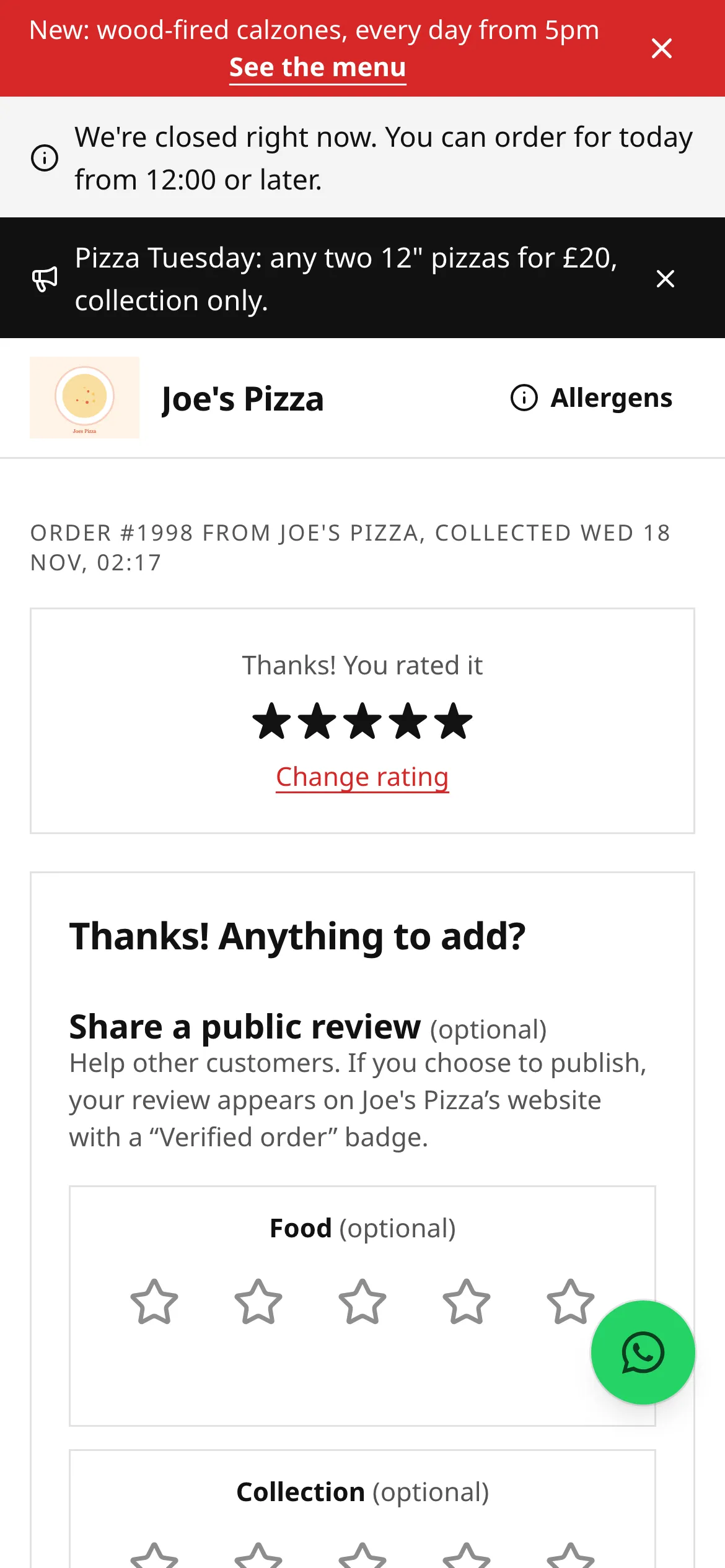
Section titled “After your order: report a problem”Once your order is collected or delivered, the restaurant may email you to ask how it was. That email has a Something wrong with your order? link. You can also tap a star in the How was it? card on your tracking page.
Give a rating, then tick what went wrong (for example missing item, cold, late, or allergy concern), which items, and add a comment. Leave can contact me about this ticked if you want them to get back to you. This goes privately to the restaurant and opens an issue on their side; it’s never published. See Reviews for the public part.
Cancelling an order
Section titled “Cancelling an order”Phone the restaurant as soon as you can. Only they can cancel an order once it’s placed, and once the kitchen has started cooking they may not be able to.
The one exception: if the restaurant hasn’t accepted your order after a while, your tracking page lets you cancel it yourself with Cancel for a full refund. See If the restaurant hasn’t confirmed your order.
Refunds
Section titled “Refunds”Restaurants can refund a whole order, single items, or a set amount. When they do:
- The money goes back to the card you paid with. You can’t get a card refund in cash, and it can’t go to a different card.
- Gift card payments go back on the gift card. If your order was rejected or cancelled, the gift card amount is restored straight away.
- Loyalty rewards you used on a rejected or cancelled order are given back to your card balance.
- Cash orders: if you haven’t paid yet, there’s nothing to refund. Otherwise sort it out with the restaurant.
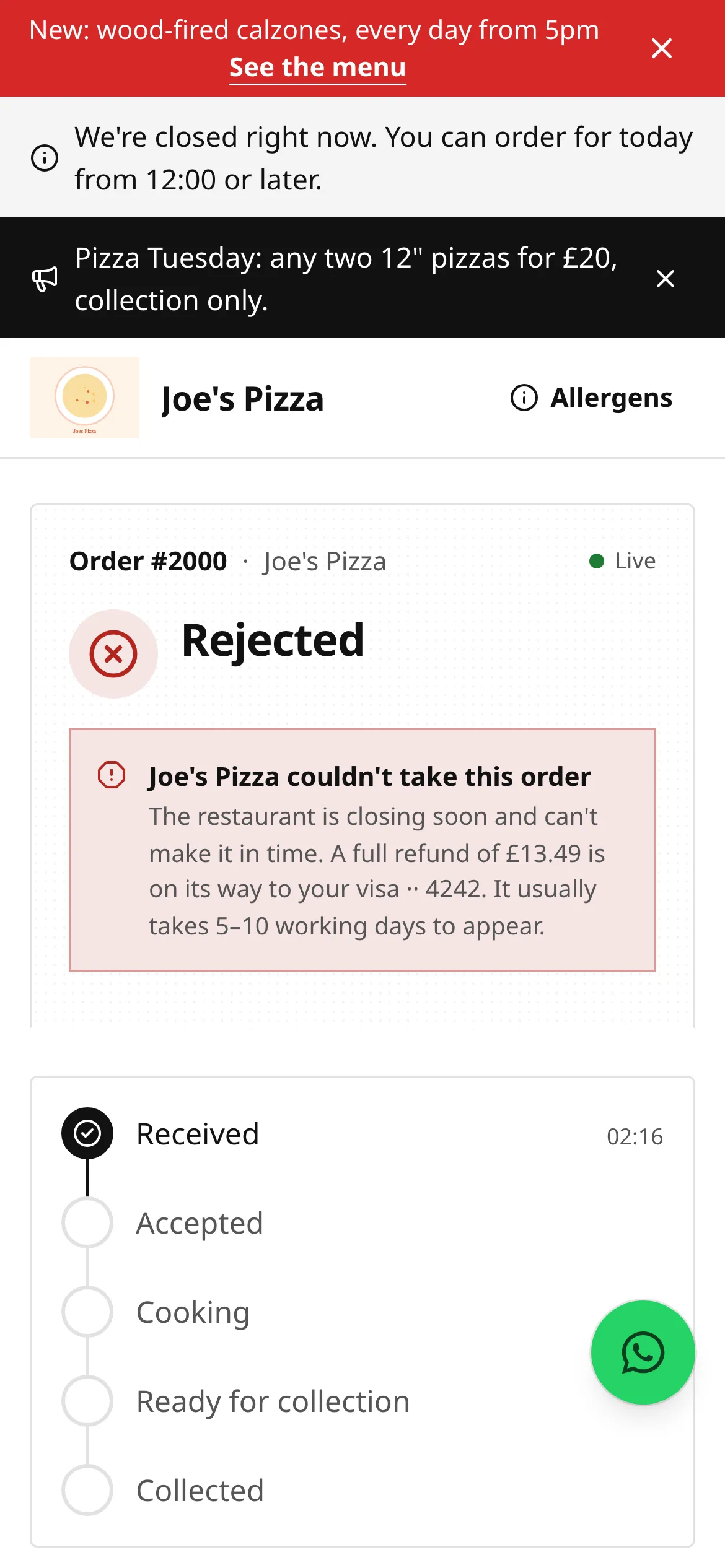
You see each refund on your tracking page under Your order, and you get an email. If the order is rejected or cancelled, the refund is started automatically and the page says so.
How long refunds take
Section titled “How long refunds take”The refund is sent the moment the restaurant issues it. How quickly you see it depends on your bank: card refunds usually take 5 to 10 working days to show on your statement. Sometimes the original payment simply disappears from your statement instead of a refund line appearing.
If you can’t sort it out with the restaurant
Section titled “If you can’t sort it out with the restaurant”You’re buying from the restaurant, so your consumer rights are with them. If they don’t respond:
- Use the complaint route on the restaurant’s Contact page.
- If you paid by card, your card provider may be able to help (a chargeback).
- For food safety concerns, contact the local council’s environmental health team. The restaurant’s food hygiene rating is from the Food Standards Agency.
If you think a restaurant is breaking our rules, see our acceptable use policy.
Related
Section titled “Related”Was this page helpful?