

Loyalty
A loyalty card gives regulars a reason to order from you rather than a marketplace. You run one programme for your organisation: a stamp card (“8 orders, then £5 off”) or points (“1 point per £1”). There’s no app for diners to download: their card lives on your storefront.
Before you start
Section titled “Before you start”- Loyalty is part of the Growth and Pro plans (and the free trial). See Plan limits.
- Owners and admins approve the programme and any change to it. Managers can draft changes and send them for approval.
- Managers can adjust a member’s balance by up to 2 stamps (or 200 points) per customer per day. Owners and admins can adjust more.
Set up the programme
Section titled “Set up the programme”Go to Marketing → Loyalty. Setup is five numbered steps on one page, with a live cost estimate and preview on the right.
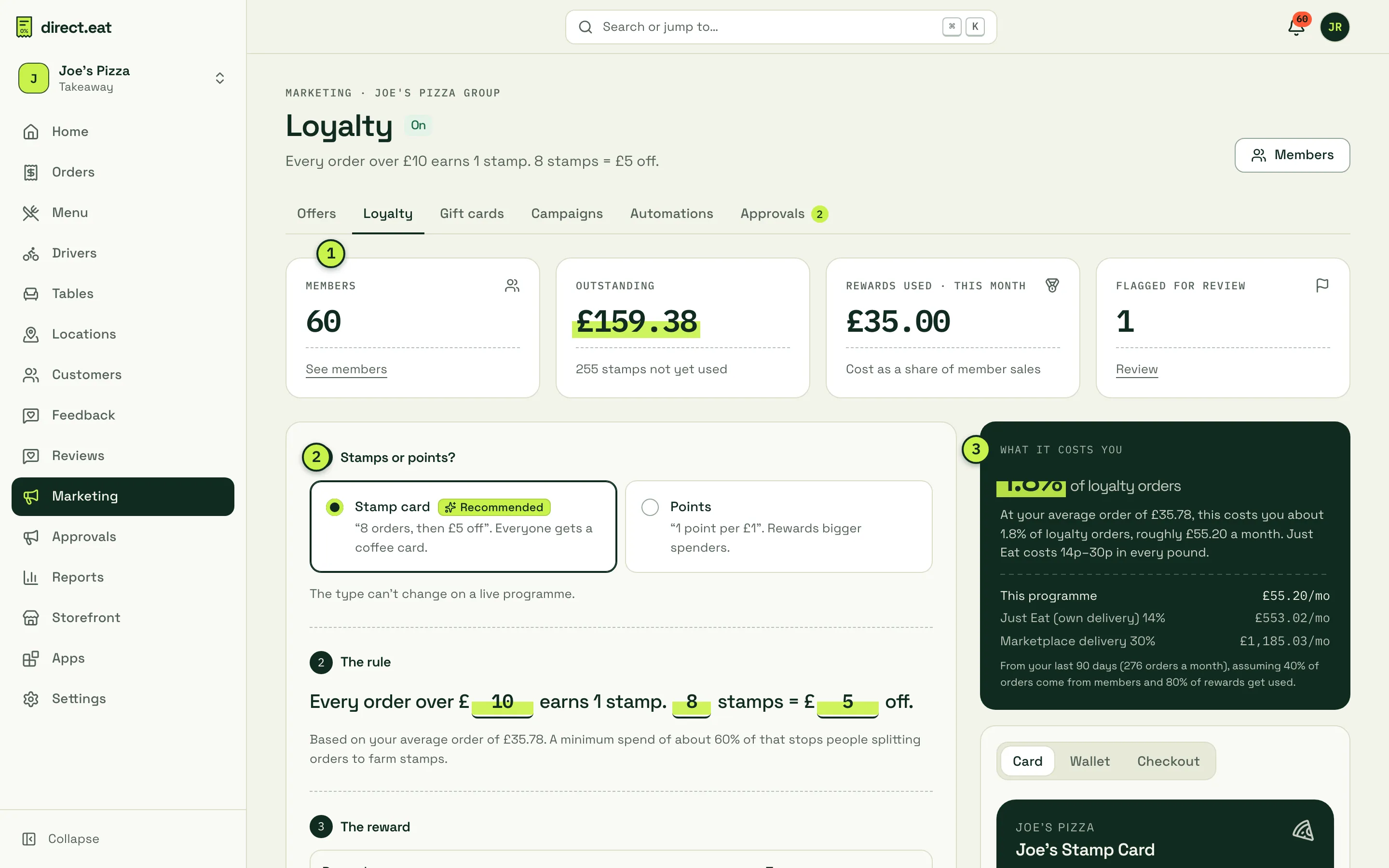
- Members, Outstanding (the value of stamps or points not yet used), Rewards used · this month and Flagged for review.
- Stamps or points? A stamp card is recommended for takeaways because everyone understands it. Points reward bigger spenders. The type can’t change once the programme is live.
- What it costs you: the programme’s cost as a share of loyalty orders and in £ a month, compared with marketplace commission at 14% and 30%. It’s worked out from your last 90 days of orders, assuming 40% of orders come from members and 80% of rewards get used. It’s an estimate, not a forecast.
- Stamps or points? Pick one.
- The rule: fill in the sentence, for example “Every order over £10 earns 1 stamp. 8 stamps = £5 off.” A minimum spend of about 60% of your average order is suggested, so people can’t split orders to collect stamps faster.
- The reward: name it, choose the type (for example £ off the order), the amount and Worth at most (a hard cap). By default rewards can’t be combined with discount codes.
- Earning rules (below).
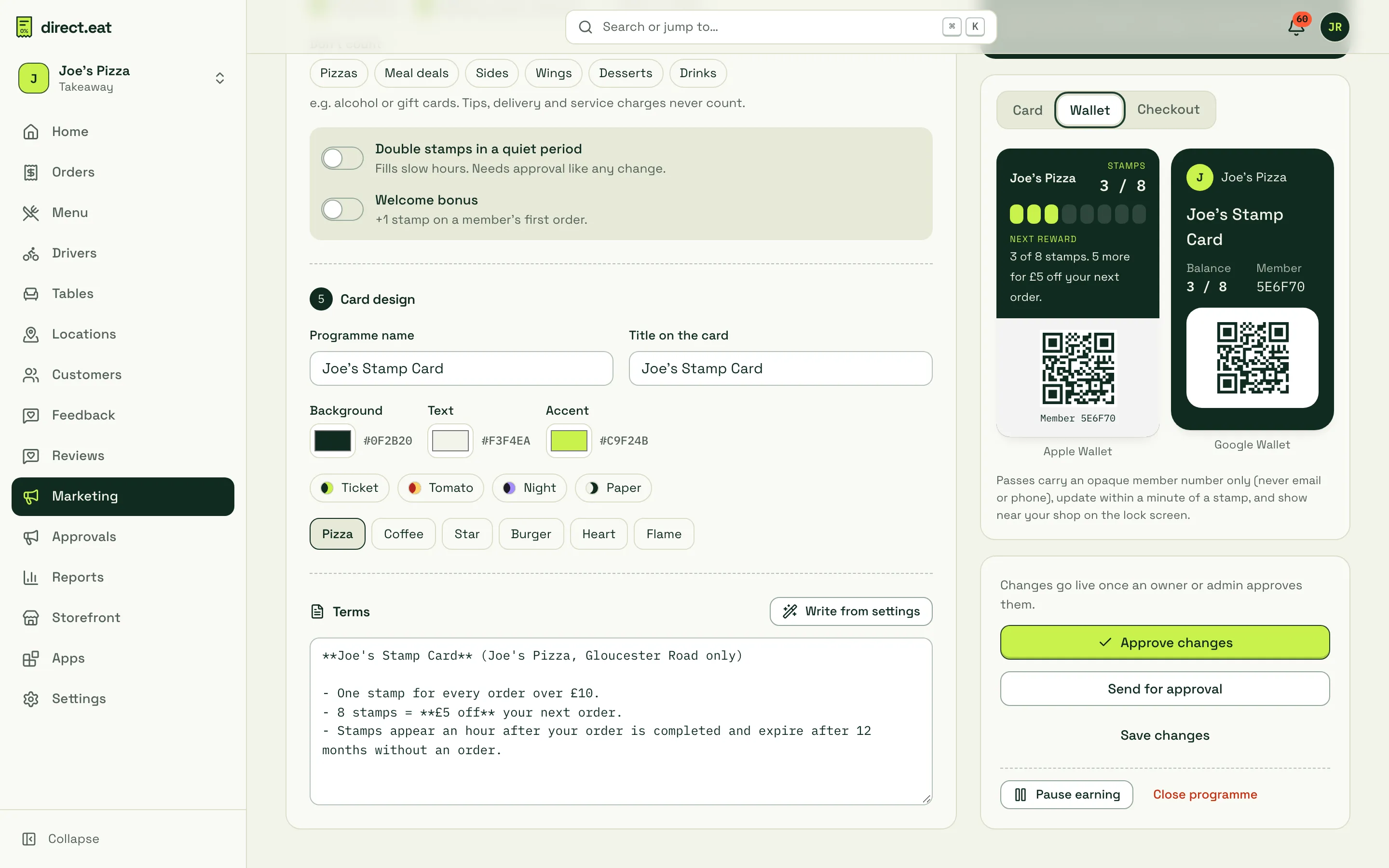
- Card design: programme name, title on the card, colours, a preset (Ticket, Tomato, Night, Paper) and an icon. Then Terms: click Write from settings to generate them, and edit if you need to.
- Click Approve changes (owners and admins), Send for approval, or Save changes.
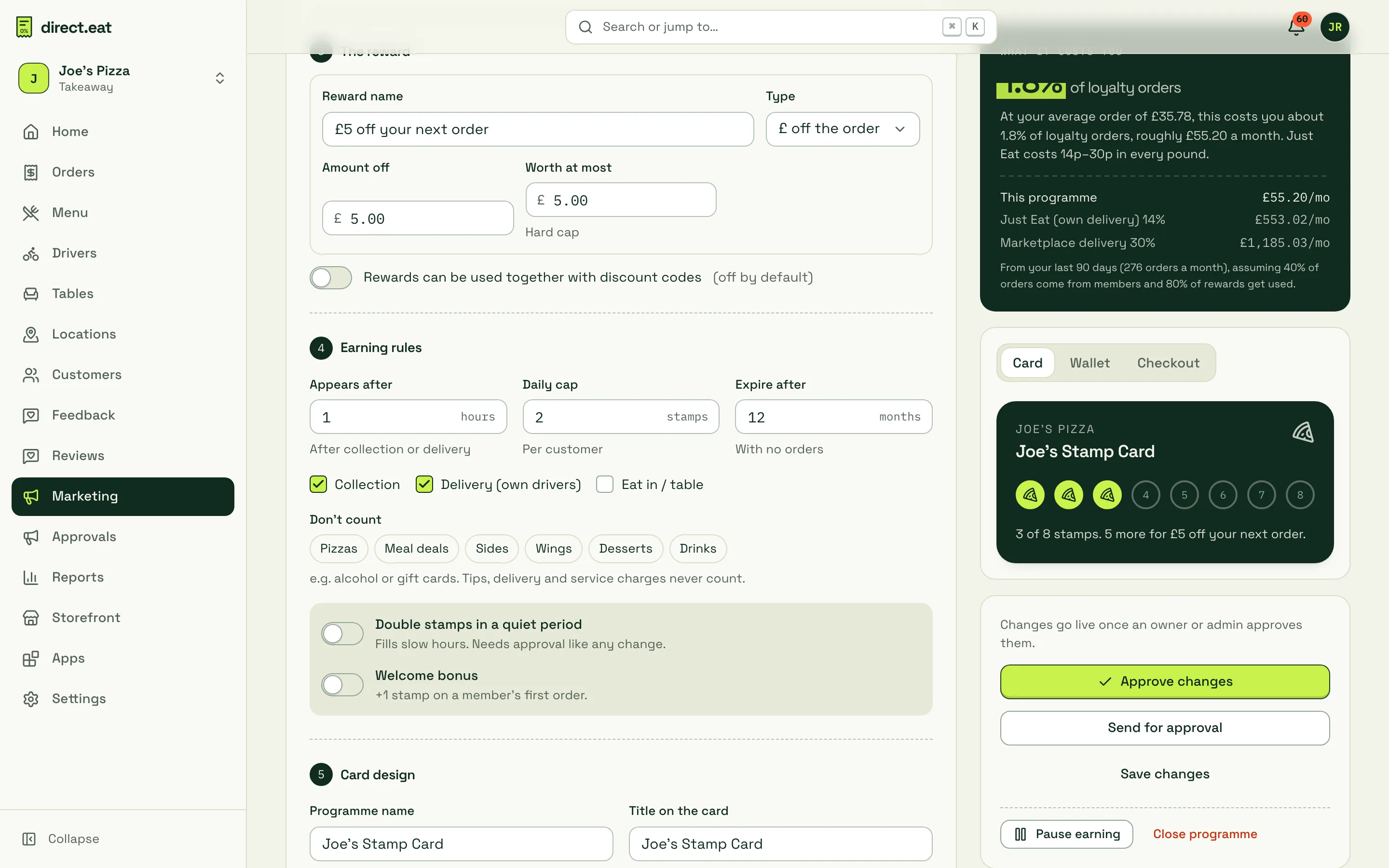
Earning rules
Section titled “Earning rules”| Setting | What it means |
|---|---|
| Appears after | Hours after collection or delivery before stamps can be used. This stops people earning on an order that’s then refunded |
| Daily cap | Most stamps (or points) one customer can earn in a day |
| Expire after | Months with no orders before a balance expires |
| Collection / Delivery (own drivers) / Eat in / table | Which order types earn |
| Don’t count | Categories that never earn, for example alcohol. Tips, delivery and service charges never count |
| Double stamps in a quiet period | Fills slow hours. Needs approval like any change |
| Welcome bonus | +1 stamp on a member’s first order |
Cancelled and rejected orders never earn. If an order is refunded, its stamps or points are taken back (pro rata for a part refund on points).
Preview the card
Section titled “Preview the card”The preview on the right has three tabs: Card (the stamp card on your storefront), Wallet (Apple and Google Wallet passes) and Checkout (the join box).
Members
Section titled “Members”Click Members (or See members) to find someone by name, email or phone. Filters: Everyone, Has a reward, Flagged, Imported, unclaimed.
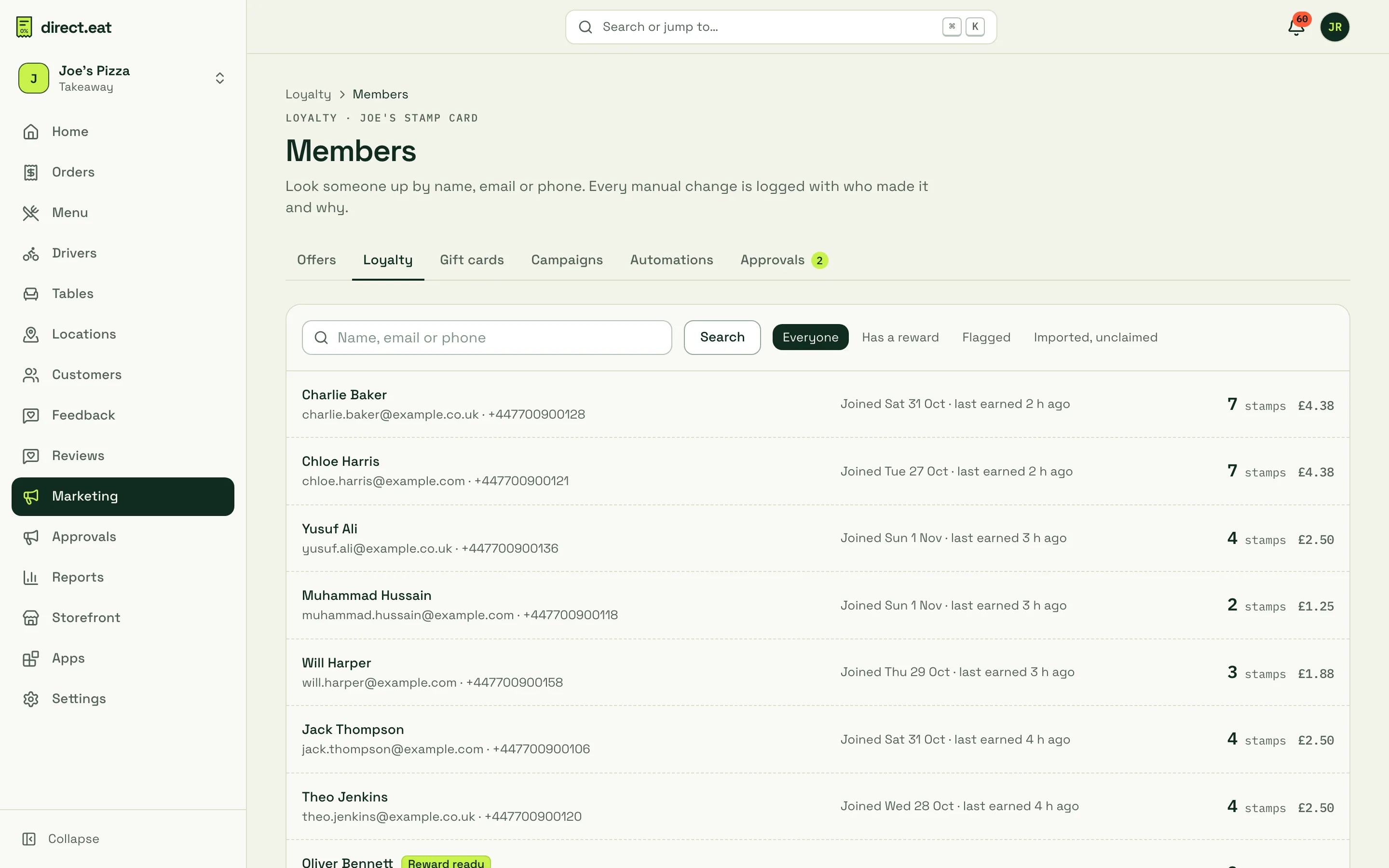
Open a member to see their card, balance and history in plain English, and to adjust it.
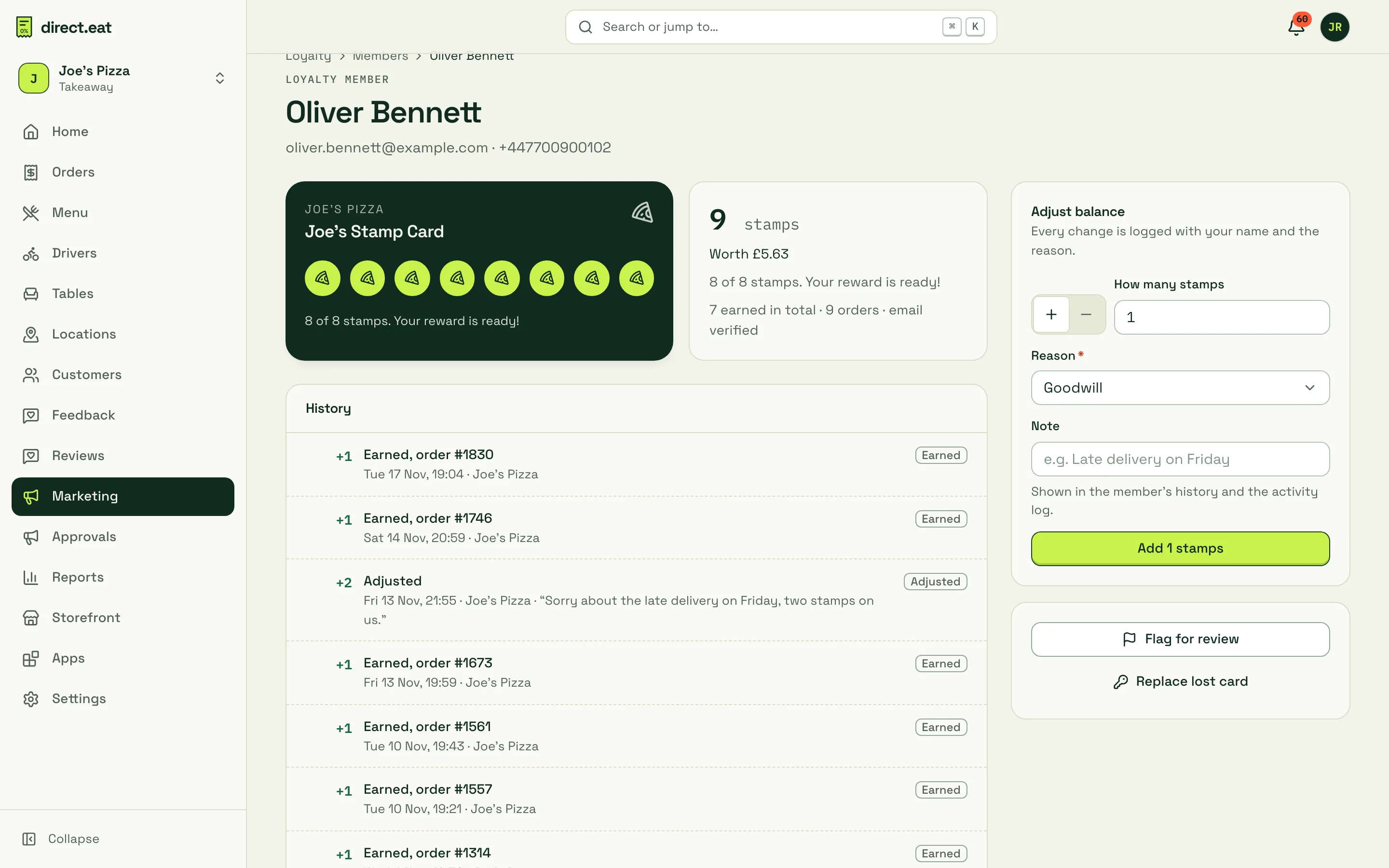
- Adjust balance: add or remove stamps with a Reason (for example Goodwill) and a note. The note shows in the member’s history and the activity log, with your name.
- Flag for review: if something looks wrong (lots of orders in a short time, for example), flag the member. Flagged members can’t redeem until someone clears the flag.
- Replace lost card: issues a new card link and stops the old one working.
What diners see
Section titled “What diners see”Diners join by ticking Collect stamps at checkout (they use the email they order with). After that, signed-in diners see their balance and can apply a reward at checkout.
Their card is at https://{your-slug}.direct.eat/loyalty, reached from the link in their emails:
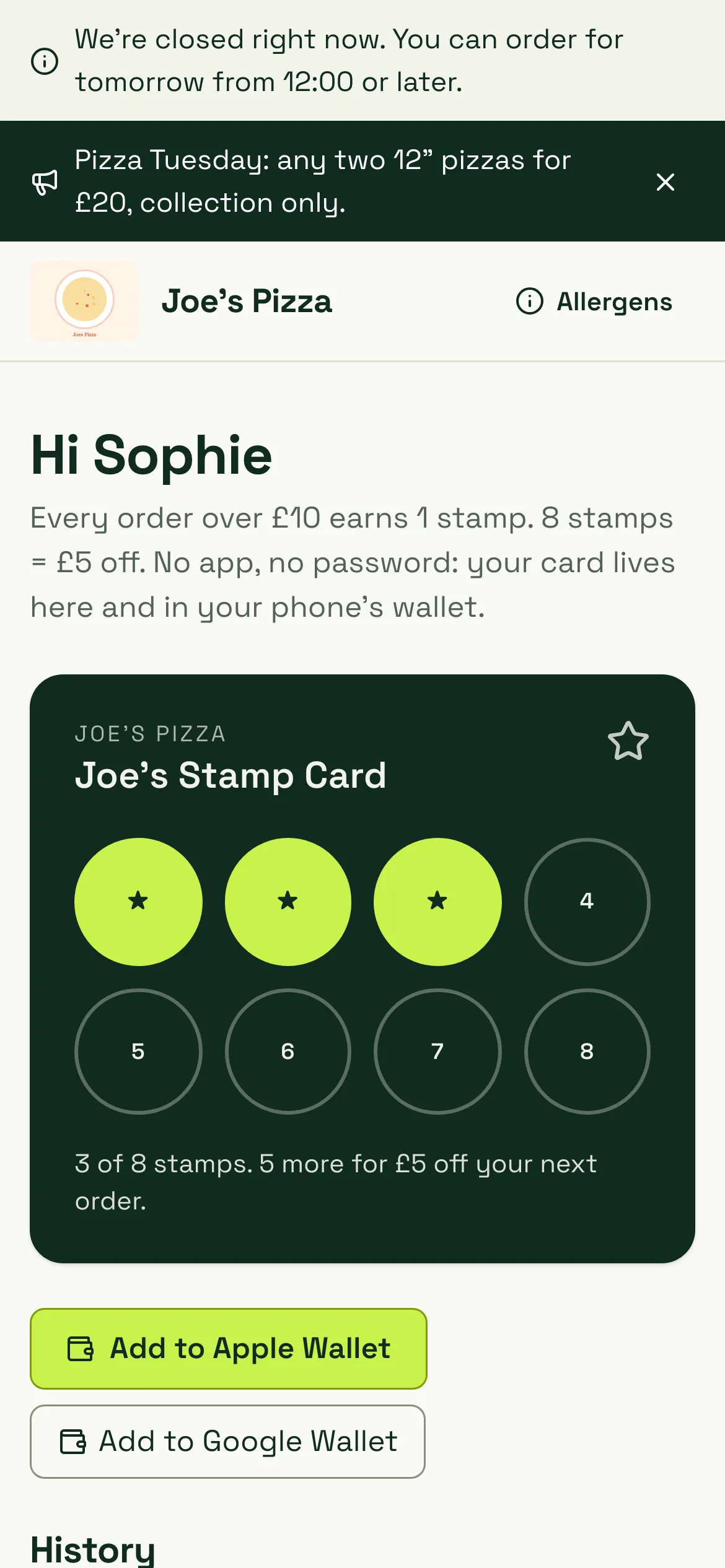
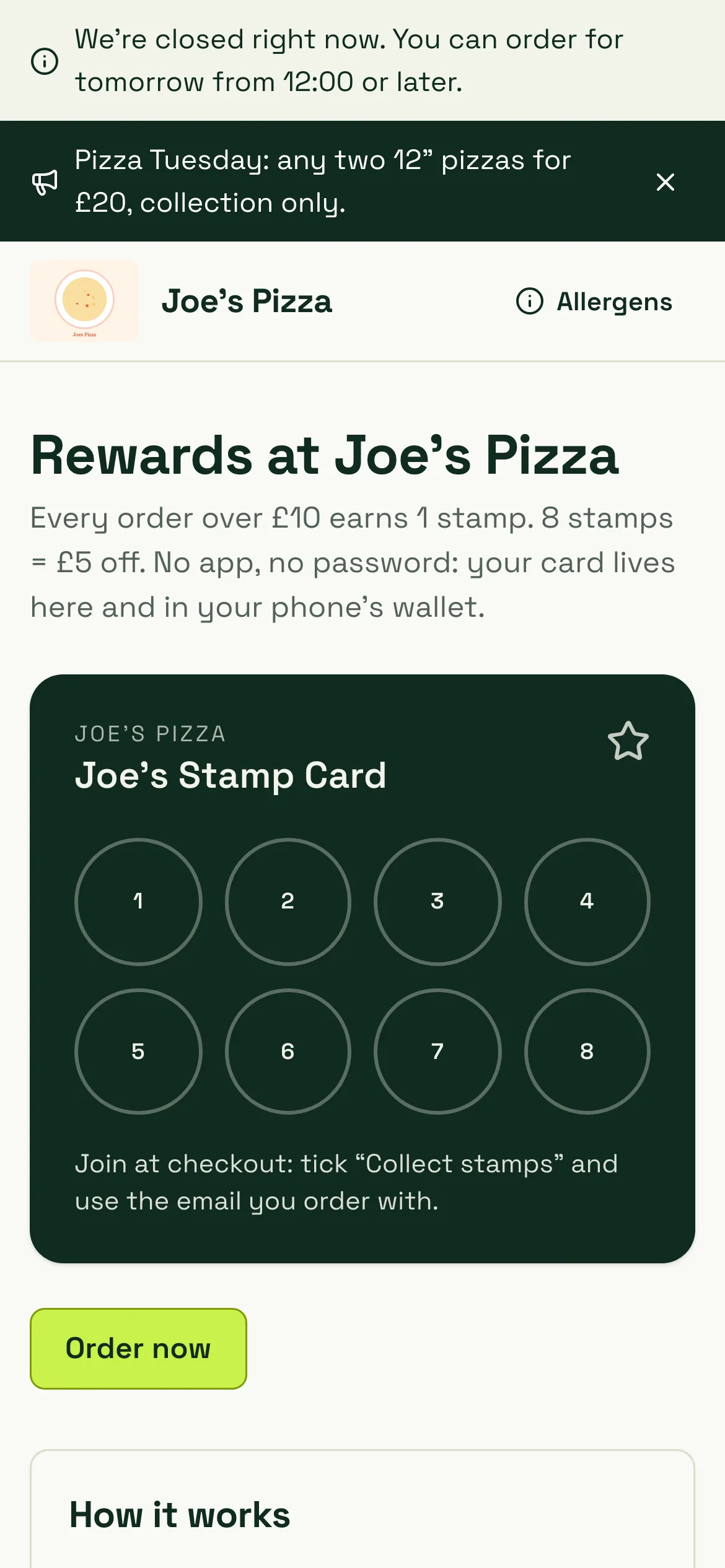
The card shows progress (“3 of 8 stamps. 5 more for £5 off your next order”), history, how it works, the terms, and Leave the programme. Visitors who aren’t members see how the programme works and are told to tick the box at checkout:
Members get an email when a reward is ready, and 30 days’ notice of any change that reduces value. More for diners: Accounts, loyalty and gift cards.
Pause or close
Section titled “Pause or close”- Pause earning stops new stamps but keeps balances and lets members redeem.
- Close programme ends it with notice to members.
- Keep the reward simple and worth having. “£5 off after 8 orders” is easy to remember.
- Check Flagged for review once a week.
- Loyalty rewards are a cost like any discount. They show in your Reports as discounts, not lost sales.
Related
Section titled “Related”Was this page helpful?