

Automations
Automations are messages that send themselves at the right moment for each customer, based on their own ordering habits. There are four. All are off until you switch them on.
Before you start
Section titled “Before you start”- Automations are part of the Growth and Pro plans (and the free trial).
- Switching an automation on sends that version for approval by an owner or admin. Switching off or pausing is immediate, and anyone who can edit marketing can do it.
- Automations follow exactly the same consent rules and frequency limits as campaigns.
The four automations
Section titled “The four automations”Go to Marketing → Automations (or Customers → Automations).
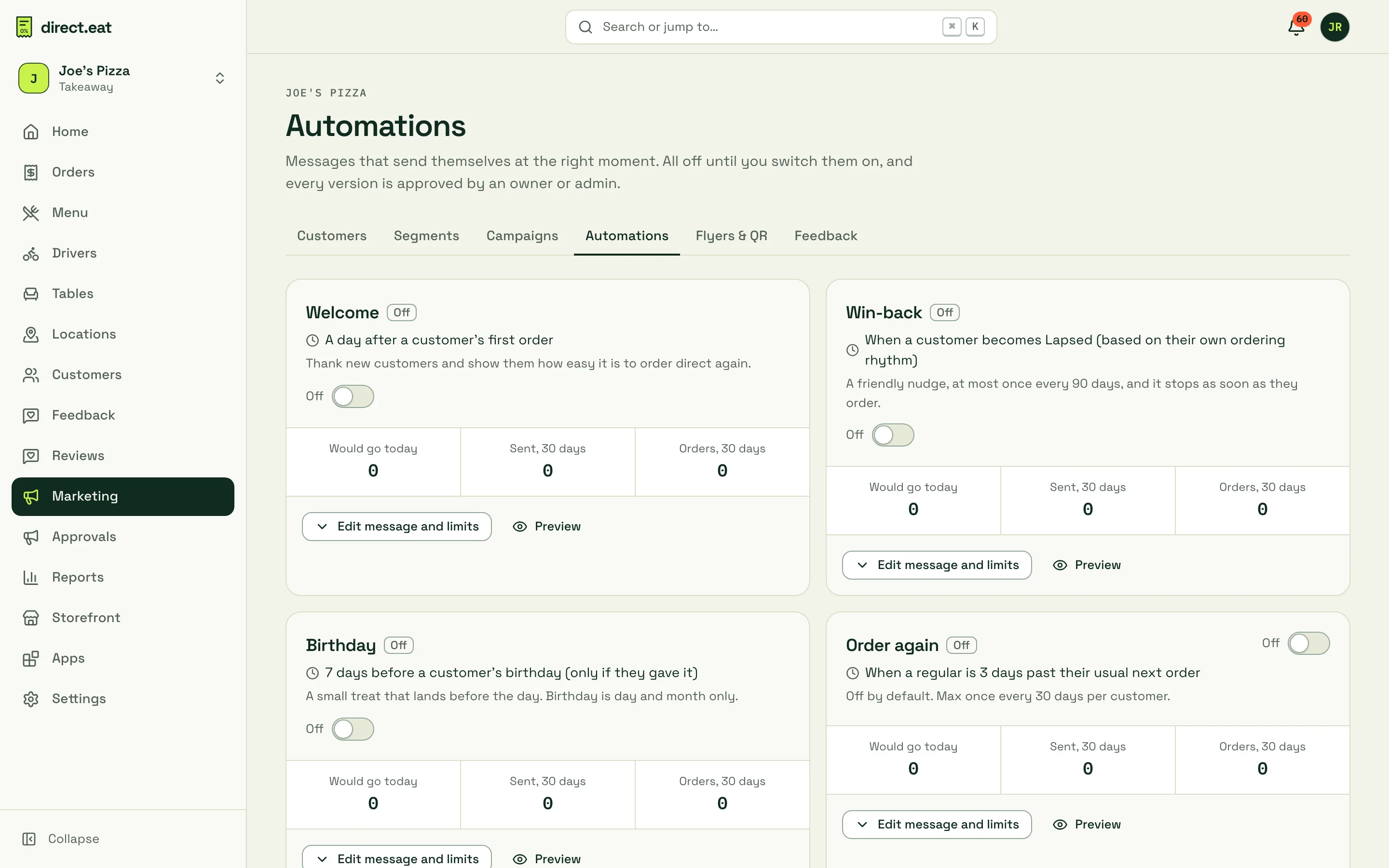
| Automation | When it sends | Limits |
|---|---|---|
| Welcome | A day after a customer’s first order | Once per customer |
| Win-back | When a customer becomes Lapsed, based on their own ordering rhythm | At most once every 90 days. Stops as soon as they order |
| Birthday | 7 days before a customer’s birthday, only if they gave it (day and month only) | Once a year |
| Order again | When a regular is 3 days past their usual next order | At most once every 30 days. Off by default |
Each card shows:
- Would go today: how many customers would get it if it ran now, with reasons for anyone skipped.
- Sent, 30 days and Orders, 30 days: what it’s done recently.
Automations run once a day from 10:00 shop time. Texts only go out within the quiet-hours window.
Edit the message and limits
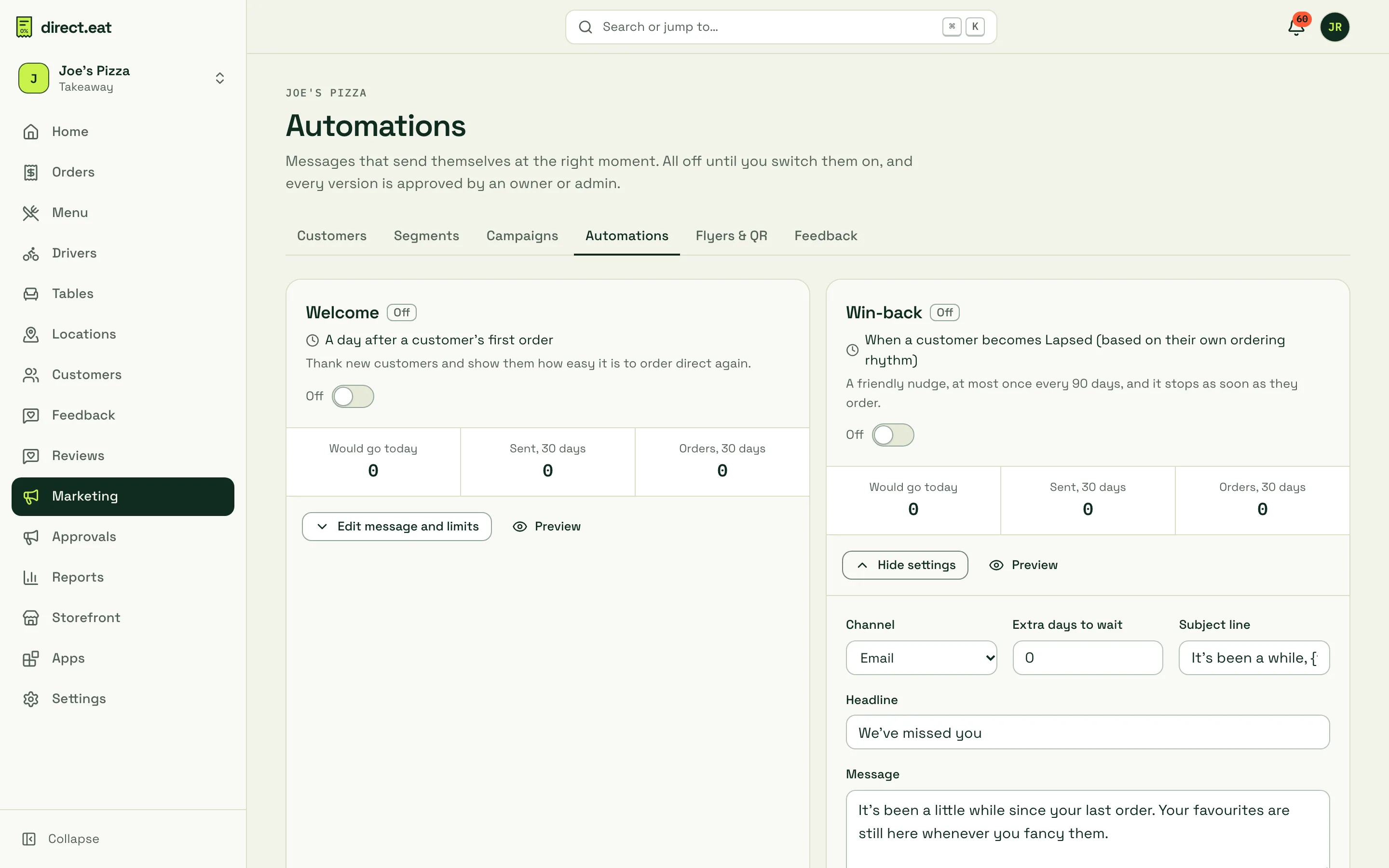
Section titled “Edit the message and limits”- Click Edit message and limits on a card.
- Choose the Channel, any Extra days to wait, and write the Subject line, Headline and Message. Use
{first_name}to greet people by name. - Click Preview to see it as the customer will.
- Switch it on. That version goes to Approvals. It starts with the next daily run after it’s approved.
Changing the message of an approved automation creates a new version that needs approval again. A random share of eligible customers is held back so the results show orders the message really brought in.
What’s not here
Section titled “What’s not here”Abandoned-basket emails are switched off. We’ll only turn them on once the checkout wording that allows them has been signed off by our solicitor (PECR). Review requests and loyalty updates aren’t marketing: they’re service messages and live in Reviews and Loyalty.
- Start with Welcome and Win-back. They cover a customer’s second order and the customer who’s drifted.
- Keep Order again off unless you have a lot of regulars. It’s easy to over-message people who already love you.
- An automation counts towards the same weekly limit as campaigns, so a customer who just got a campaign may be skipped that day. That’s on purpose.
Related
Section titled “Related”Was this page helpful?