

Rate your order and leave a review
Restaurants on direct.eat show reviews from people who actually ordered. You can only review an order once it’s been collected or delivered, and only once per order.
When you’re asked
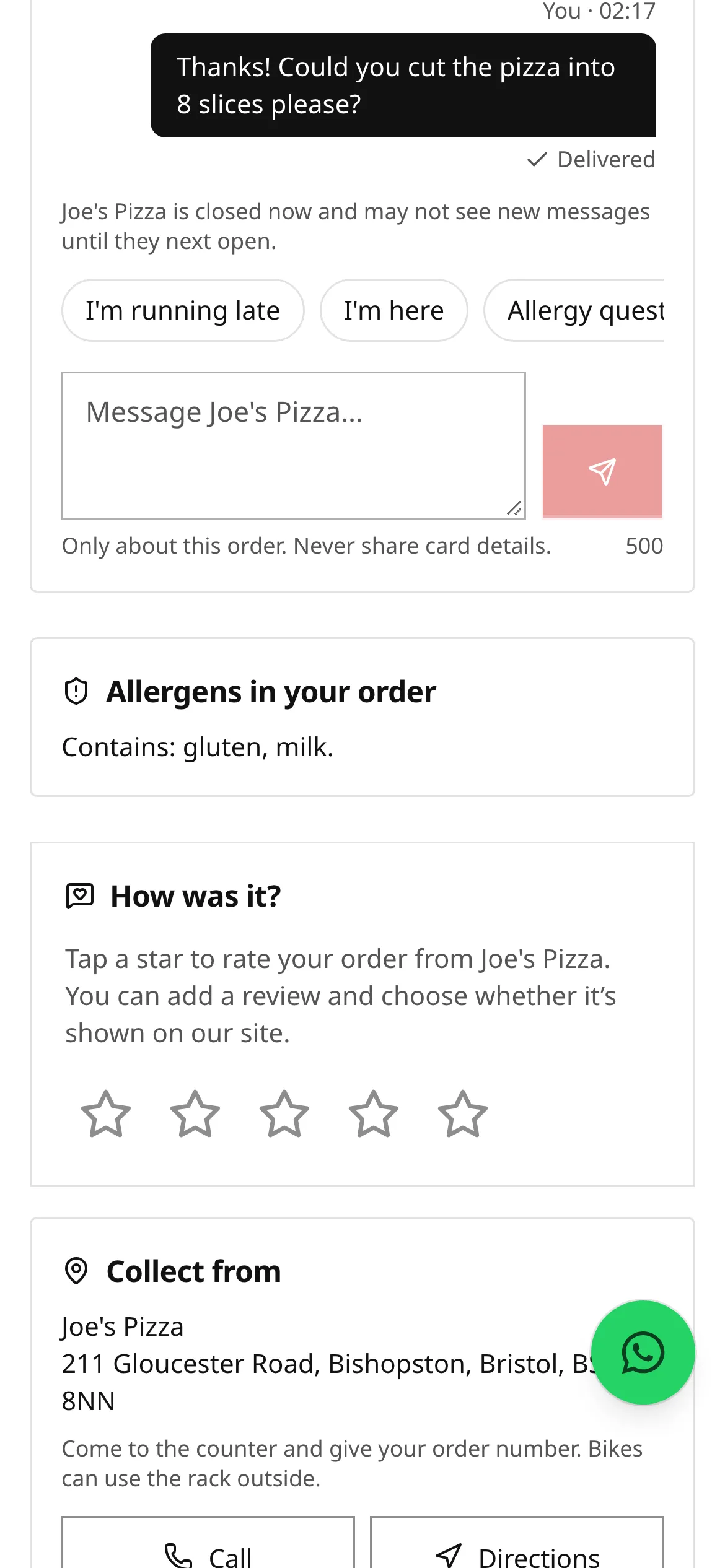
Section titled “When you’re asked”After your order is collected or delivered:
- your tracking page shows a How was it? card with five stars, and
- the restaurant may email you to ask how it was.
Nobody asks you while you’re still waiting for your food, and you’re never offered a discount or reward for a review.
Rate and review
Section titled “Rate and review”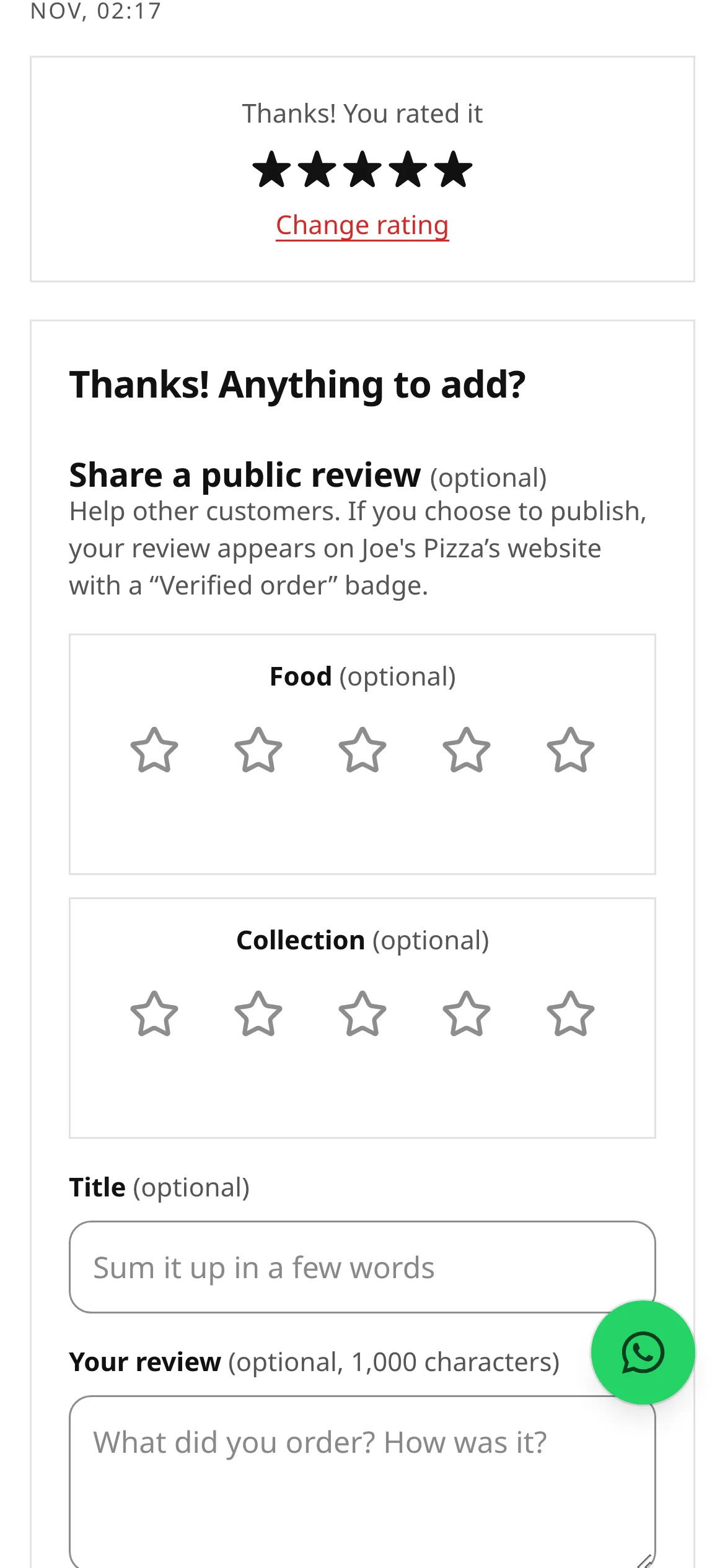
- Tap a star. Your rating is saved straight away. You can Change rating if you tapped the wrong one.
- Share a public review (optional). Add separate stars for the food and for collection or delivery, a title and up to 1,000 characters.
- Choose your name: your first name and initial (for example “Alex M.”), your first name, or “Verified customer”.
- Tick Publish my review on the restaurant’s website if you want it shown. Leave it unticked to keep your feedback private.
- Tell the restaurant privately what was good or what went wrong, using the chips and comment box. This part goes only to the restaurant and is never published.
- Tap Send.
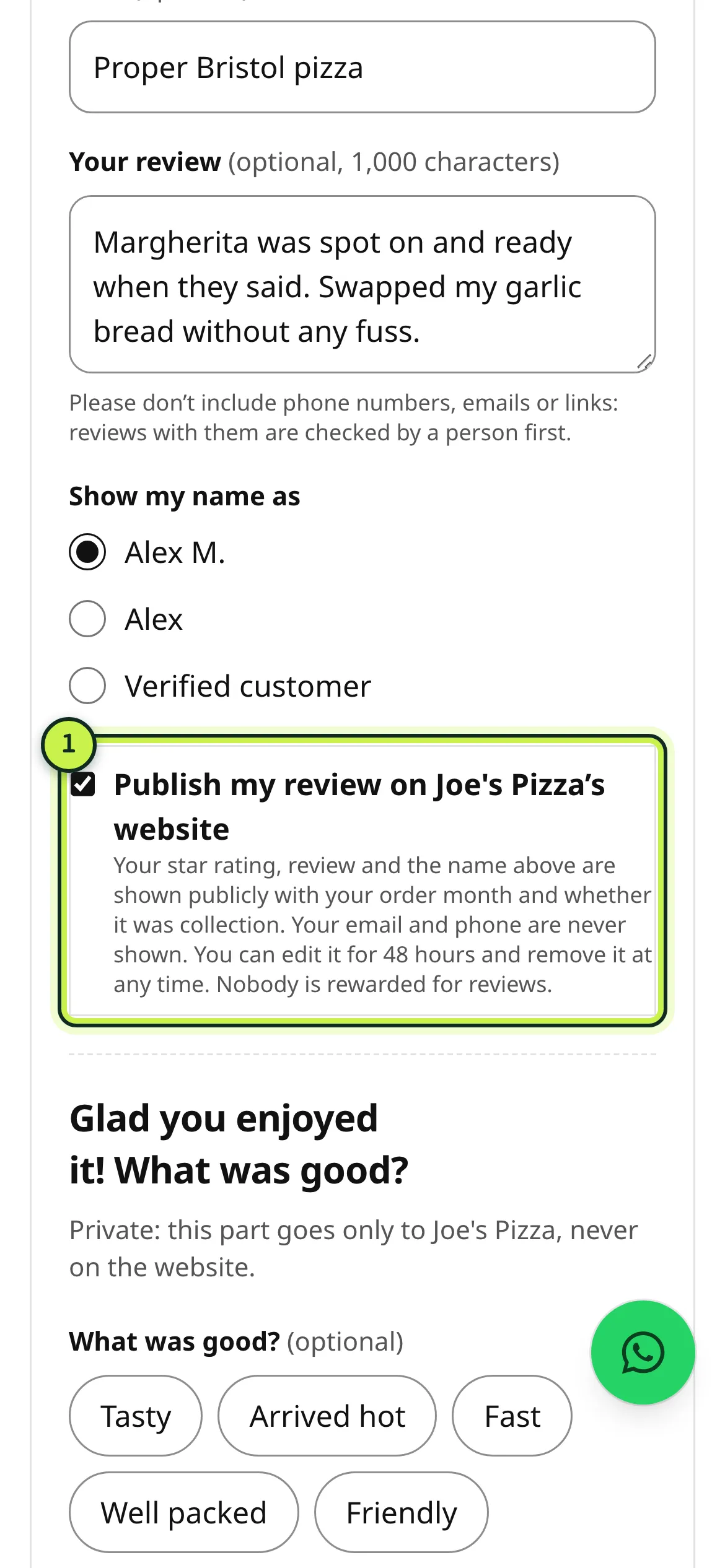
- Publish: what’s shown publicly, and what isn’t.
Please don’t include phone numbers, emails or links. Reviews with them, or with strong language, are checked by a person before they appear. Reviews are never held back because of their star rating.
After you’ve sent it
Section titled “After you’ve sent it”You’ll see Your public review with its status: Published on the reviews page, or Being checked if it needs a look first.
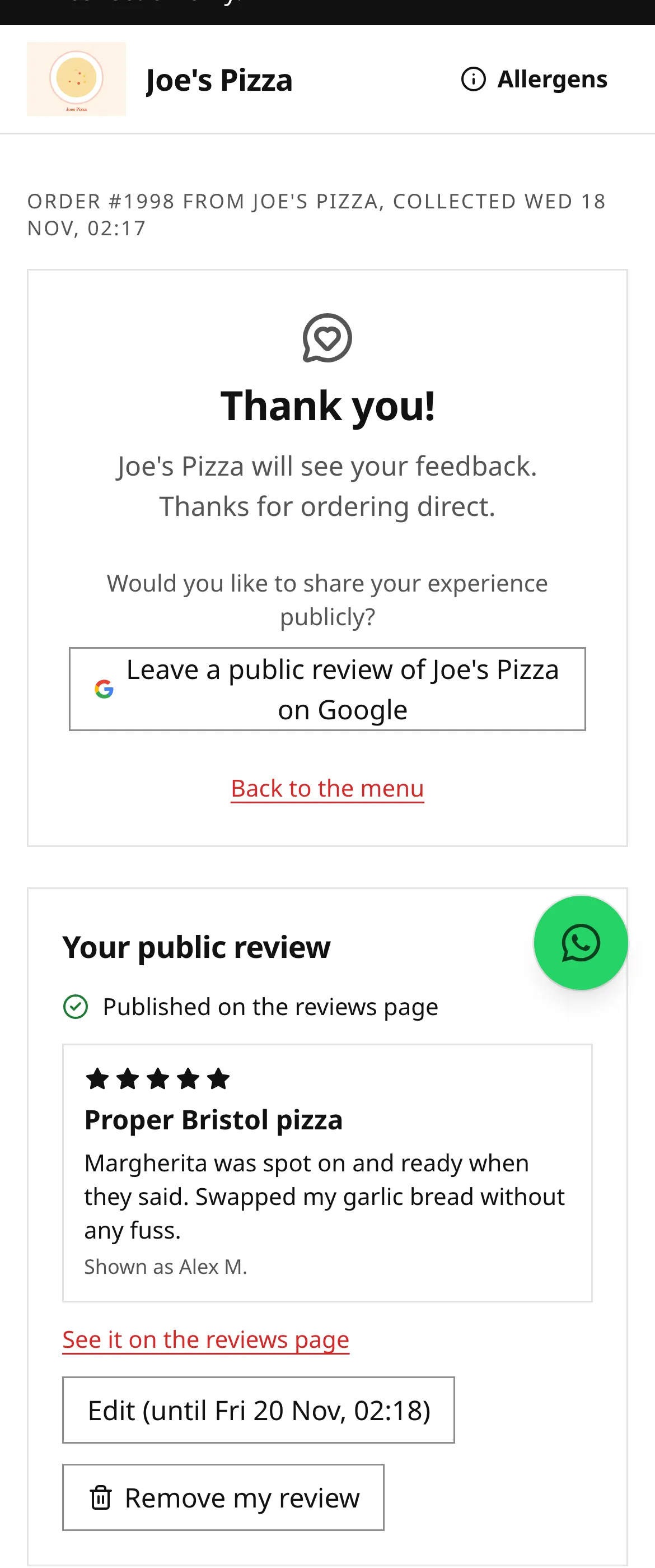
From the same page (the link in your email or the How was it? card) you can:
- Edit your review for 48 hours after you first publish it. It’s checked again after an edit.
- Remove my review at any time.
- leave a review on Google too, if the restaurant has linked its Google profile. Everyone sees that button, whatever rating they gave.
If you don’t want to be asked for feedback again, use Don’t ask me for feedback or reviews at the bottom of the page. You’ll still get updates about your orders.
The reviews page
Section titled “The reviews page”Every restaurant’s site has a Reviews page (/reviews) with the average rating, the number of reviews, a breakdown by stars, and every published review.
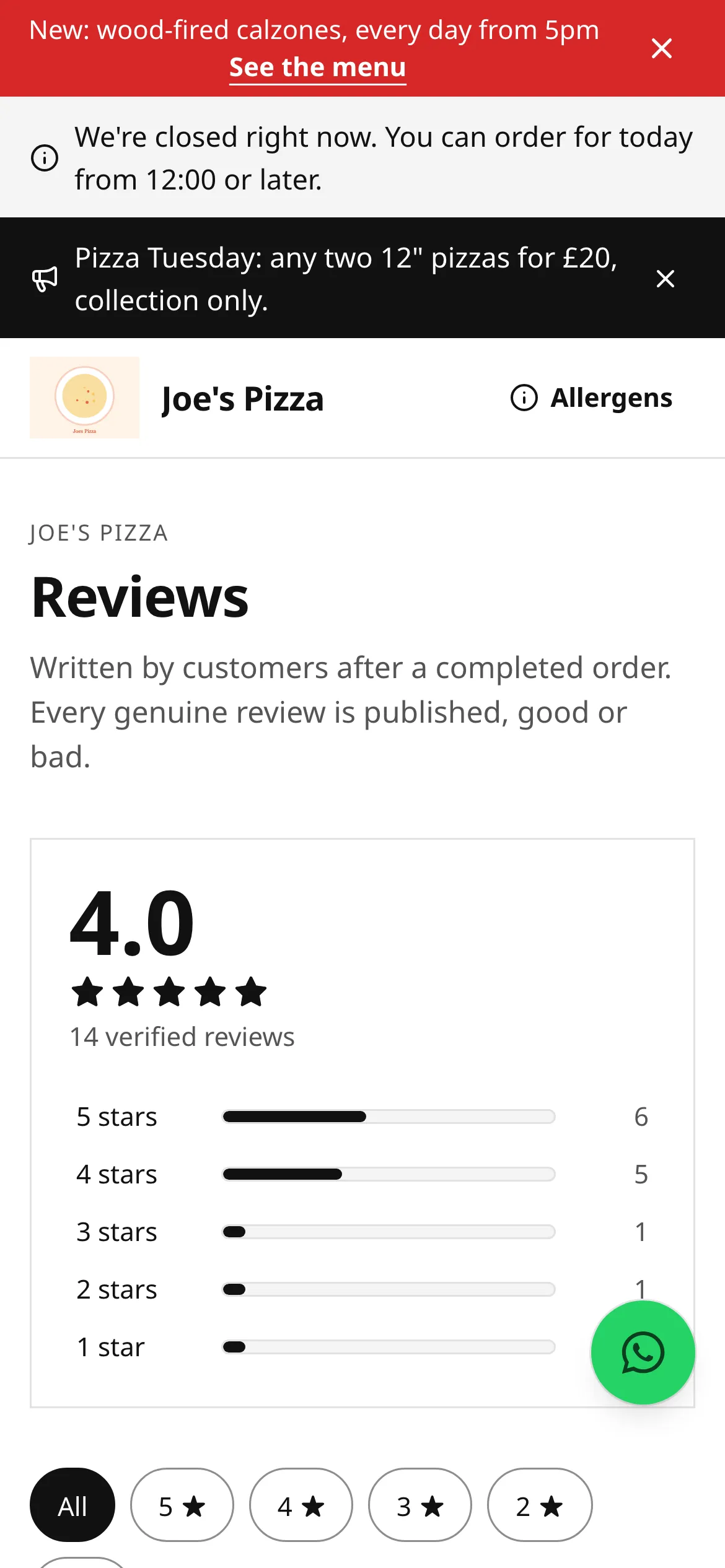
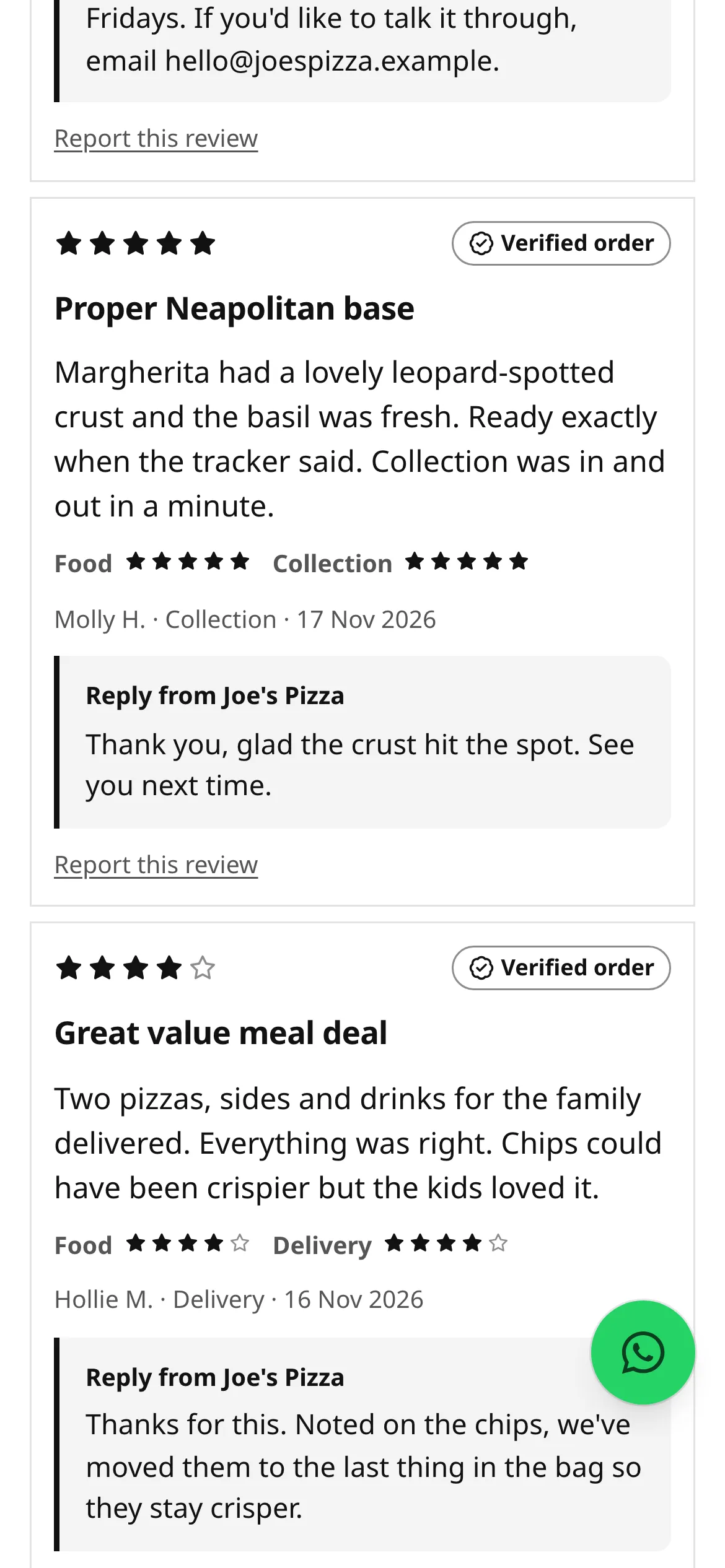
What you’ll see on each review:
- Verified order: the review is tied to a real, completed order on this site. Every review here has it, because only customers who ordered can leave one.
- The star rating, any food and collection or delivery stars, the title and text, the name the reviewer chose, whether it was collection or delivery, and the date.
- Reply from the restaurant, if they’ve replied. Replies are public.
- Report this review, if you think a review breaks the rules (for example it’s abusive or shares someone’s personal details).
You can filter by star rating and sort the list. The restaurant must publish every genuine review, good or bad. It can only hide a review that breaks the review policy, and it has to give the reason.
If the restaurant hides your review
Section titled “If the restaurant hides your review”Open the link from your review email. You’ll see the reason, and you can edit the review or appeal under Think this is wrong? Tell us why, then Send appeal.
Appeals are decided by direct.eat, not by the restaurant. The restaurant can put your review back, but can’t turn your appeal down. We email you the outcome within 10 working days. If your appeal is upheld, your review goes back up and the restaurant can’t hide it again.
Related
Section titled “Related”Was this page helpful?