

Allergens and dietary tags
UK law says diners must be able to find out which of the 14 major allergens are in your food before they order. direct.eat keeps that information with each item, makes you confirm it, shows it to diners, and prints it on the kitchen ticket.
The rule that matters: an item stays off your storefront until its allergens are confirmed. That includes items you’ve just imported.
Before you start: owners, admins and managers can edit allergens. Confirming them is recorded against your name, so do it yourself rather than handing your login to someone else. Support staff using a support session can’t confirm allergens for you.
The 14 allergens
Section titled “The 14 allergens”Each one has examples next to it in the editor, so you don’t have to remember where they hide.
| Allergen | Common sources |
|---|---|
| Celery | celeriac, celery salt, stock cubes, soups |
| Cereals containing gluten | wheat, rye, barley, oats: bread, pizza, pasta, batter |
| Crustaceans | prawns, crab, lobster, shrimp paste |
| Eggs | mayonnaise, egg-washed pastry, fresh pasta, noodles |
| Fish | anchovies, fish sauce, Worcestershire sauce |
| Lupin | lupin flour, some breads and pastries |
| Milk | butter, cheese, cream, yoghurt, ghee, paneer |
| Molluscs | mussels, squid, oyster sauce |
| Mustard | mustard seeds, dressings, curry pastes |
| Tree nuts | almonds, cashews, walnuts, pistachios: korma, pesto, baklava |
| Peanuts | satay, groundnut oil, peanut butter |
| Sesame | sesame seeds, tahini, hummus, sesame oil |
| Soya | soy sauce, tofu, edamame, miso |
| Sulphur dioxide and sulphites | wine, vinegar, dried fruit, some sausages |
For gluten and tree nuts you can name the specific cereal or nut (for example “wheat” or “almond”). Diners see it as “Gluten (wheat)”.
Set allergens on one item
Section titled “Set allergens on one item”-
Open the item in Menu → Items and go to Allergens and diet.
-
Tick each allergen the dish contains. For each one choose Contains or May contain. Use May contain for cross-contamination risks you can’t rule out, such as a shared fryer.
-
Check every line, then click Confirm allergens. You’re confirming this statement:
I confirm these allergens are correct for this item as prepared in my kitchen, including cross-contamination (may contain) risks.
-
Click I confirm. The badge changes to Confirmed with the date, and the item can go live.
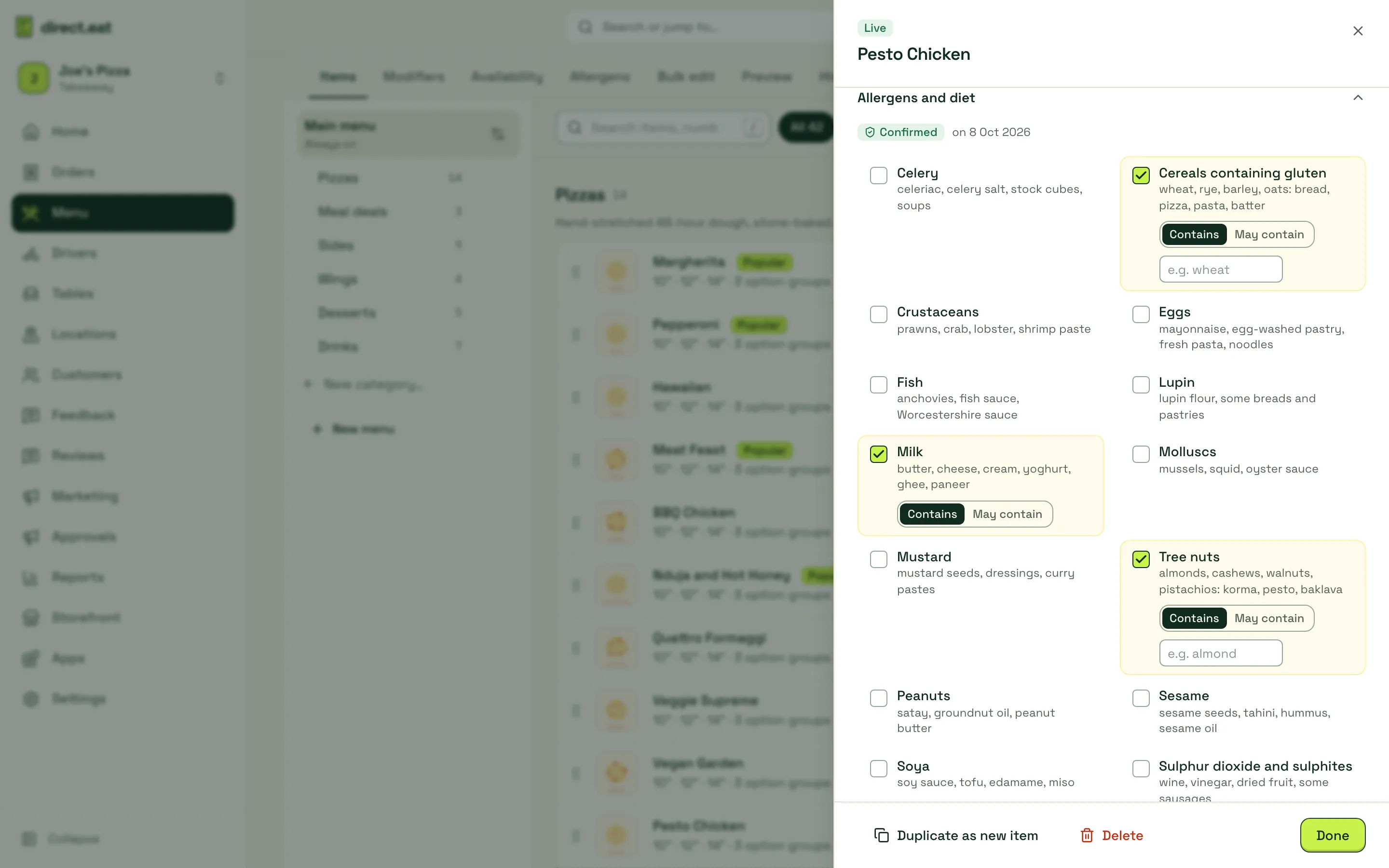
The confirmation is recorded with your name and the time, as your allergen record.
If the item has none of the 14, leave everything unticked: the button becomes Confirm: none of the 14.
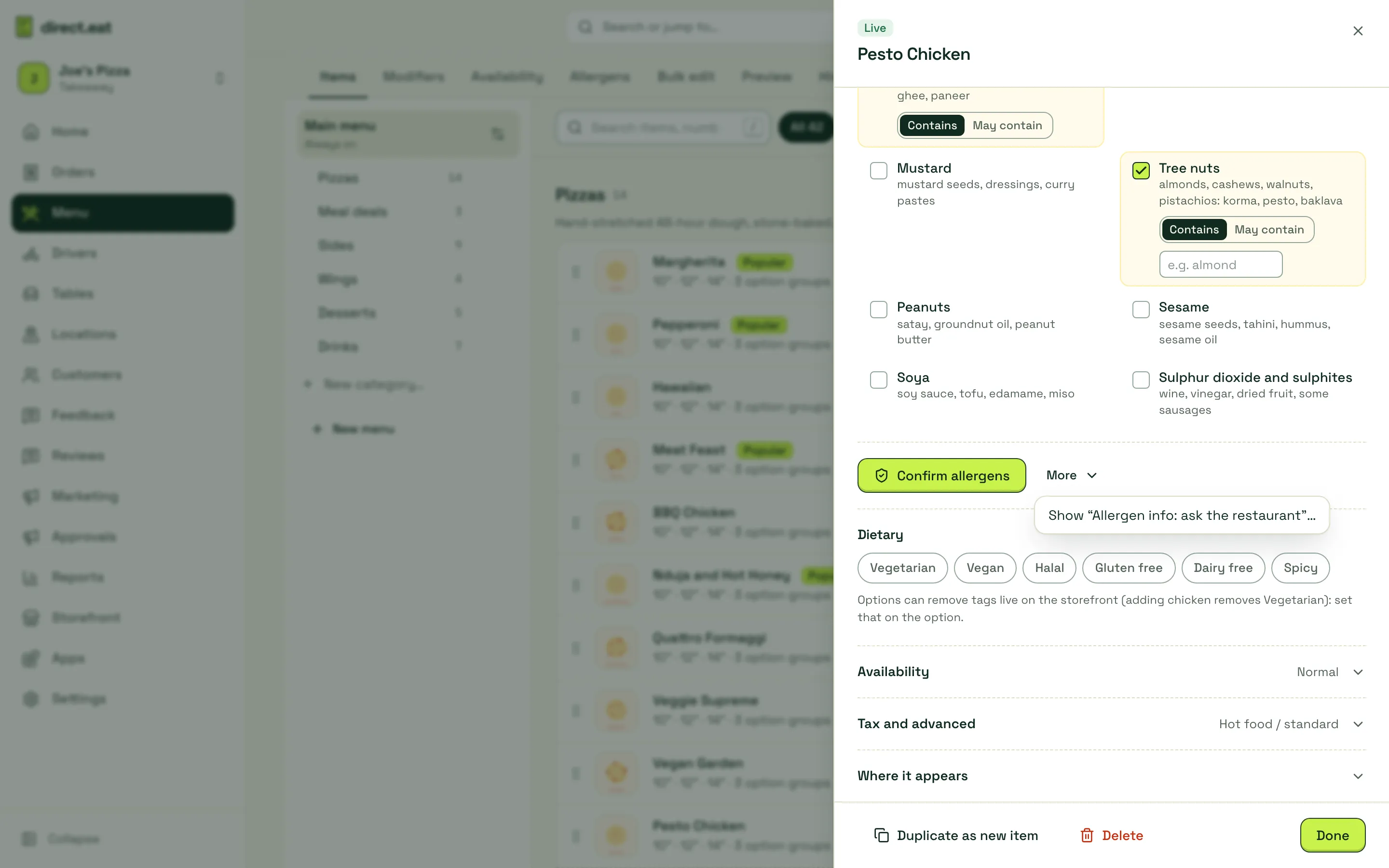
If you genuinely don’t know yet, More → Show “Allergen info: ask the restaurant”… puts the item live with “Allergen info: ask the restaurant” and your phone number instead of a list. This choice is logged too. A full list is better for your customers, so use it sparingly, and make sure your shop phone number is set in Shop details.
When you need to confirm again
Section titled “When you need to confirm again”- Changing an item’s allergen ticks resets it to unconfirmed. It comes off the storefront until you confirm again.
- If you edit the description (the recipe), the editor asks “You changed the recipe. Have the allergens changed?” so you can check.
- Options can add allergens of their own (a pesto drizzle adds tree nuts). Set these on the option in Modifiers under Allergens this option adds. The diner’s allergen summary includes them when the option is chosen.
Confirm the whole menu at once: the allergen matrix
Section titled “Confirm the whole menu at once: the allergen matrix”Menu → Allergens shows every item against all 14 allergens in one grid.
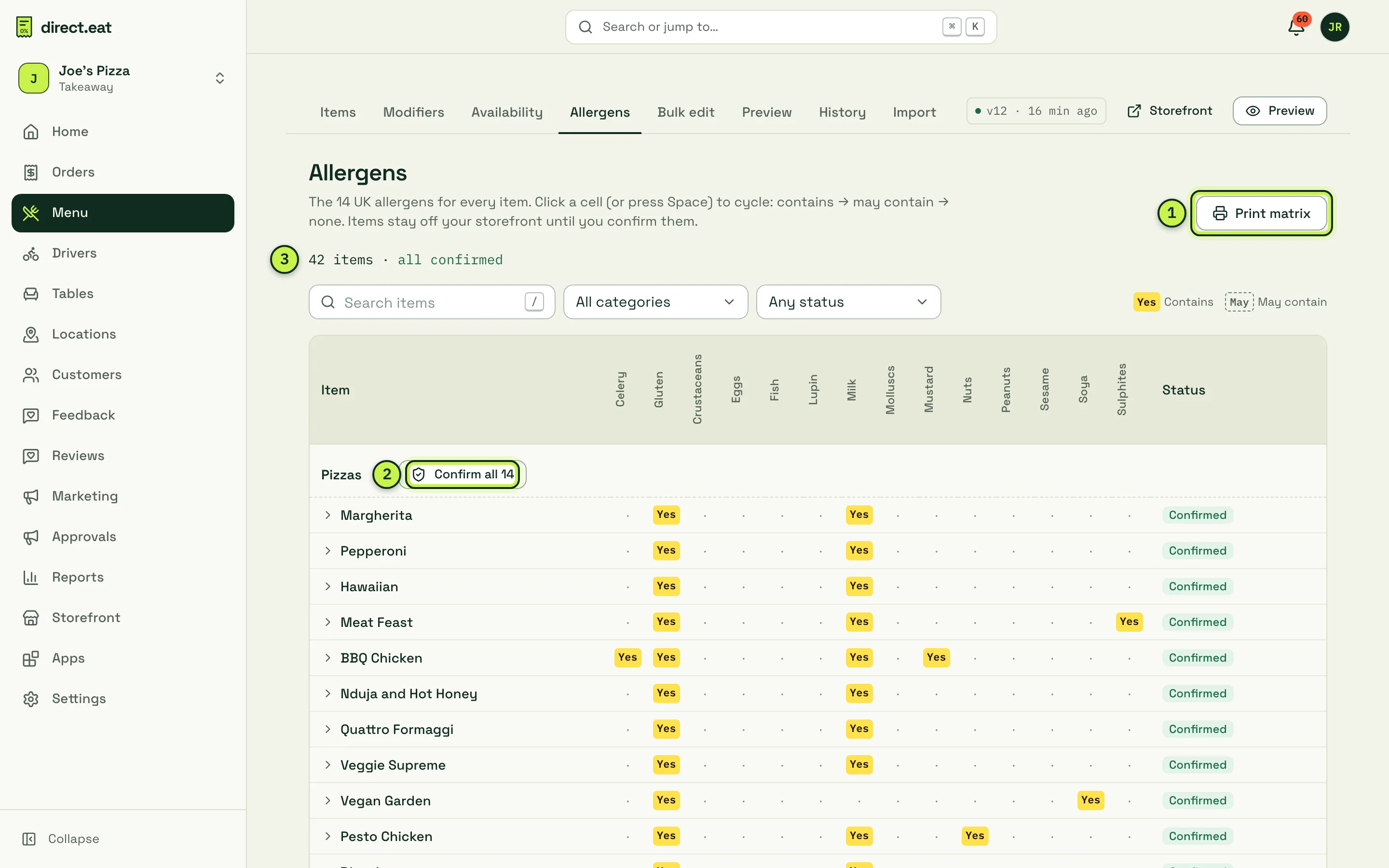
- Print matrix: prints an allergen chart in the format the Food Standards Agency suggests, to keep behind the counter.
- Confirm all: confirms every item in a category in one go, with the same statement. Check each row first.
- Status: how many items are confirmed. Filter with Needs confirmation to see what’s left.
Click a cell (or press Space) to cycle it: Contains, May contain, none. Search and the category filter help on long menus.
Dietary tags
Section titled “Dietary tags”Under Dietary in the item editor, tap any that apply: Vegetarian, Vegan, Halal, Gluten free, Dairy free and Spicy (with a heat level).
- Gluten free is a legal claim (20 mg/kg or less), so the editor asks you to confirm it: “I confirm this item meets the legal gluten-free limit (20 mg/kg or less). It will show ‘made in a kitchen that handles gluten’.”
- An option can remove a tag. Set Removes dietary tag on the option (adding chicken removes Vegetarian). The storefront then tells the diner: “With your choices this is no longer vegetarian.”
- Tags appear on the storefront and in your Google listing data only where you’ve set them.
What diners see
Section titled “What diners see”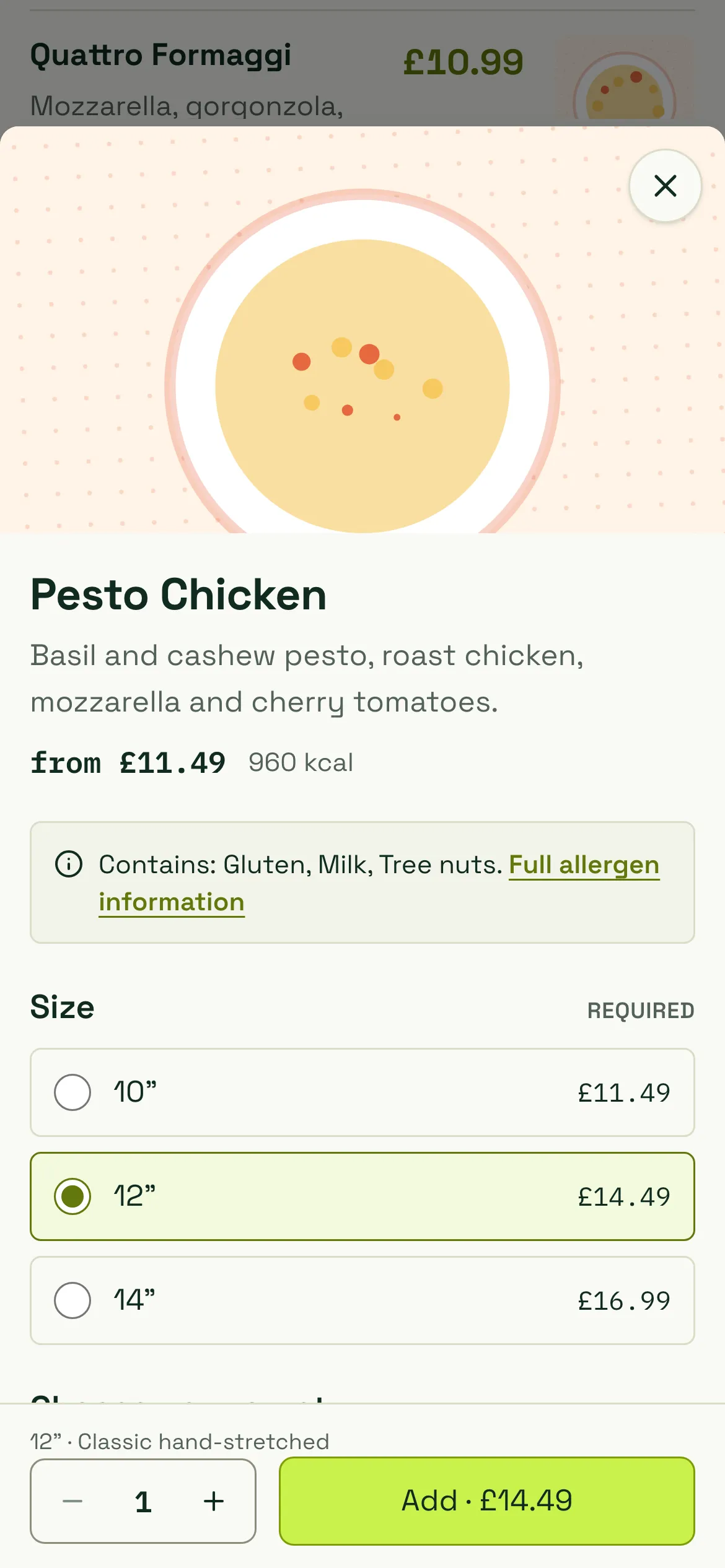
- On every item: a summary such as “Contains: gluten (wheat), milk. May contain: sesame.” and a Full allergen information link. Items marked ask-the-restaurant say “Ask the restaurant about allergens”.
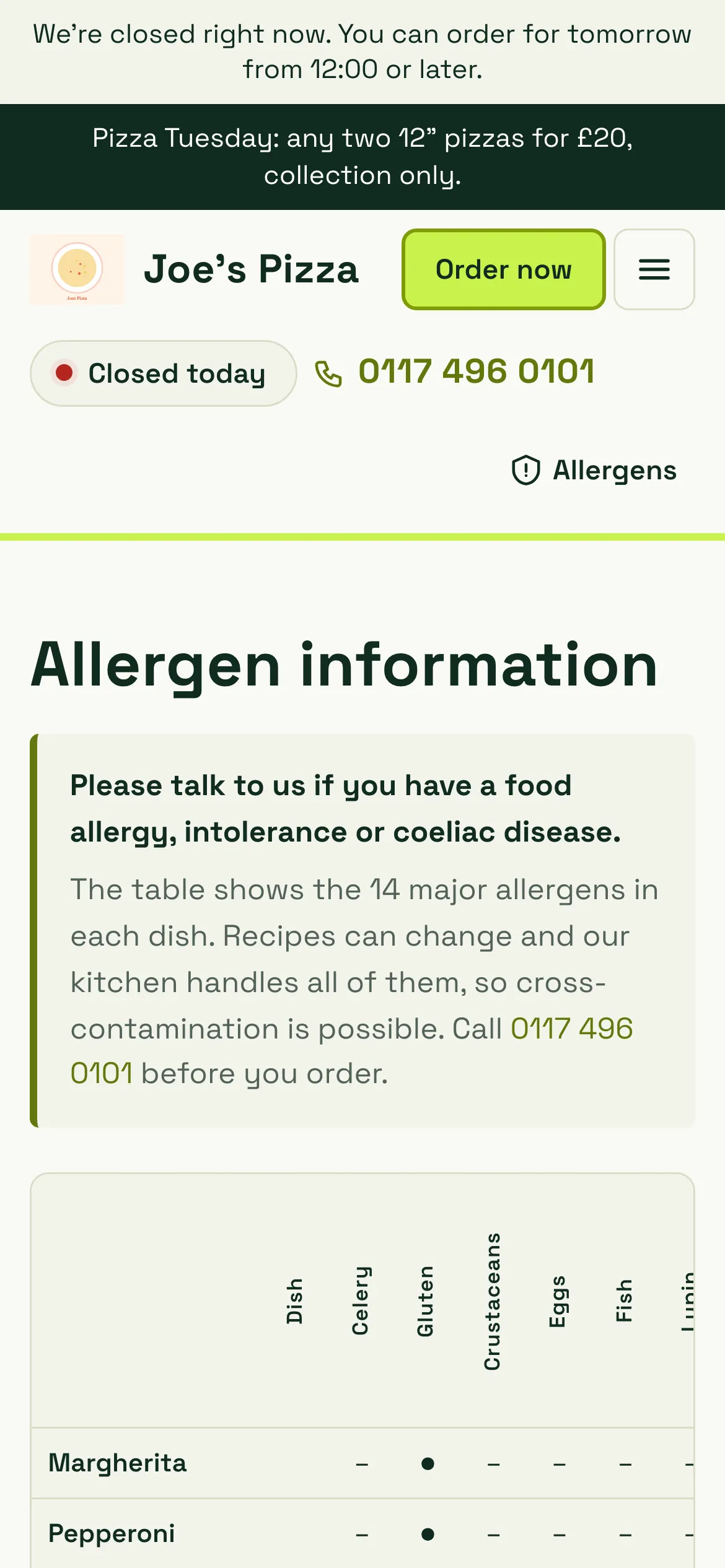
- An allergens page at
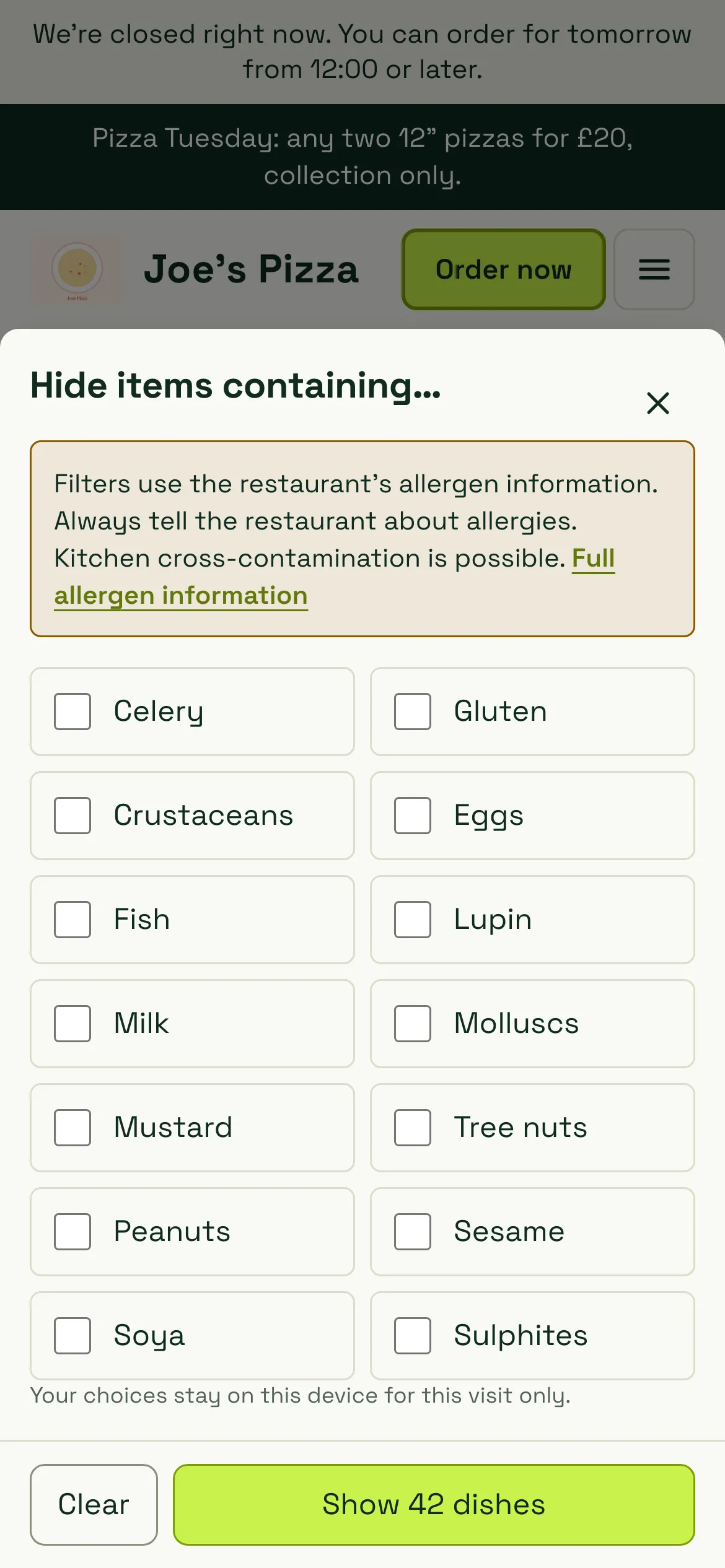
/allergenson your storefront: the full matrix of dishes and allergens in words and symbols, with “Please talk to us if you have a food allergy, intolerance or coeliac disease.” and a call button. It’s linked from the header, every item and checkout, and you can’t delete it. - An allergen filter: diners can hide items containing chosen allergens. Items without confirmed information are hidden by the filter and flagged, never shown as safe. The filter always says: “Filters use the restaurant’s allergen information. Always tell the restaurant about allergies. Kitchen cross-contamination is possible.”
- At checkout: diners can tell you about an allergy, with a link to the allergen information.
More detail for diners is in Allergens (diner help).
What the kitchen sees
Section titled “What the kitchen sees”Every kitchen ticket with allergens on it prints a reversed (white on black) block under the items, so it can’t be missed:
ALLERGENS: GLUTEN (WHEAT), MILK, MUSTARDCUSTOMER ALLERGY: "Coeliac, please use a clean board"If the diner ticked that they have an allergy but didn’t write anything, the ticket says CUSTOMER HAS AN ALLERGY - CHECK ORDER. The kitchen app shows the same allergy block on the ticket. See Print routing and templates.
Related
Section titled “Related”- Allergens in the setup path
- Edit your menu
- Import a menu (imported allergens always need confirming)
- Allergens (diner help)
Was this page helpful?