

Create your account
Signing up creates three things at once: your login, your business (we call it an organisation) and your first shop with its own web address. You don’t need a card.
Rough time: 2 minutes. You need: an email address you check, and your shop’s name.
Sign up
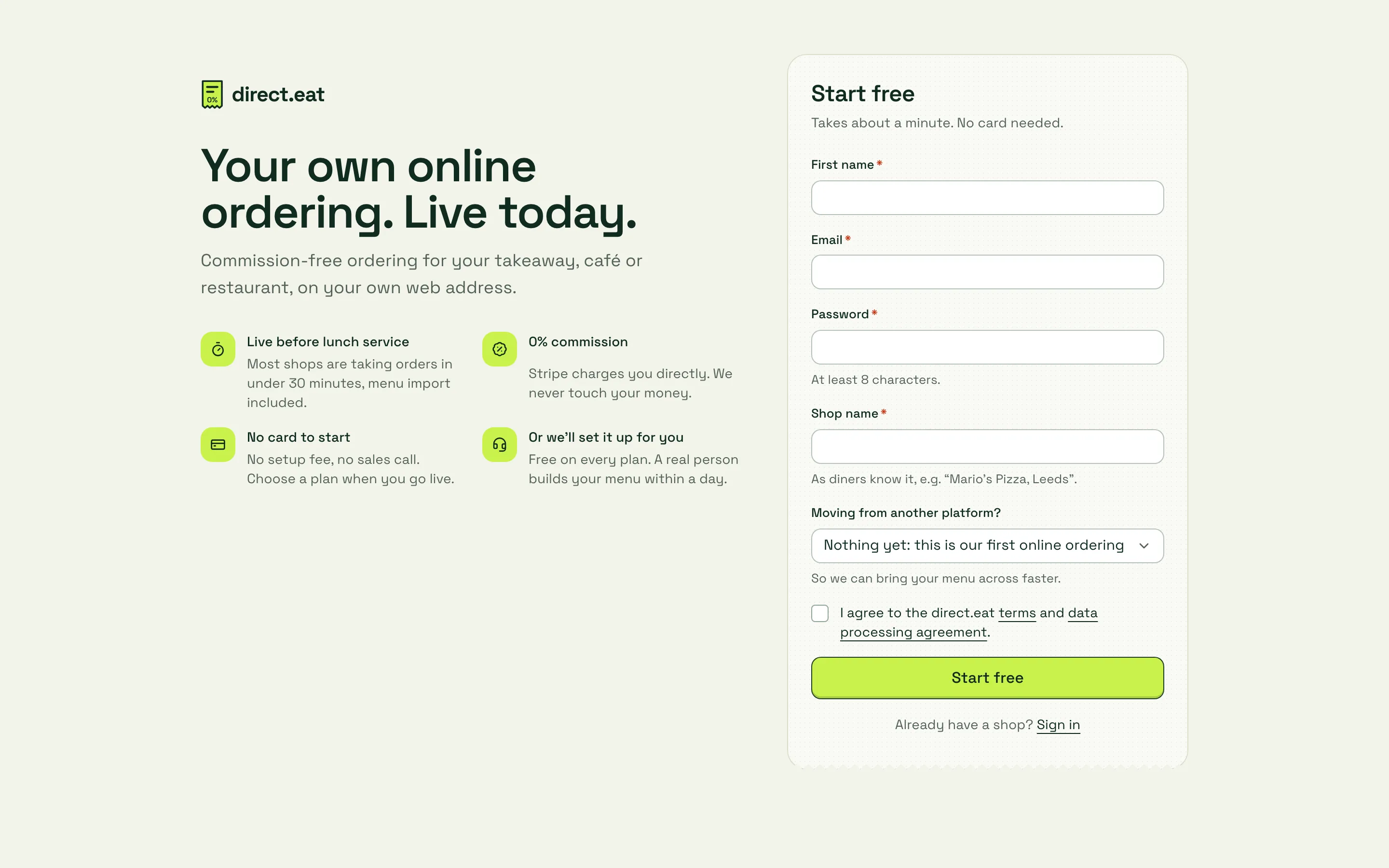
Section titled “Sign up”Go to https://app.direct.eat/signup.
-
Enter your First name, Email and a Password of at least 8 characters.
-
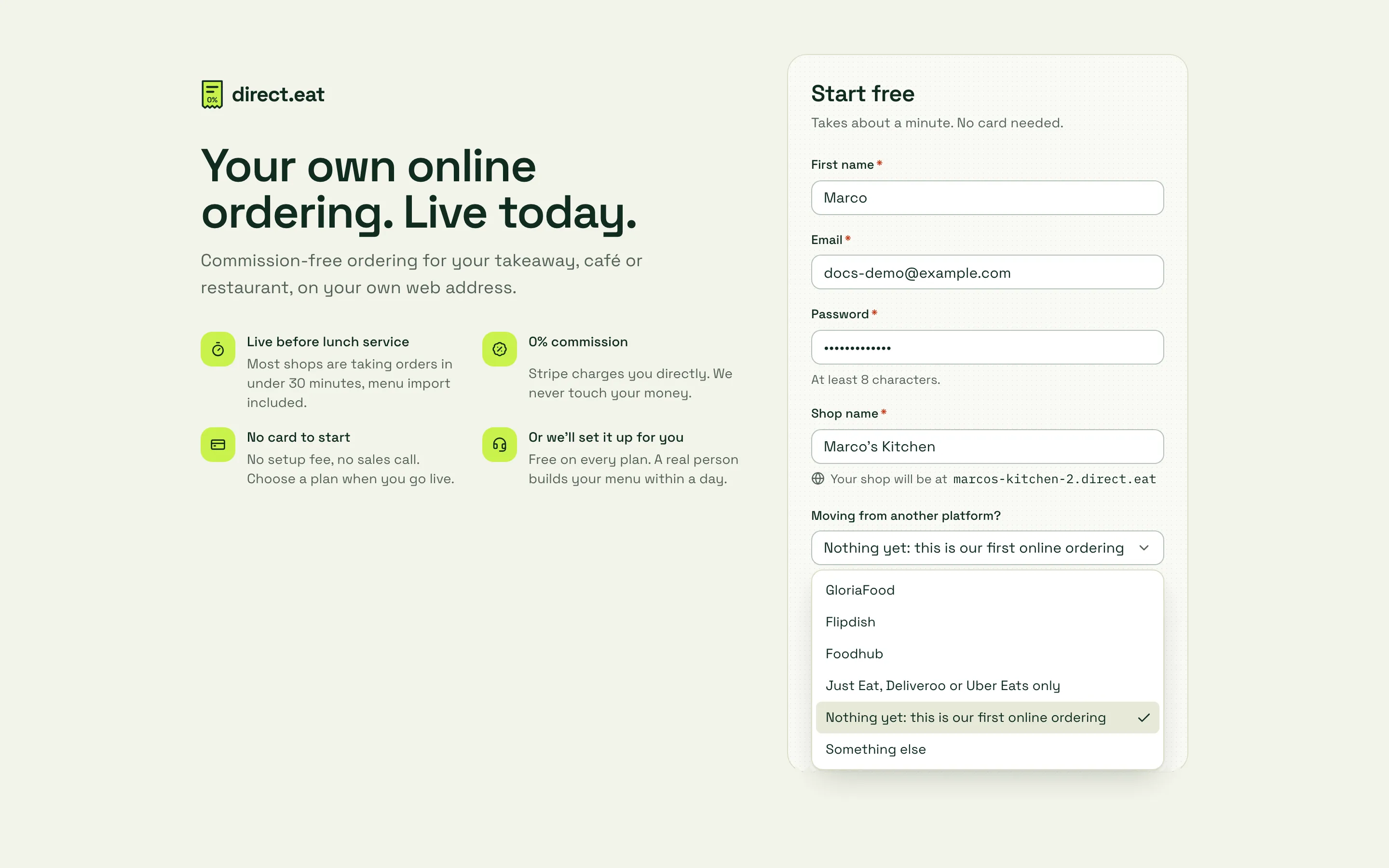
Type your Shop name the way diners know you, for example “Marco’s Kitchen”. Underneath, you see the web address your shop will have, such as
marcos-kitchen.direct.eat. If that address is already taken, we add a number (marcos-kitchen-2). You can change it later, or use your own domain. -
Under Moving from another platform?, pick where your online orders come from today. This tells us which import to suggest first.
-
Tick the box to agree to the direct.eat terms and data processing agreement. You run the shop and own your customer data; we process it for you, and the data processing agreement says so in writing.
-
Press Start free.
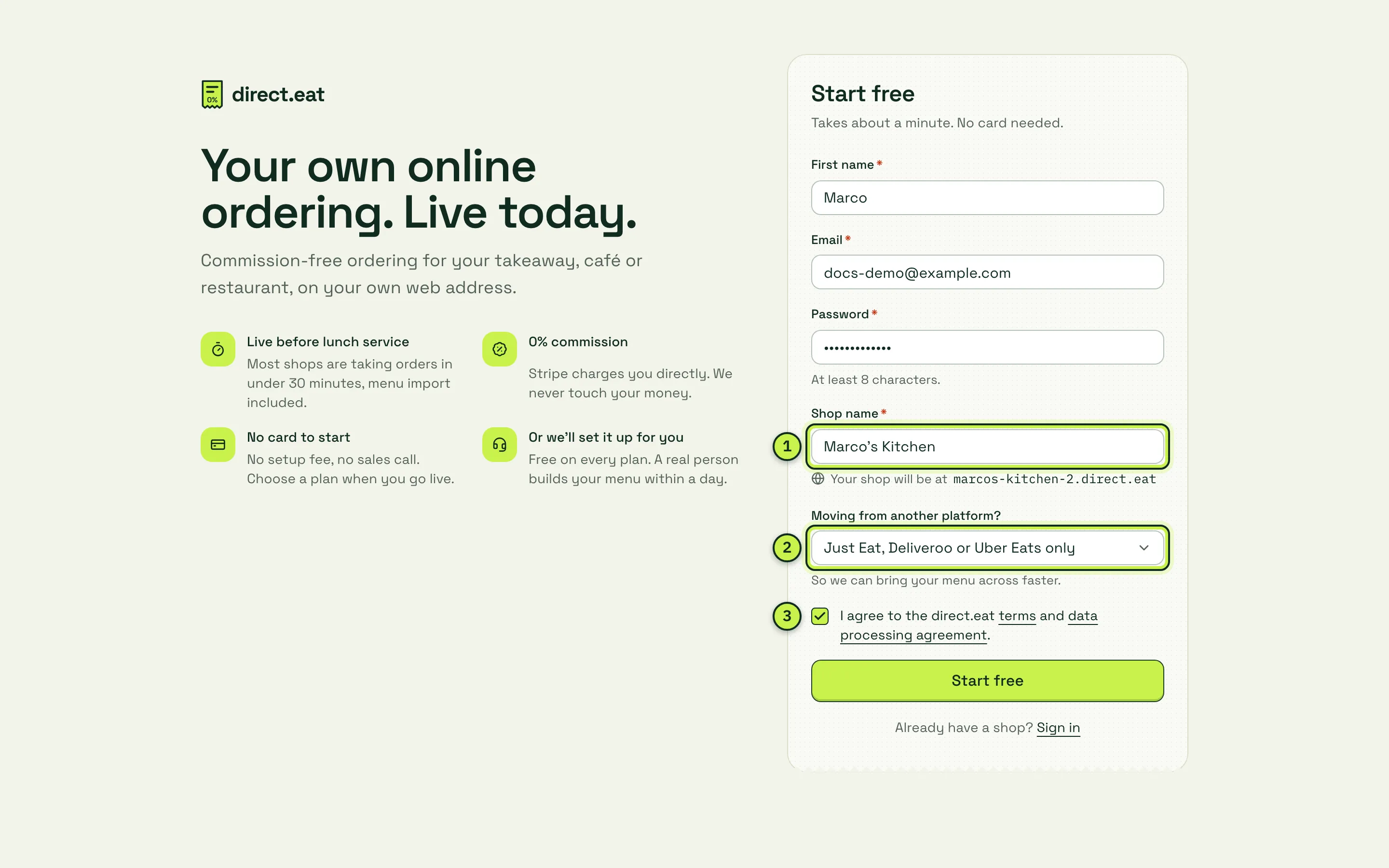
- Shop name: also sets your free web address, shown just below it.
- Moving from another platform?: choose GloriaFood here and the wizard puts the GloriaFood import first.
- Terms and data processing agreement: you must tick this to continue.
What happens next
Section titled “What happens next”You go straight into the setup wizard, on the first step, Business type. There’s nothing to download and no call to book.
If we ask you to confirm your email address, open the email from direct.eat and click the link. “Email address verified” is one of the must-do items before you can go live.
Good to know
Section titled “Good to know”- No card, no trial clock yet. Your 14-day free trial, with Growth plan features, starts when your first real order comes in, not when you sign up. It always ends within 30 days of signing up, so don’t leave the shop half-built for weeks. Moving from GloriaFood? You may qualify for 90 free days instead. See Billing and plans.
- One login, many shops. If you have more than one location, add the others later from Locations. See Multi-location.
- Already have an account? Use Sign in at the bottom of the form, or go to https://app.direct.eat.
- Signed up with the wrong shop name? Change it any time in Settings → Shop details. The web address is changed separately in Settings → Web address and domains. See Connect your domain.
Next step
Section titled “Next step”2. Setup wizard: tell us what kind of food business you are and where you trade.
Was this page helpful?